Installing the iCVR Encoder
12
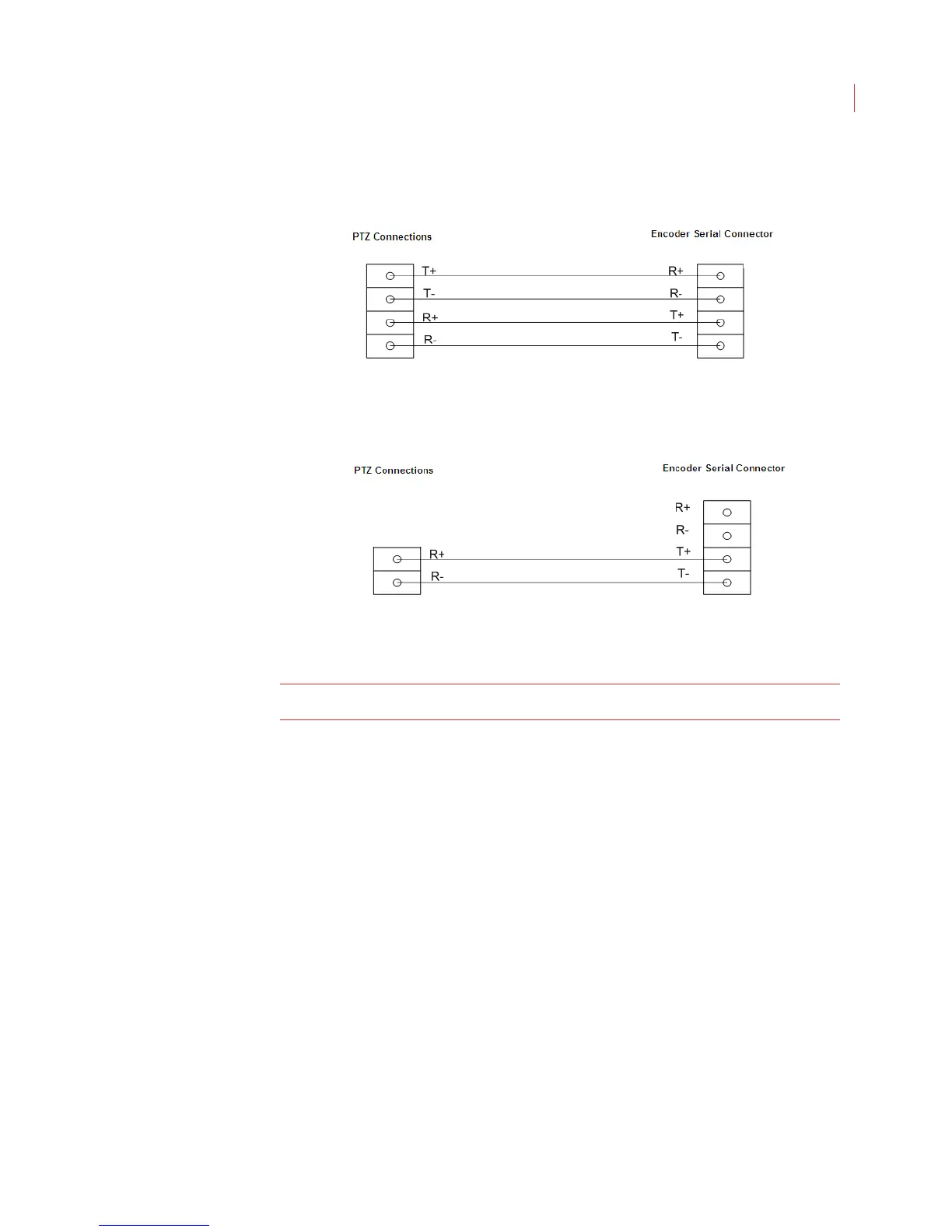
the Encoder serial connector, and the R+ and R- cables from the camera
should connect to the T+ and T- slots.
3. For a half-duplex camera, connect the R+ and R- cables from the camera
to the T+ and T- slots on the Encoder.
Once the camera has been connected to the Encoder see Configuring Encoder
Settings on page 43 to use the View software features.
Note: The Encoder supports only Pelco P and Pelco D PTZ cameras.



 To Next Page