VideoIQ User Guide16
Flush Mount
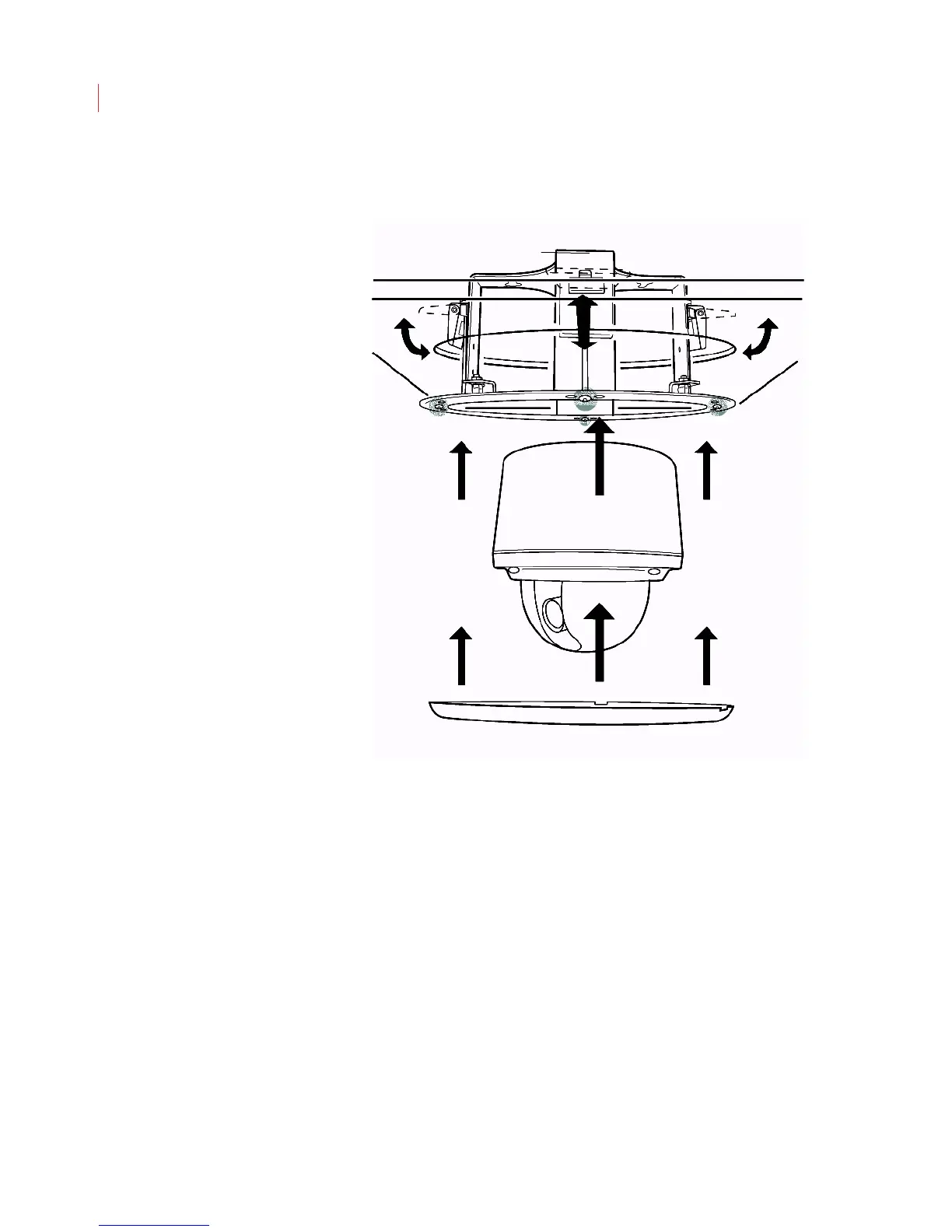
1. Determine where you want to mount the camera. Peel the back off of the
adhesive ceiling hole template and place it on the ceiling. Cut away the ceiling
material.
2. Insert the mounting plate into the ceiling hole and tighten the support screws
(highlighted).
3. Thread the cables through the mounting plate.
4. Align the spring-loaded fasteners on the back of the camera with the keyholes
on the mounting plate.
5. Turn the camera clockwise until it locks in place.
6. Point and focus the lens using the steps below.
7. Place the trim ring over the dome of the camera, aligning the locking tabs with
the slots on the mounting plate. Press down.



 To Next Page