VideoIQ User Guide18
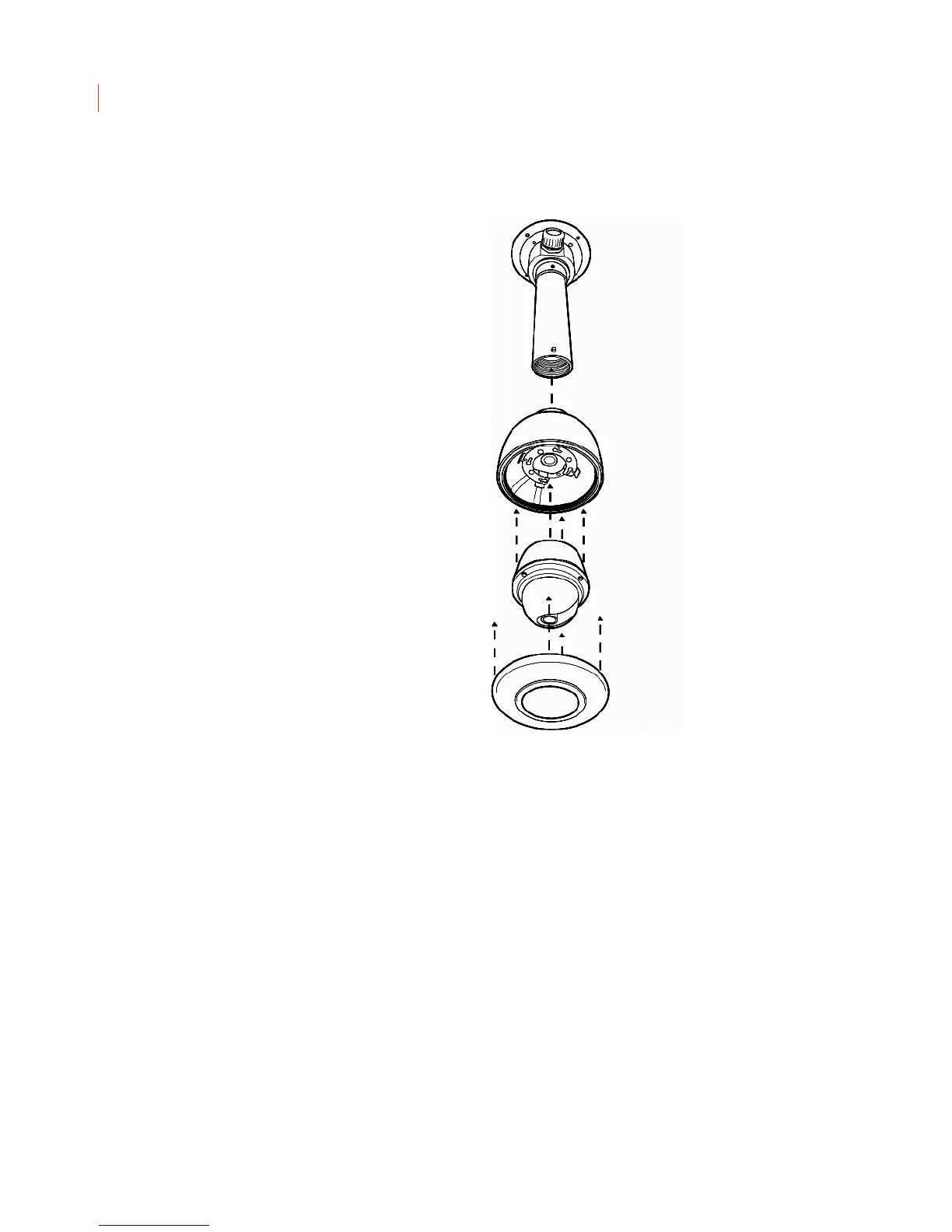
Pendant Mount from the Ceiling
1. Determine where you want to mount the camera. Place the mount plate
against the ceiling and secure it using the enclosed screws. You may need to
drill pilot holes.
2. Thread the cable connections through the side of the ceiling mount plate.
Thread them through the extension tube; then screw the tube into the mount
plate.
3. Place the camera inside the pendant, running the camera cables through the
opening at the top of the pendant.
4. Align the arrow on the front of the camera dome with the arrow on the rim of
the pendant.
5. Turn the camera clockwise until it locks in place.
6. Screw the pendant into the extension tube.
7. Point and focus the lens using the steps below.
8. Tighten the set screws on the mount plate and extension tube.
9. Attach the trim ring to the bottom of the pendant.



 To Next Page