Videojet DataFlex 6530 Operator Manual - Rev AA 6-5
Job Editor
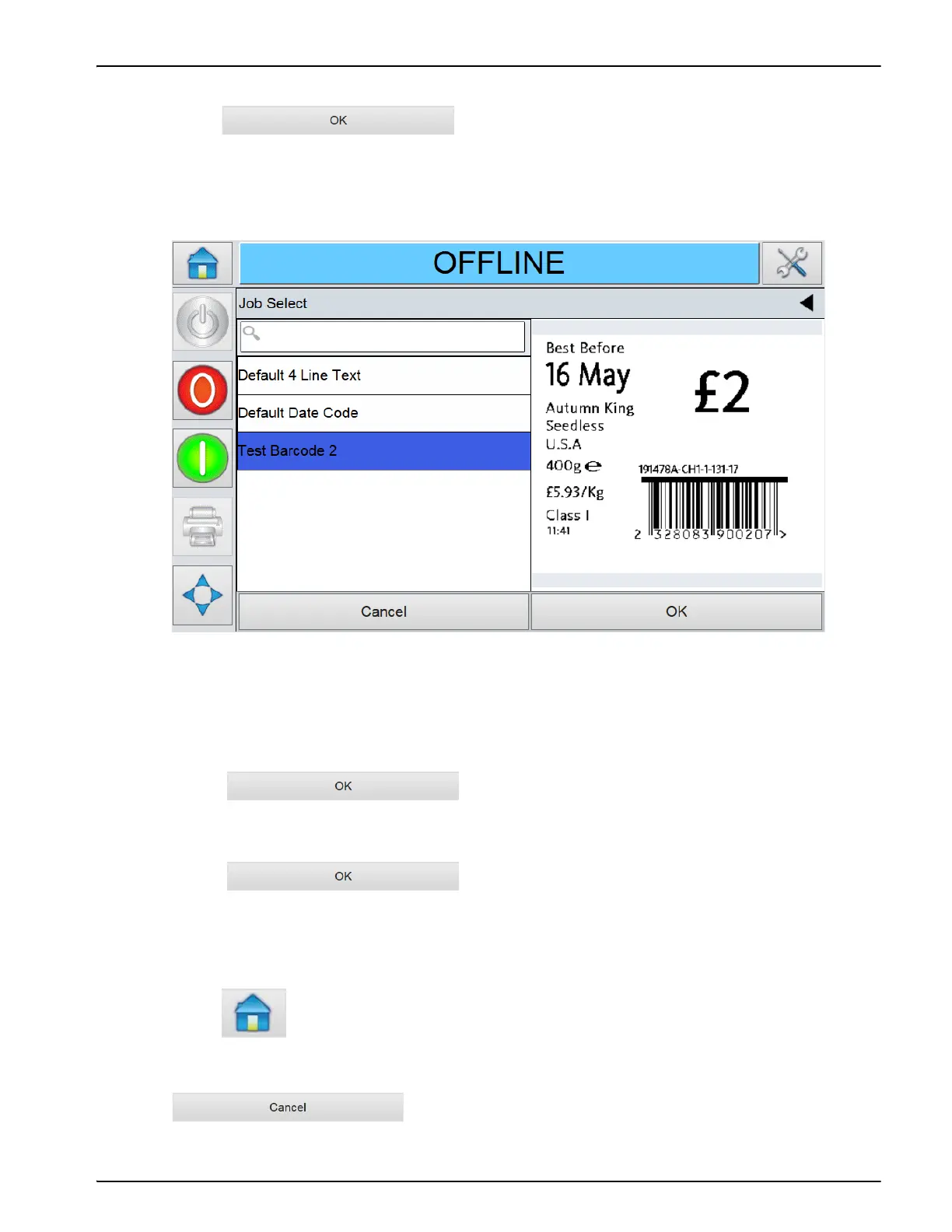
2. Touch the name of the required job in the list, as shown in Figure 6-3 and then
touch .
If the list is long, a “scroll bar” appears to the right of the list. Touch the up or down arrow
buttons on the scroll bar to move through the list.
Alternatively, you can type the name of the job using the keypad.
If the job requires user input information (i.e, job variables such as, batch codes or expiration
date), UI will prompt for the same. Refer “Changing Variable Text and Date Information” on
page 6-6
3. Touch to accept the information and view a
preview of the image.
4. Touch in the preview page to confirm the details.
The new job becomes the current job.
Note: User can select a new image or job while the printer is offline or while it is running. The new job
replaces the current job only after user performs Step 4.
5. Touch to return to the Home screen.
6. To exit the job selection menu at any stage without making any changes, touch
.
Figure 6-3: Job Selection



 To Next Page