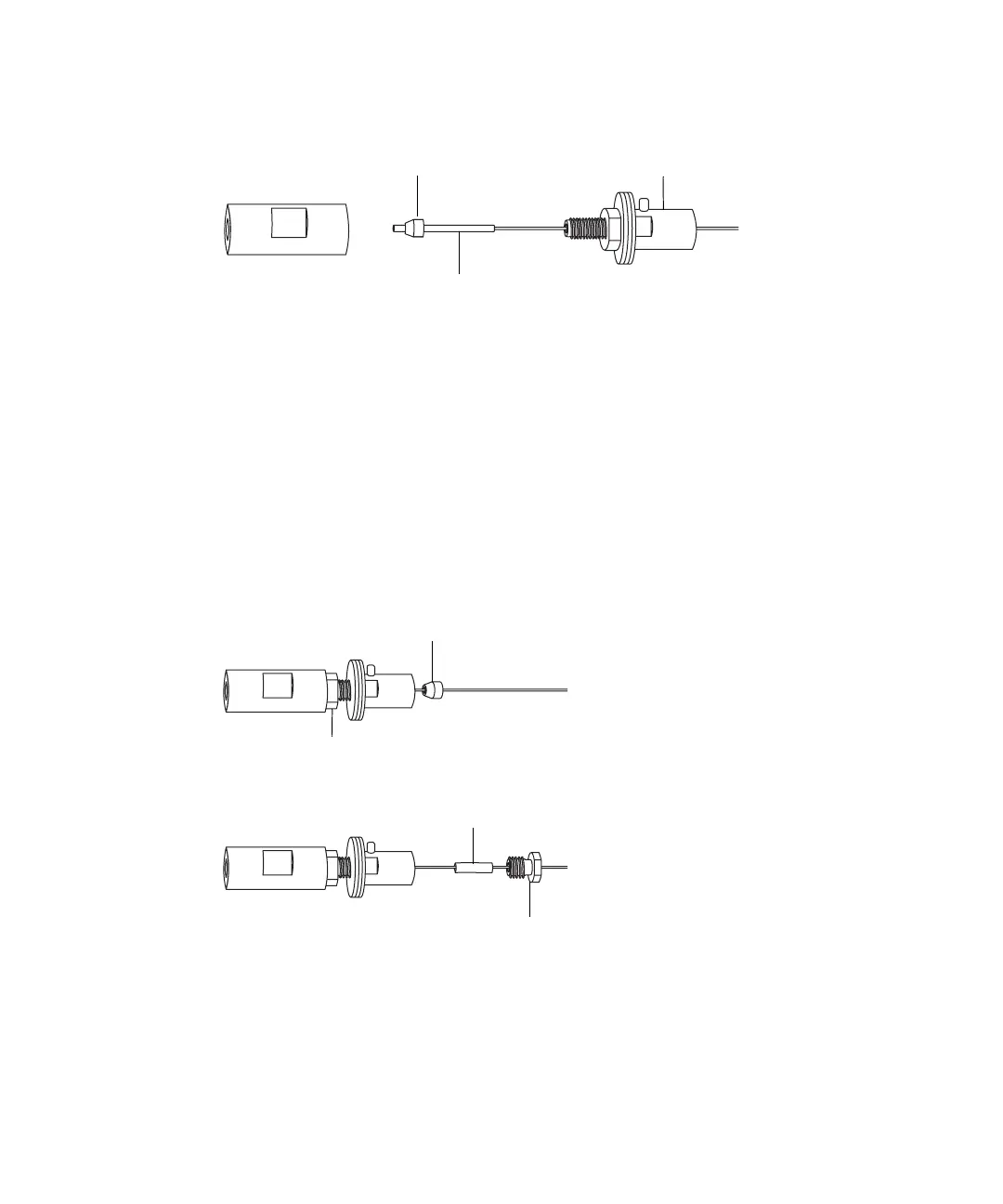
3-10 Configuring the LockSpray Source
4. Using the needle-nose pliers, slide the UNF coupler, PTFE liner sleeve,
and a ferrule onto the capillary.
5. Insert the capillary in the PEEK union, and ensure that it is fully
seated.
6. Finger-tighten the UNF coupling into the PEEK union.
7. Gently tug on the capillary, testing to ensure that it stays in place.
8. Using the 7-mm wrench for the locknut and the 8-mm wrench for the
PEEK union, tighten the locknut against the PEEK union until the
union can no longer be twisted.
9. Using the needle-nose pliers, slide another 1/16-inch ferrule over the
capillary and seat it in the UNF coupler over the exposed end of the
PTFE liner sleeve.
10. Slide a new conductive sleeve and the collar nut over the capillary.
11. Using two 7-mm wrenches, tighten the collar nut to the UNF coupling.
Ferrule
UNF coupler
PTFE liner sleeve
Ferrule
Locknut
Conductive sleeve
Collar nut













 To Next Page