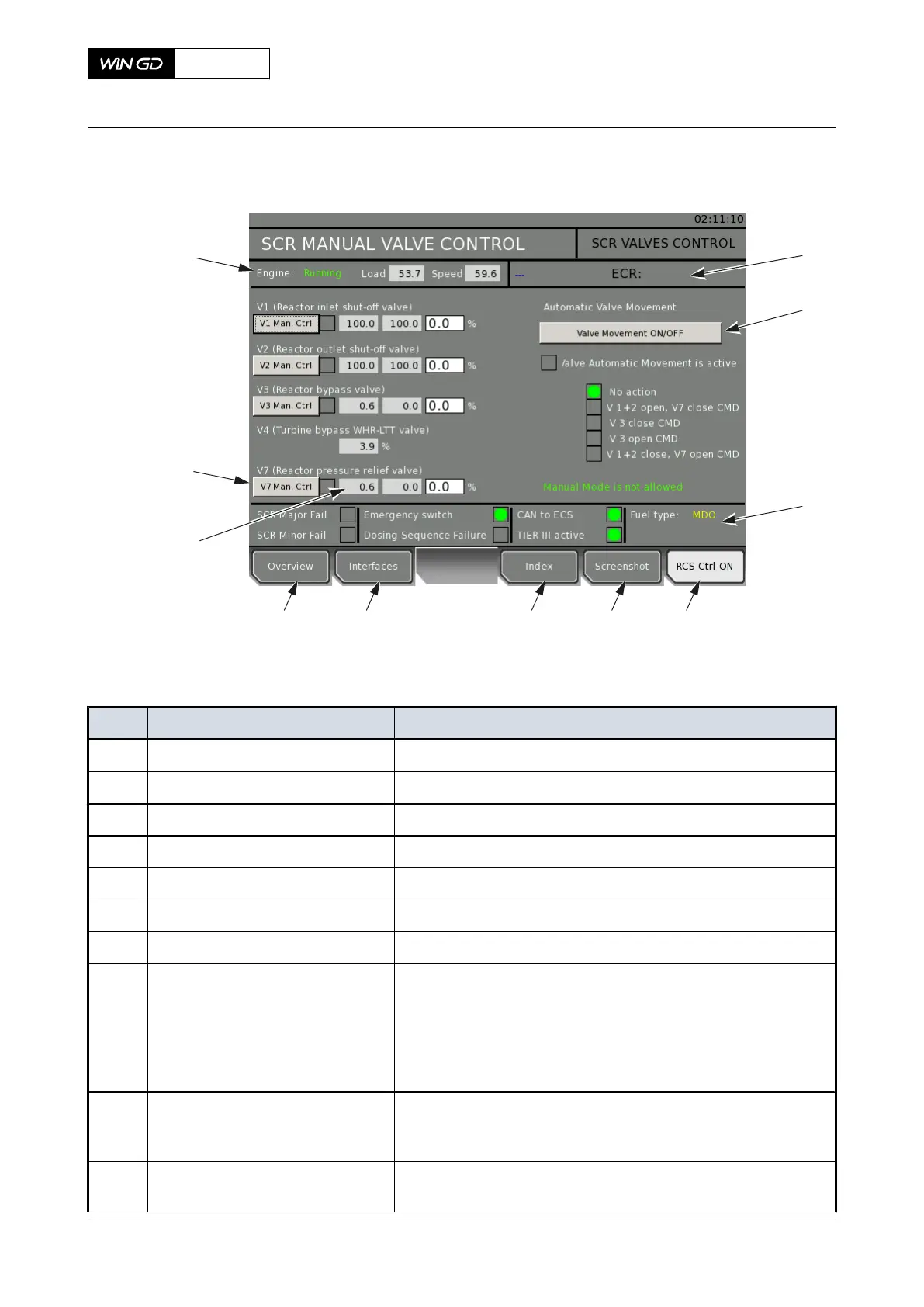
Fig 4-23 LDU-20 page - HP SCR MANUAL VALVE CONTROL
010
009
007
008
001 002 003 004
006
011
005
Tab 4-5 HP SCR MANUAL VALVE CONTROL
Item Function Effect
001 OVERVIEW button Opens the SCR system overview page
002 INTERFACES button Opens the interfaces page
003 INDEX button Opens the index page
004 SCREENSHOT button Makes a screenshot of the current screen
005 RCS CTRL ON button Gets control from the remote control system (if button is active)
006 Status indication Shows the SCR status (failure and mode)
007 Status indication Shows the control location
008 Button and indication Starts and stops the set automatic valve movement as test se-
quence (serviceable only if the manual mode is permitted)
The indication shows the status of the test sequence.
NOTE: If necessary you can stop the test sequence manually
before it stops automatically.
009 Indication and input field First value shows the valve value in percent (%). Second value
shows the valve setpoint value in percent. Third value shows the
valve setpoint value in percent from the operator
010 Button and indication Gives manual control of the related valve and shows the status
(serviceable only if the manual mode is permitted)
X72-B
AA00-9270-00AAA-043A-A
Operation Manual HP Selective catalytic reduction system
Winterthur Gas & Diesel Ltd.
- 112 - Issue 003 2021-12



 To Next Page