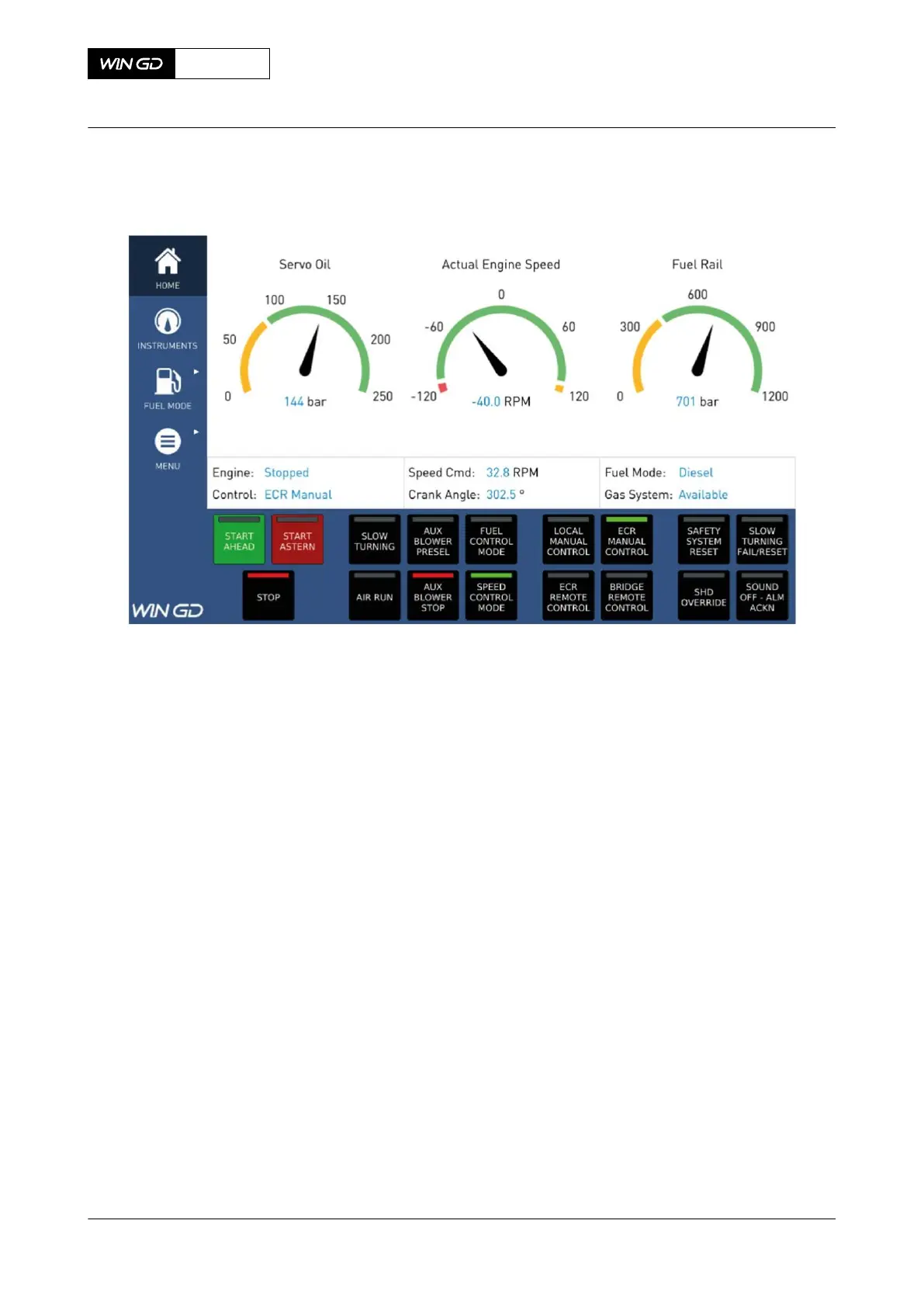
Fig 6-8 MCP page - MAIN unlocked
2 To unlock the function buttons, do the steps that follow:
2.1 Touch the UNLOCK button (001, Figure 6-7) with your finger.
2.2 Hold the finger on the button until the red circle is complete.
2.3 Release the finger.
3 To start a function with a function button, shortly touch the related function button.
NOTE: When the function is active, the LED indication turns on.
NOTE: You only can start one function at the same time, also when you touch two or
more function buttons.
4 To change the control location, do the steps that follow:
4.1 Shortly touch the function button for the related control location.
4.2 If necessary, confirm the transfer on the related MCP.
5 To change between MCP pages, do the steps that follow:
5.1 Shortly touch the related button in the navigation menu (002).
5.2 If applicable, shortly touch the related sub menu button.
X72-B
AA00-4618-00AAC-131A-A
Operation Manual Operate the manual control panel (MCP)
Winterthur Gas & Diesel Ltd.
- 244 - Issue 003 2021-12



 To Next Page