Tab 6-1 MCP navigation menu
Item Function Effect
001 HOME Opens the main page
002 INSTRUMENTS Opens the instruments page
003 FUEL MODE Opens the sub-menu which shows sub-pages on DF engines:
•
Fuel Mode Control
•
Gas Systems
•
Lubrication Oil System
004 MENU Opens the sub-menu which shows link to the remaining pages:
•
Information page
•
Trending page
•
User parameters page
6.5.2.3 Function buttons
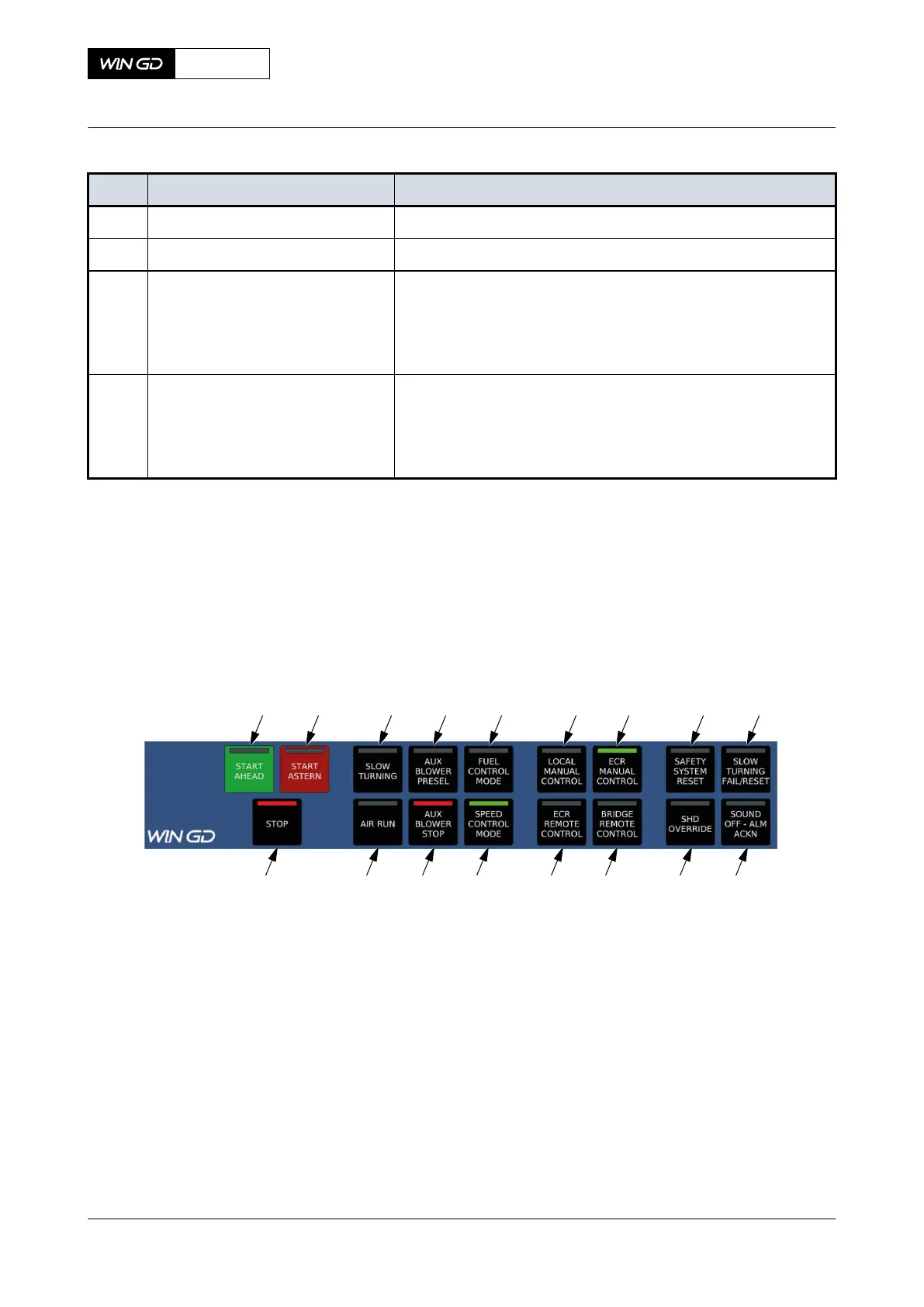
Function buttons are given on the bottom part of the MCP display. They are used in case of manual
engine operations. There are various functions of these buttons:
Fig 6-11 MCP function buttons
001 002 003 004 005 006 007 008 009
016 015
014
013
012
011 010
017
X72-B
AA00-4618-01AAB-043B-A
Operation Manual MCP page - DISPLAY
Winterthur Gas & Diesel Ltd.
- 248 - Issue 003 2021-12



 To Next Page