6.4.2 Color display
The color display (009) of the LDU-20 shows different pages for each application. After boot-up,
or when you push the HOME button, the MAIN page is shown.
Some elements are shown on all pages as follows:
•
In the top right-hand corner, the system time is shown above the title bar.
•
Below the system time, Local or ECR is shown. If the LDU-20 is the active control location,
the indication In Control is shown.
•
The bottom of the color display has some space to show the function of the multi-function
buttons.
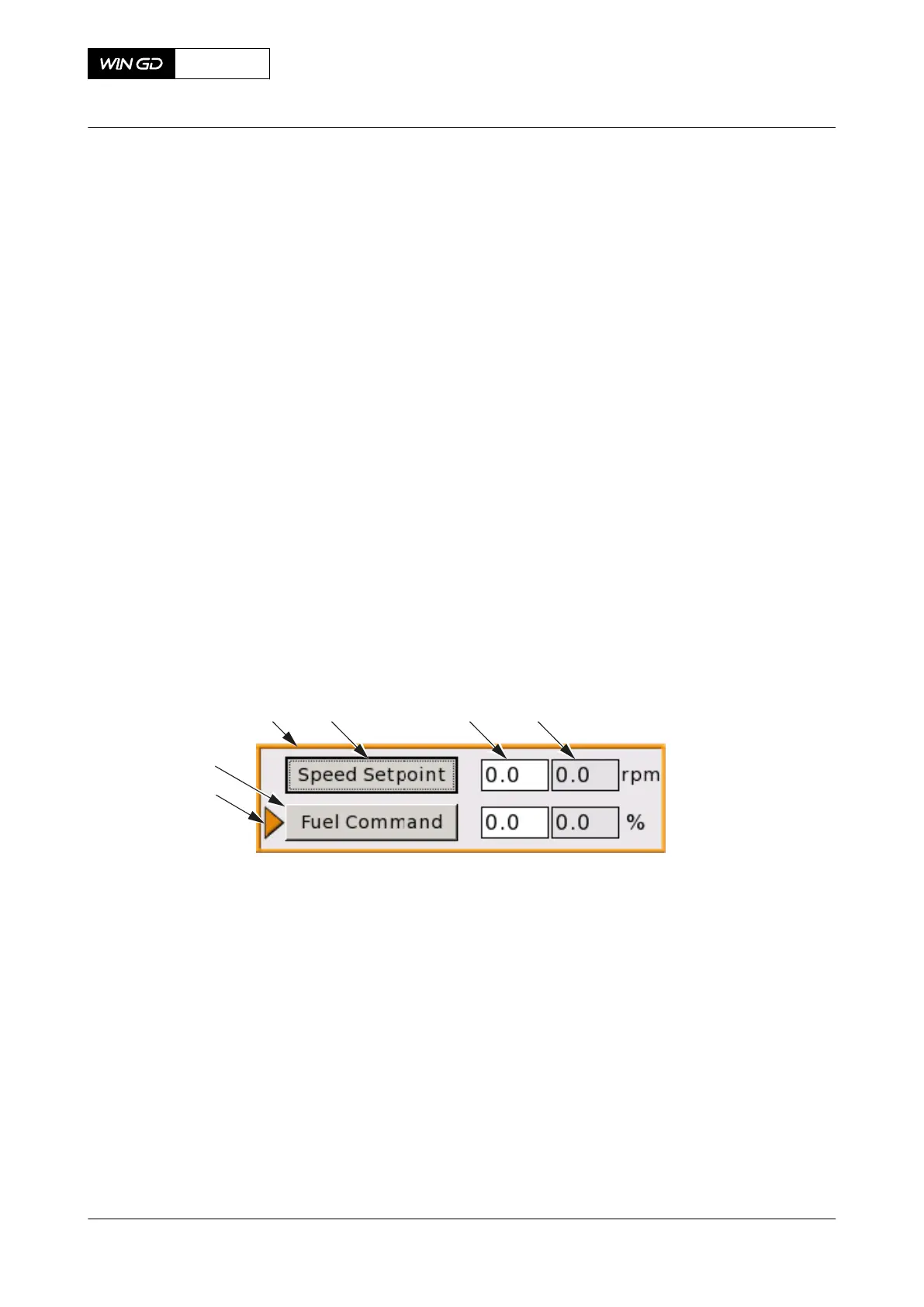
The color display has the general items that follow, refer to Figure 6-6:
•
An orange arrow (001) shows the active item.
•
A 3D-rectangle (002) indicates a command button.
•
An orange frame (003) indicates the edit mode.
•
A black dotted frame (004) around an item shows the position of the cursor.
•
A white background (005) shows a parameter, which the operator can adjust.
•
A grey background (006) shows a parameter, which the operator cannot adjust.
Fig 6-6 LDU-20 color display - general items
Legend
001 Orange arrow 004 Black dotted frame
002 3D-rectangle 005 White background
003 Orange frame 006 Grey background
For the procedures how to use the LDU-20, eg change a LDU-20 page, refer to section [section
not applicable for this engine].
X72-B
AA00-0000-00AAA-043H-A
Operation Manual Local display unit (LDU-20) - general
Winterthur Gas & Diesel Ltd.
- 241 - Issue 003 2021-12



 To Next Page