12. SYSTEM APPEARANCE
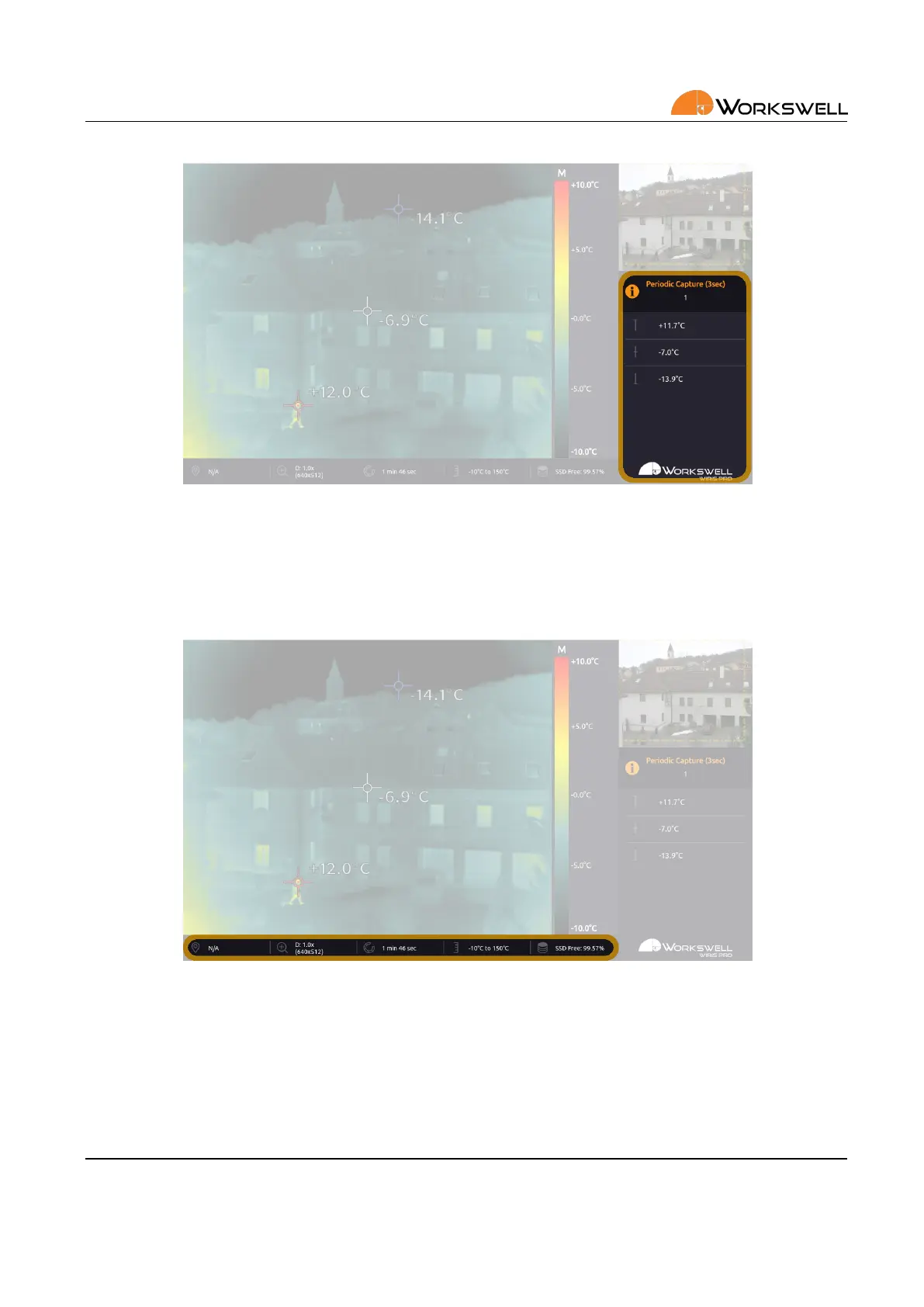
Figure 12.4: Inspecon panel.
INSPECTION PANEL shows the most important informaon during operaon. Depending on how it’s set up, it
can display temperature extremes, status of the camera and so on.
Figure 12.5: Status bar.
STATUS BAR contains some of the important system informaon such as zoom factor (and the corresponding
image resoluon), me from last shuer calibraon (NUC), GPS informaon (in the case GPS is connected),
temperature range and remaining free memory space.
Note that the STATUS BAR is only visible in the Inspecon layout mode.
E‐mail and Web
info@workswell.eu
www.workswell.eu
Mobile:
+420 725 877 063
ID:
Reg. No.: 29048575
VAT No.: CZ29048575
Headquarters
U Albrechtova vrchu 12
155 00, Prague 13
Czech Republic
Version: 201215 EN, 15
th
Dec, 2020
All pictures are only for illustraon.
Real values may vary.
32



 To Next Page