21. TROUBLESHOOTING
21 Troubleshoong
21.1 Turning ON
When the power cable is plugged in, the LED should begin ashing. If nothing happens, please check you power
supply. A stable power supply is essenal for correct funconing of the device.
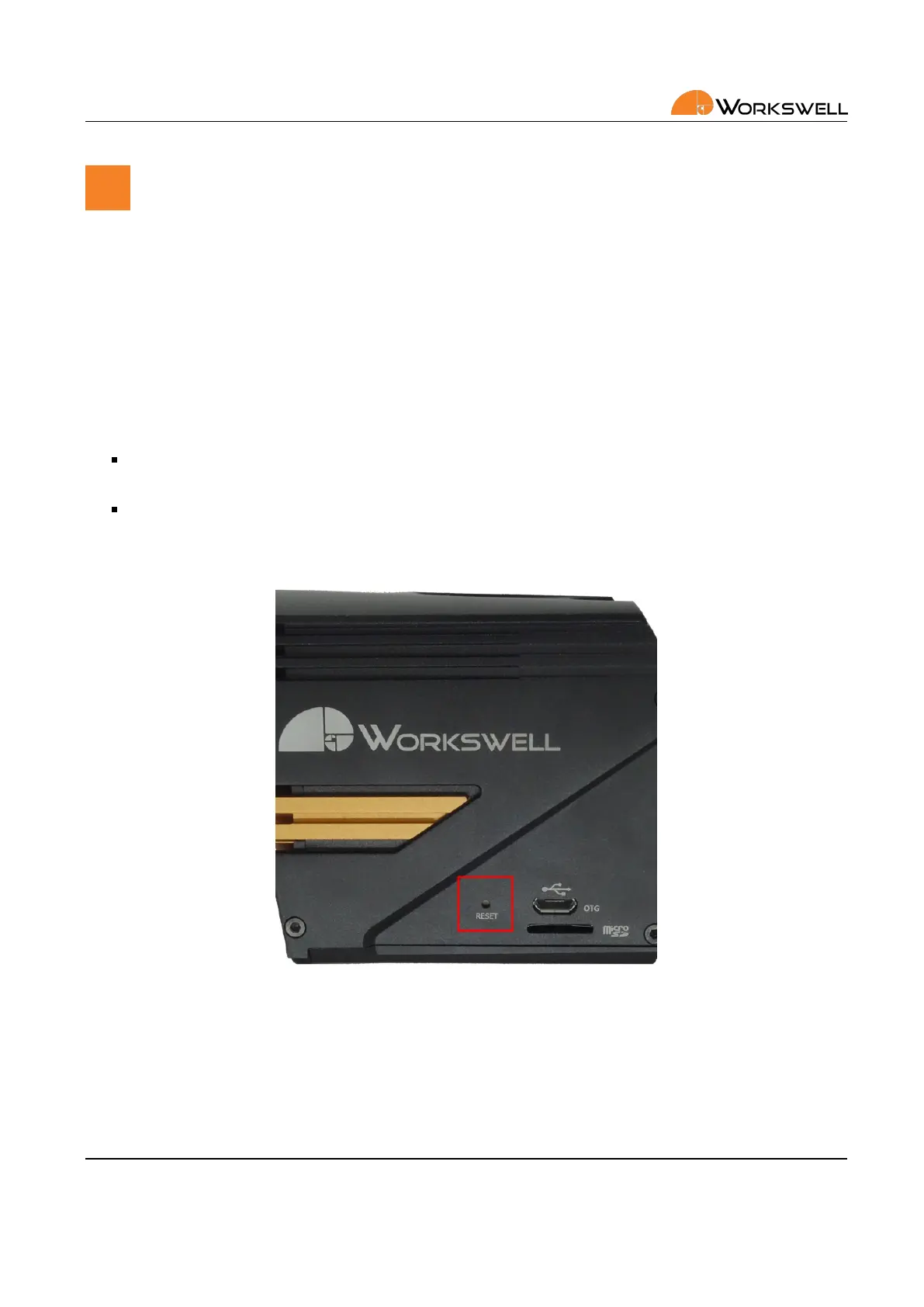
21.2 Reset buon
On side of the WWP device, a reset buon is present. This buon has two funcons.
If the reset buon is held down during device startup, the device should go directly into Safe Mode as
described in the next secon.
Holding the reset buon for 15 seconds while the camera is already running (but even if no image is pro‐
duced) should reset the device to factory default state.
To actuate the reset buon, use a ne pointed object such as a toothpick or an unfolded paperclip.
Figure 21.1: Reset buon.
E‐mail and Web
info@workswell.eu
www.workswell.eu
Mobile:
+420 725 877 063
ID:
Reg. No.: 29048575
VAT No.: CZ29048575
Headquarters
U Albrechtova vrchu 12
155 00, Prague 13
Czech Republic
Version: 201215 EN, 15
th
Dec, 2020
All pictures are only for illustraon.
Real values may vary.
70



 To Next Page