21. TROUBLESHOOTING
21.3 Safe Mode
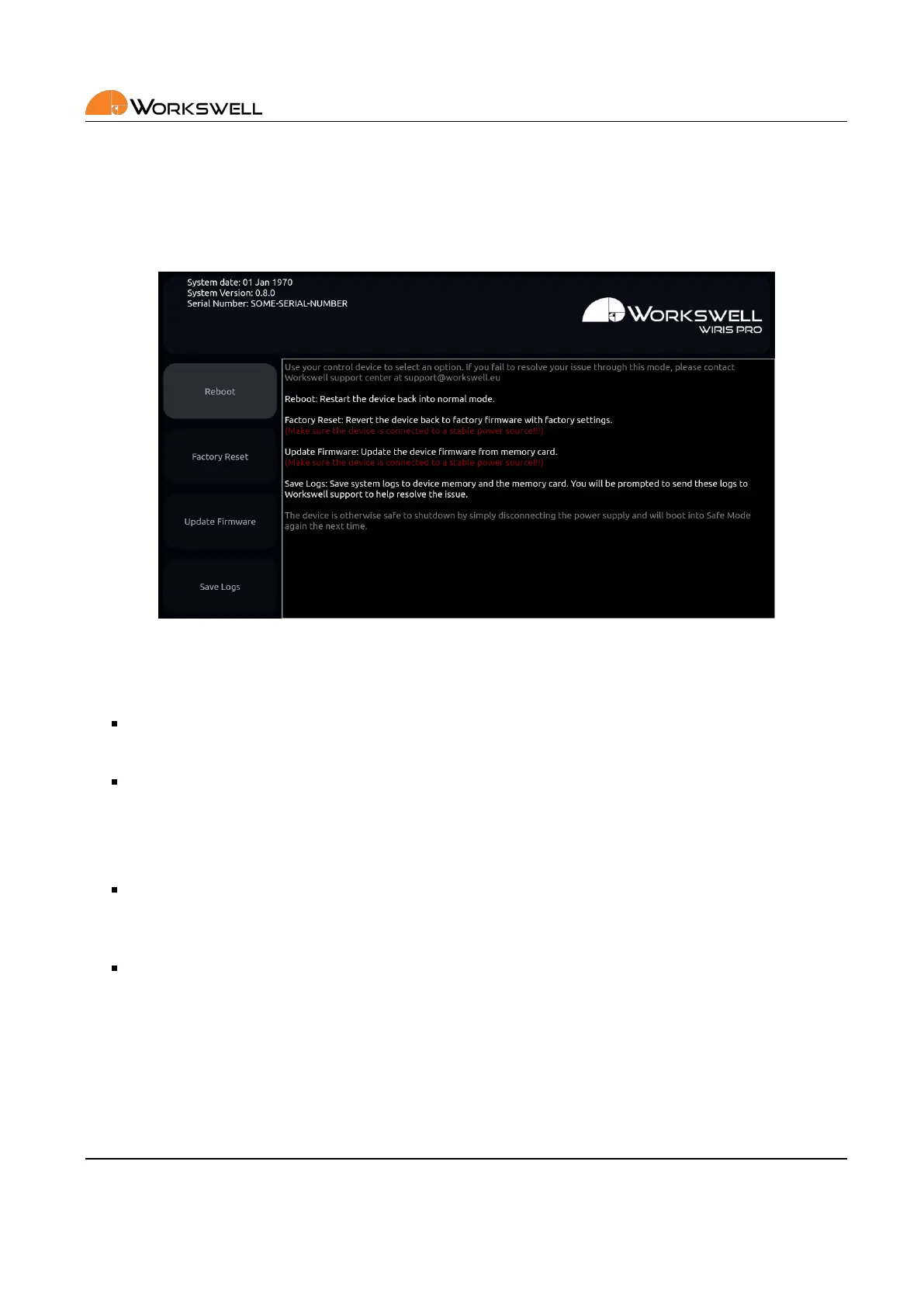
In case the device detects issues with the main rmware even aer repeated reboot aempts, it will launch the
Safemode applicaon instead.
Figure 21.2: Safe mode.
The Safemode applicaon oers the following opons:
REBOOT and connue with standard applicaon
• Choose this opon when rst observing the safe mode.
FACTORY RESET
• Choose this opon to restore the system to its Factory defaults. All of the applied updates will be
removed.
• A stable power supply has to be maintained during the Factory Default!
UPDATE FIRMWARE
• This allows you to manually update rmware on the device when the main rmware applicaon
doesn’t funcon.
SAVE LOGS to connected external devices
• Choose this opon to copy log les for faster solving of the issue.
• Log les will be copied to all of the externally accessible SSD, the SD Card and the Flash Drive, if they
are present
• Please, send these log les to Workswell support center with informaon about the issue.
In the case none of the rst three opons help resolve the issue, please contact the Workswell support center
support.workswell.eu and report the problem, supplying the system logs saved through the fourth opon.
E‐mail and Web
info@workswell.eu
www.workswell.eu
Mobile:
+420 725 877 063
ID:
Reg. No.: 29048575
VAT No.: CZ29048575
Headquarters
U Albrechtova vrchu 12
155 00, Prague 13
Czech Republic
Version: 201215 EN, 15
th
Dec, 2020
All pictures are only for illustraon.
Real values may vary.
71



 To Next Page