System Settings
111
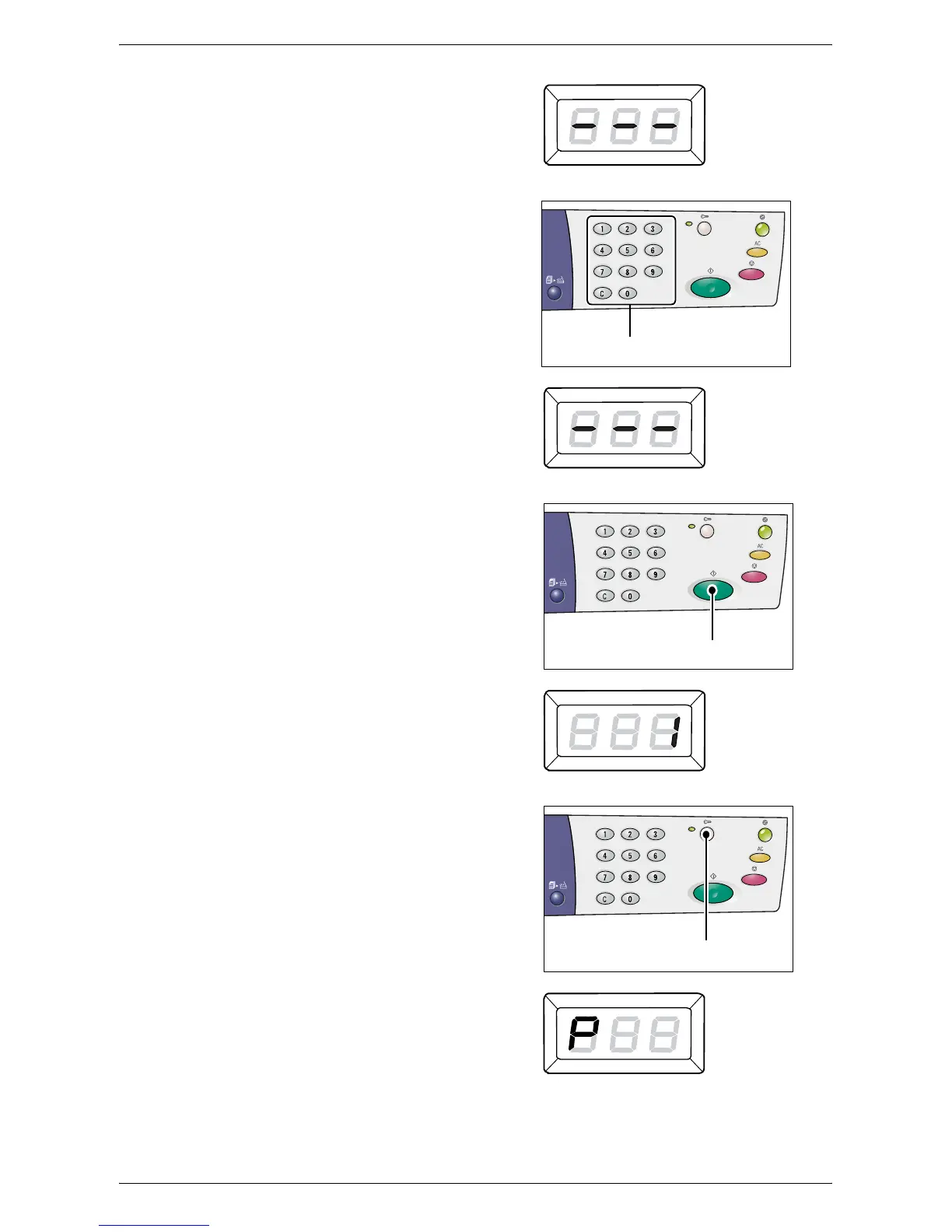
• If the System Administrator’s
passcode is set, [---] appears in the
Display.
Proceed to the next step.
3.
Enter the passcode using the numeric
keypad.
For security reasons, as you enter each
digit of the passcode, a hyphen appears
in the Display instead of the actual
number that you enter.
4.
Press the <Start> button to confirm the
entered passcode.
If the entered passcode is correct, the
machine enters the Copy Mode, and [1]
appears in the Display.
5.
Hold down the <Log In/Out> button for
four seconds.
The machine enters the System Setting
Mode. The letter [P] appears blinking in
the Display.
Numeric keys
<Start> button
<Log In/Out>
button



 To Next Page
 Loading...







