9 Problem Solving
96
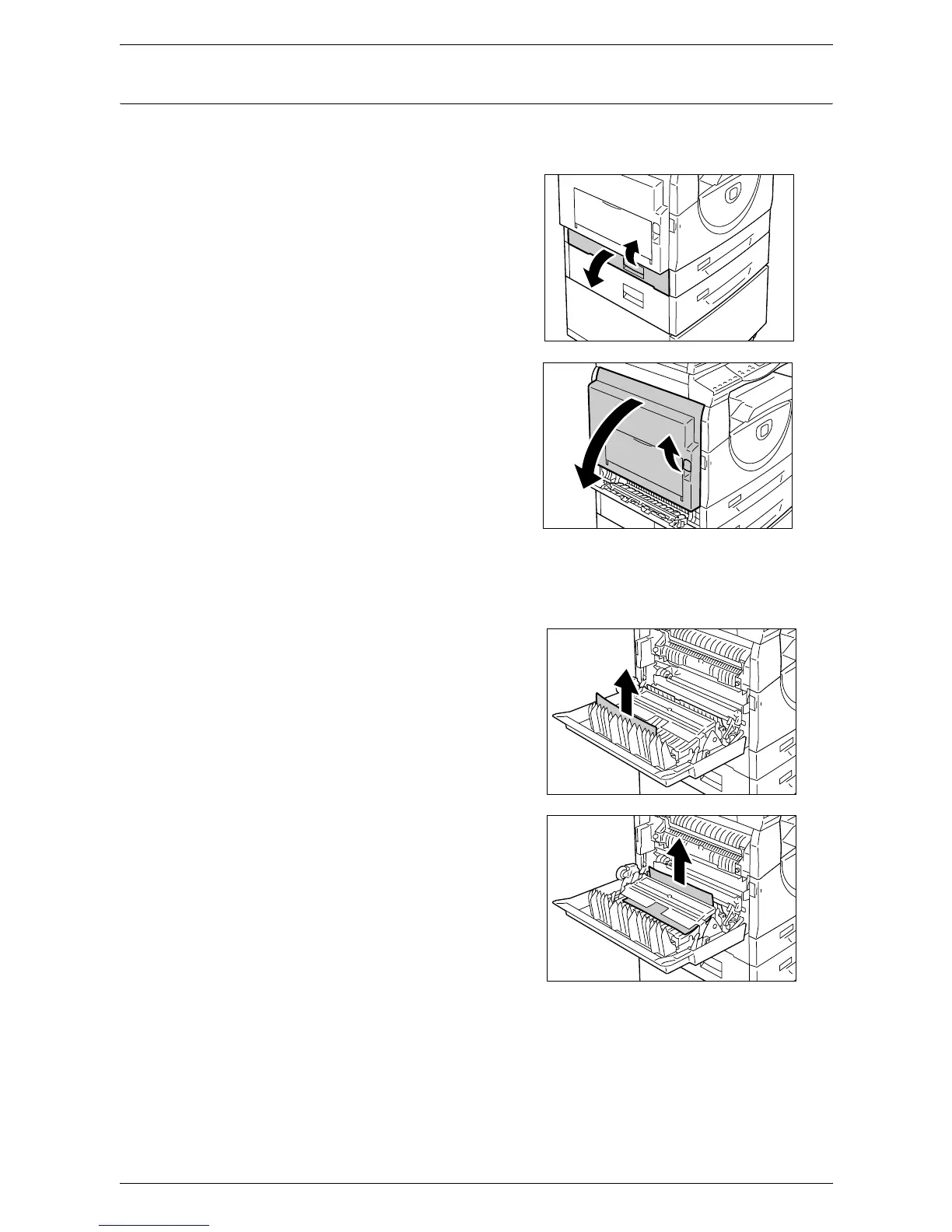
E2: Paper Jam inside the Left Side Cover
The following procedure describes how to clear paper jams inside the Left Side Cover
when an error code [E2] appears in the Display.
1.
Hold the latch, and open Access Cover
1.
NOTE: This releases the tightly jammed
paper within the machine.
2.
Lift up the Left Side Cover Latch gently
to open the Left Side Cover.
3.
Remove the jammed paper.
NOTE: Do not leave any torn pieces of paper inside the machine.
1) If the paper is jammed in the
location shown in the diagram,
remove the jammed paper by
pulling it upwards.
2) If the paper is jammed in the
location shown in the diagram,
remove the jammed paper by
pulling it upwards.



 To Next Page
 Loading...







