TG Series User Guide
22/86
Reboot GSM/3G Modules
You can reboot a specific GSM/3G module on the Web user interface. This action will not affect other
GSM/3G modules and can ensure the system is running properly.
Procedure
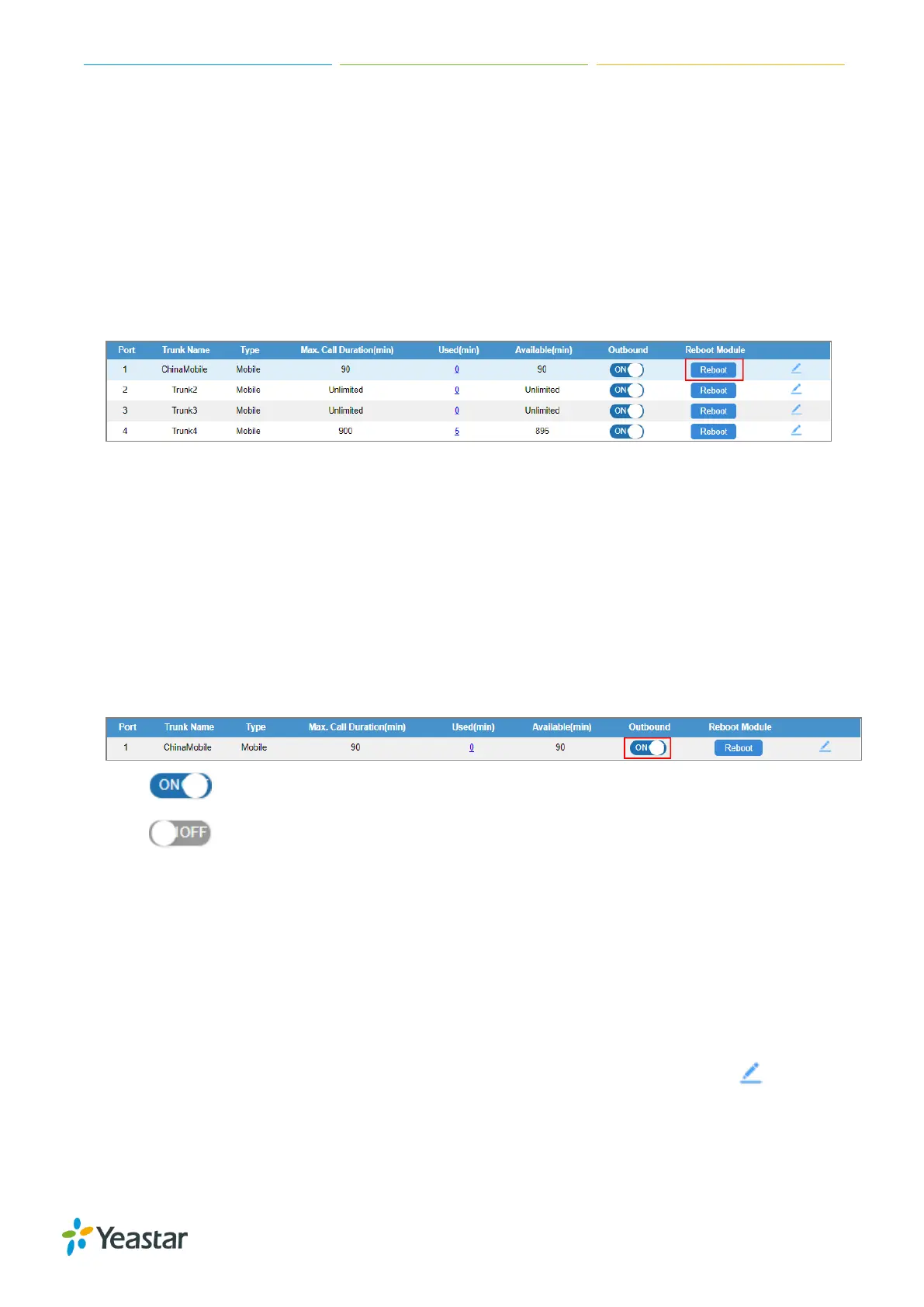
1. Navigate to Gateway > Mobile List > Mobile List, select the desired Module, click Reboot.
The module starts to reboot.
2. Check the module status on Status > System Status > Trunk Status.
Enable/Disable GSM/3G Modules
By default, GSM/3G modules are enabled to make outbound calls. If you want to disallow a GSM/3G
module to make outbound calls, you can disable the module.
Procedure
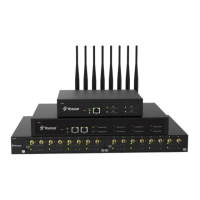
1. Navigate to Gateway > Mobile List > Mobile List, select the desired module, click the Outbound
Status. The outbound status is changed.
You can make outbound calls through the GSM/3G module.
You cannot make outbound calls through the GSM/3G module.
Adjust GSM/3G Module Volume
If you find that the call voice is too low or too loud, you can change the relevant GSM/3G module
volume.
Procedure
1. Navigate to Gateway > Mobile List > Mobile List, select the desired module, click .
2. On the General section, change the Rx Volume and Tx Volume.
Rx Volume: the received volume of the module.
Tx Volume: the transmitting volume of the module.











 To Next Page