TG Series User Guide
41/86
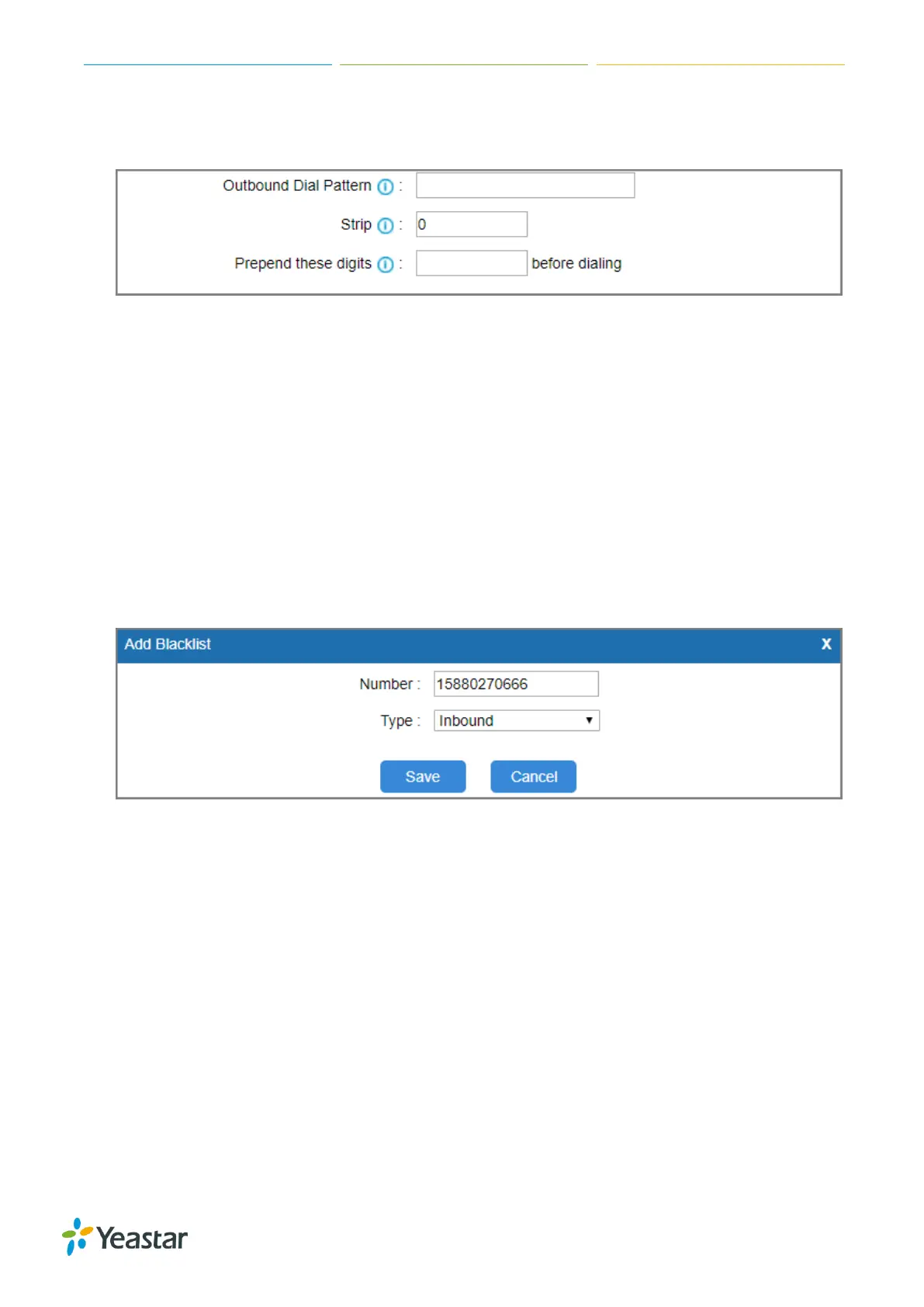
6. (Optional) Set which digits to prepend on the dialed numbers in Prepend these digits field.
The gateway will prepend the digits to the phone number, and send the rewritten number.
7. Click Save and Apply Changes.
Block Incoming Numbers
You can block the incoming numbers to call from TG gateway to your PBX. When the blocked user
calls to the GSM/3G trunk on TG gateway, the system will block the call.
Procedure
1. Navigate to Gateway > Routes Settings > Blacklist.
2. Click Add Blacklist.
3. Enter the desired number.
4. Set the Type to Inbound.
5. Click Save and Apply Changes.
When the number 15880270666 reaches the TG gateway, the call will fail.
Block Outgoing Numbers
You can limit users to call specific numbers through GSM/3G trunks on TG gateway. When the users
try to call the blocked numbers, the call will fail.
Procedure
1. Navigate to Gateway > Routes Settings > Blacklist.
2. Click Add Blacklist.
3. Enter the desired number.
4. Set the Type to Outbound.












 To Next Page