PUTTING THE INSTRUMENT INTO OPERATION
Carl Zeiss Mounting Standard Components Axio Vert.A1
42 431030-7044-001 05/2012
3.1.3 Inserting Eyepieces or an Auxiliary
Microscope or a Diopter
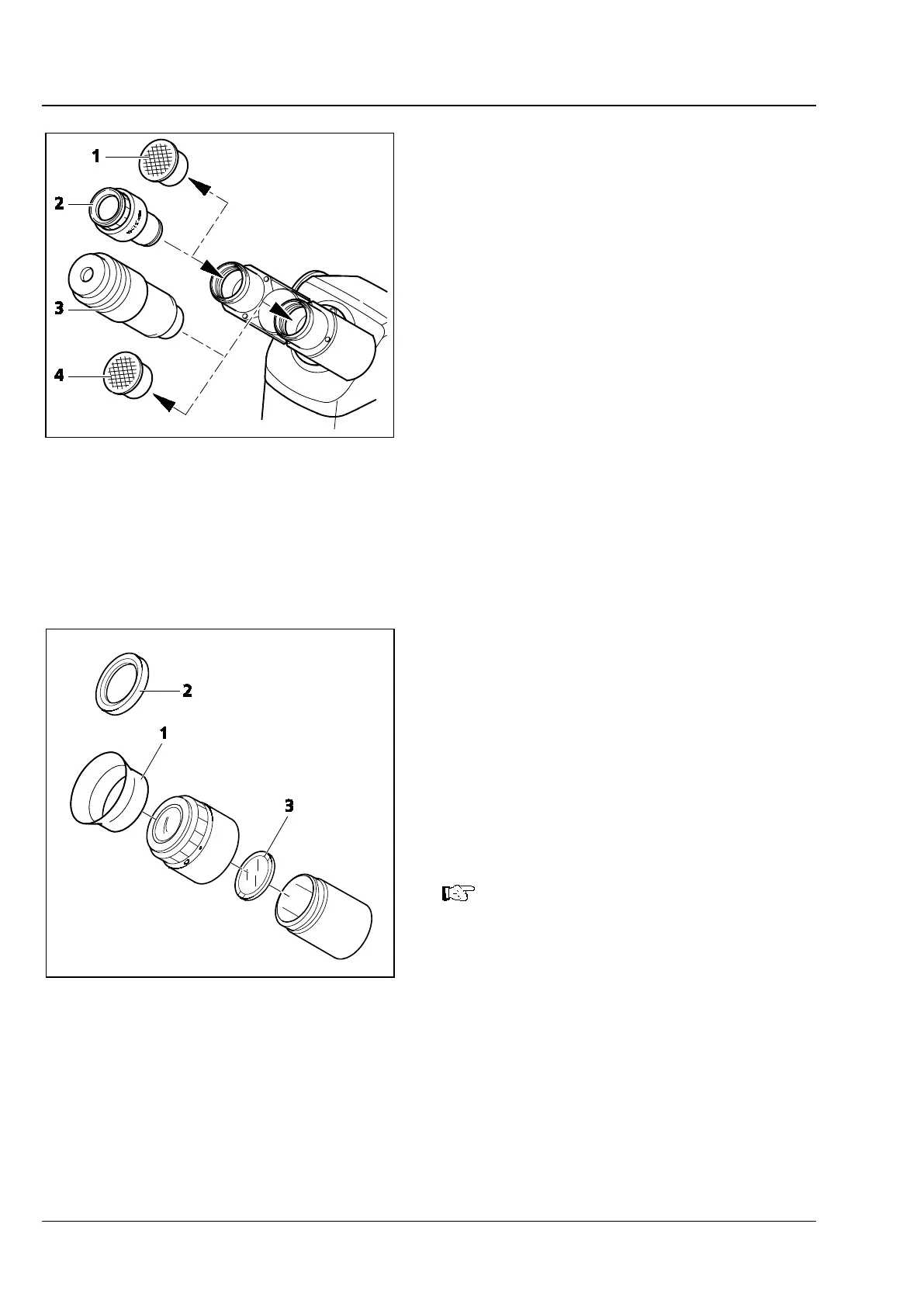
• Remove both dust caps (Fig. 3-3/1 and 4) from
the binocular tube.
• Take the two eyepieces (Fig. 3-3/2) out of the
container and insert them into the binocular
tube as far as they will go.
• The auxiliary microscope (Fig. 3-3/3) may be
inserted into an eyepiece socket of the
binocular tube in place of an eyepiece. It serves
to view aperture diaphragms and phase stops
or to center phase stops. Using the adjustable
eye lens of the auxiliary microscope, you can
focus on those diaphragms and stops.
• As an alternative to the auxiliary microscope,
you can employ a diopter for viewing aperture
diaphragms and phase stops or centering phase
stops.
3.1.4 Inserting an Eyepiece Reticle
Eyepiece reticles (Fig. 3-4/3) may be inserted into
eyepieces marked with a red dot.
The slight image shift resulting from the additional
path through glass is taken into account on the
diopter scale in that the zero position is not
indicated by the white dot, but by the red dot.
Make sure the line figure always faces the field
stop of the eyepiece.
See to it that eyepiece reticles are
inserted in dust-free conditions. Reticles
should be inserted by Car
personnel only.
Fig. 3-3 Inserting Eyepieces
Fig. 3-4 Inserting an Eyepiece Reticle









 To Next Page