OPERATION
Axio Vert.A1
Illumination and Contrast Techniques in Reflected Light Carl Zeiss
05/2012 431030-7044-001 93
Setting Polarization with the Pol P&C
Reflector Module and Analyzer Slider A
12x35 mm, Rotatable 90 Degrees
• Set up the microscope for bright field in
reflected light.
• Rotate in the Pol P&C reflector module on the
reflector turret.
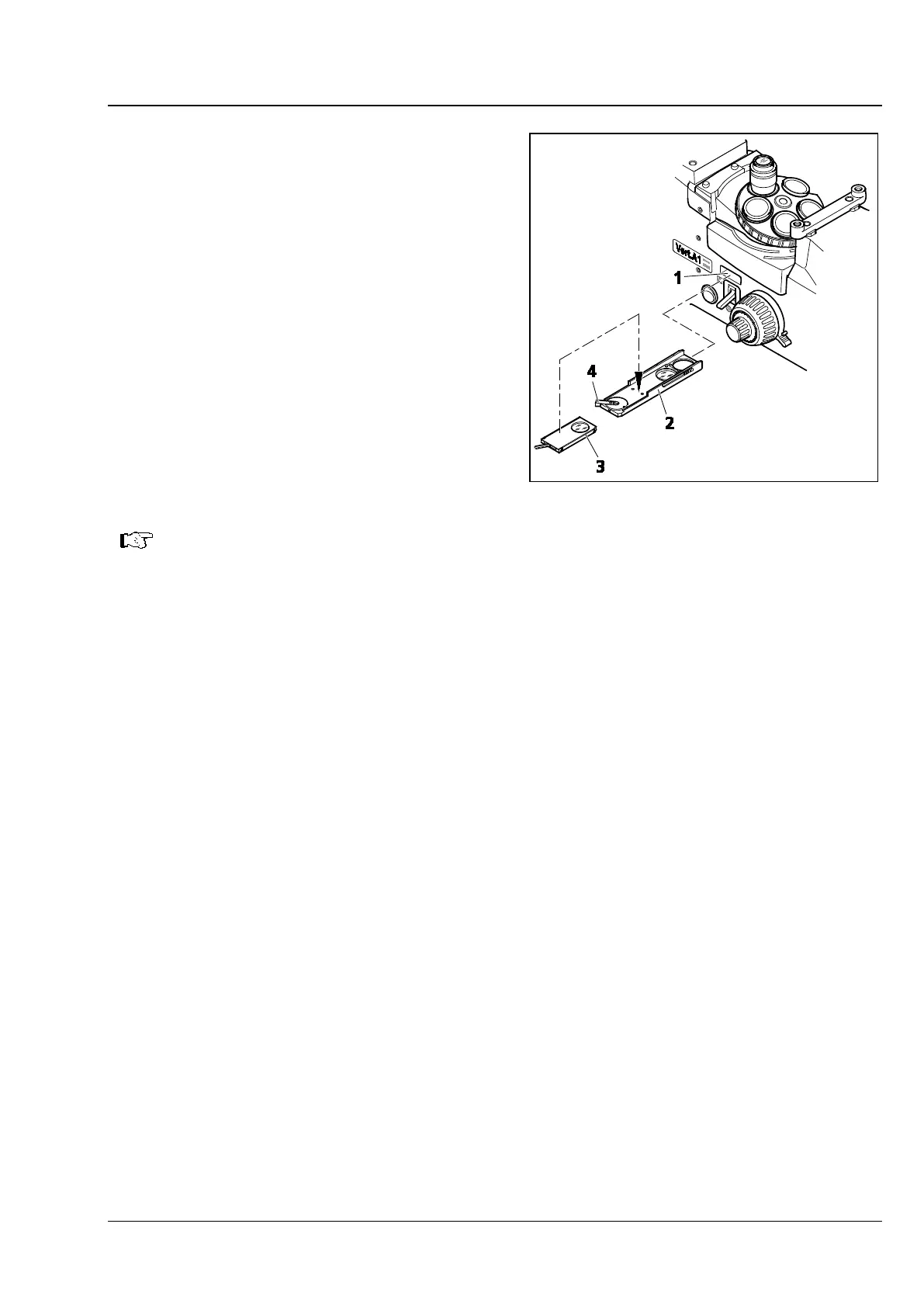
• Insert the analyzer slider (Fig. 4-16/2) into the
slot (Fig. 4-16/1) under the reflector turret. The
analyzer can be rotated 90 degrees.
• Use the analyzer turning lever to cross the
vibration direction of the analyzer and polarizer
(Fig. 4-16/4) (dark position).
• The analyzer slider may be inserted both from
the left-hand and right-hand sides.
For the purpose of color-contrasting anisotropic materials, compensator Lambda Pol sub.
±10° (Fig. 4-16/3
) may be used in addition to compensator Lambda. To do so, place the
compensator on the analyzer.
Setting Polarization with Analyzer Slider A 12x35 mm, Rotatable 90 Degrees, and Polarizer
Slider A 6x30 mm
• Set up the microscope for reflected light bright field.
• Insert the analyzer slider into the opening under the reflector turret. The analyzer can be rotated 90
degrees.
• Insert the polarizer slider into the opening beside the luminous field diaphragm. The polarizer can be
rotated 90 degrees.
• Cross the vibration direction of the analyzer and polarizer.
Fig. 4-16 Setting the Polarization









 To Next Page