PUTTING THE INSTRUMENT INTO OPERATION
Axio Vert.A1
Mounting Optional Components Carl Zeiss
05/2012 431030-7044-001 69
3.3.7 Changing LED Modules in the Axio Vert.A1 FL-LED Stand
As soon as the cover is removed from the stand, the power supply to the LED modules is
disconnected and the modules stop lighting (interlock protection).
• Turn off the microscope and pull the power cable from the microscope.
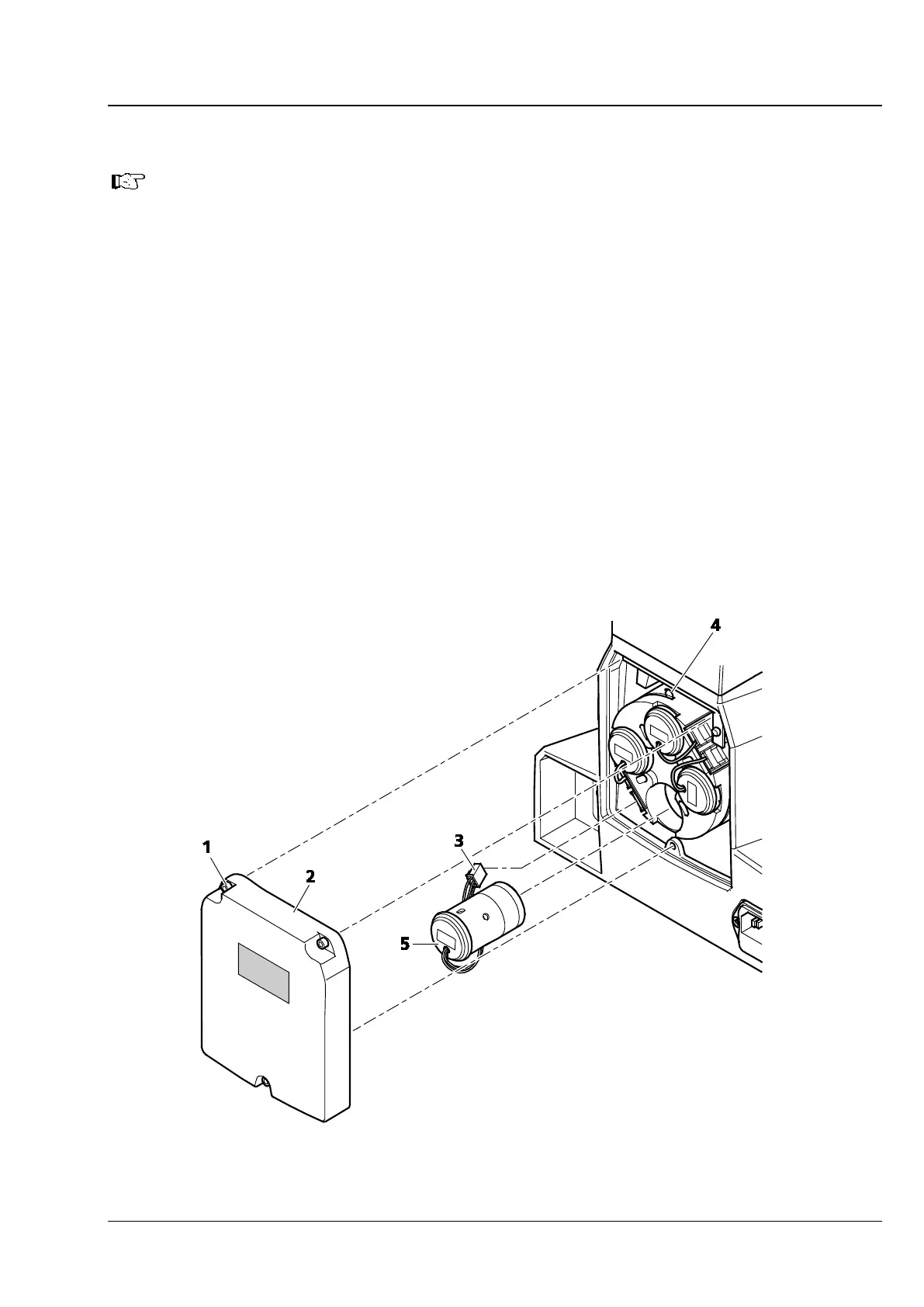
• Use ball-headed screwdriver SW 3 to loosen the three screws (Fig. 3-35/1) on the protective cover
(Fig. 3-35/2). Take off the cover.
• Press the locking lever on the plug and pull out of the socket the plug (Fig. 3-35/3) of the LED module
(Fig. 3-35/5) to be changed. Push the clamping strap (Fig. 3-35/4) of the module mount outward and
pull out the LED module.
• Slide the LED module to be employed into the LED mount as far as it will go. The clamping strap will
lock the LED module firmly in its groove.
• Insert the plug of the LED module into the corresponding socket until it snaps into position.
• Attach the cover and secure it with the three screws.
• The positions of the LED modules are marked with numbers.
• Make sure that the reflector turret is fitted with filter sets which are suitable for the LED modules
used. Reflector turret positions, too, are numbered for that purpose. The LED and the matching filter
set need to sit in positions with identical numbers.
Fig. 3-35 Changing the LED Module in the Axio Vert.A1 FL-LED Stand









 To Next Page