OPERATION
Axio Vert.A1
Illumination and Contrast Techniques in Transmitted Light Carl Zeiss
05/2012 431030-7044-001 77
4.11.2 Transmitted Light Phase Contrast
Requirements
− The microscope must have properly been put
into operation, as described in Section 3.
− The microscope must be switched on.
− Condenser with slider or modulator disk for
phase contrast
− Objective for Ph1, Ph2 or Ph3 phase contrast
matching the diaphragm of the Ph1, Ph2 or Ph3
condenser
Phase contrast objectives come with
a green identification marking.
Setting Phase Contrast
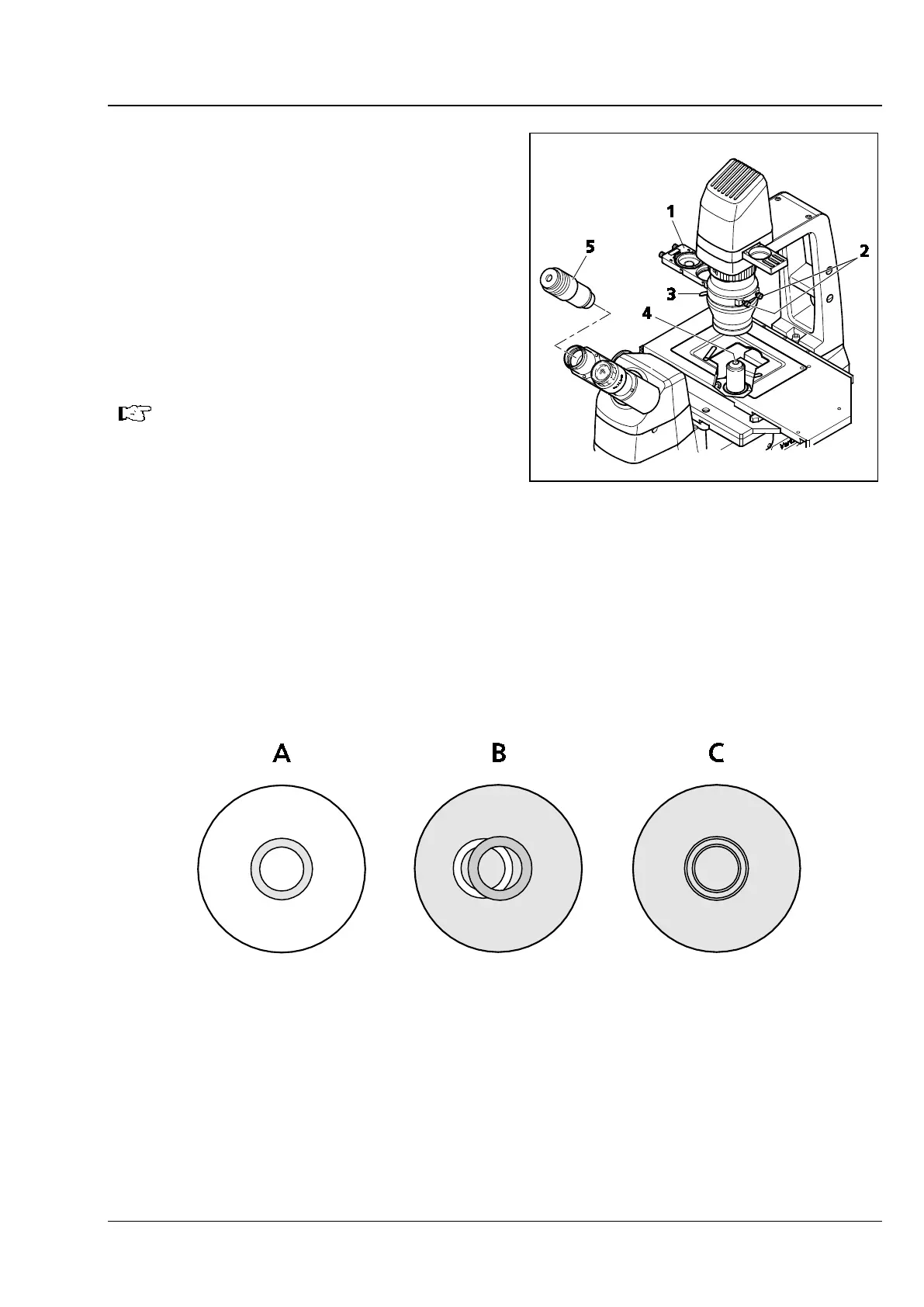
• Rotate the objective for phase contrast
(Fig. 4-3/4) into the light path.
• Open the aperture diaphragm (Fig. 4-3/3) of the
condenser completely.
• Instead of the eyepiece, insert the auxiliary
microscope (Fig. 4-3/5) into an eyepiece tube and render the phase rings of the objective visible by
focusing its eye lens.
The phase ring of the phase contrast objective appears as a gray ring in the bright pupil (Fig. 4-4/A).
• Move the phase stop of the slider (Fig. 4-3/1) into the light path (or, on the condenser with modulator,
rotate the position with the phase stop into the light path).
The phase ring of the objective will appear centered in the field of view, while the bright phase stop may
be off-center (Fig. 4-4/B).
Fig. 4-3 Setting Phase Contrast
Fig. 4-4 Centering the Phase Ring Diaphragm (Bright in the Condenser) to the Phase Ring (Dark in the









 To Next Page