OPERATION
Carl Zeiss Illumination and Contrast Techniques in Reflected Light Axio Vert.A1
90 431030-7044-001 05/2012
4.12.3 Reflected Light DIC
The reflected light DIC or reflected light C-DIC technique (DIC = differential interference contrast; C-DIC
= differential interference contrast in circularly polarized light) allows a high-contrast imaging of phase
objects, i.e., objects which, unlike amplitude objects, only change the phase of the light.
Requirements
− The microscope must have properly been put into operation, as described in Section 3.
− The microscope must be switched on.
− VIS-LED or HAL 100 reflected light illumination
− Objectives for DIC or polarization (designation: DIC or Pol)
− DIC slider (matching the objective concerned; name of objective, magnification and aperture are
engraved on the upper side of the slider) or C-DIC slider
− For DIC: DIC P&C or DIC Rot I P&C reflector module
− For C-DIC: C-DIC/TIC reflector module
Setting DIC
• Set up the microscope for reflected light bright
field, as described in Section 4.12.1. Open the
luminous field diaphragm until the edge of the
diaphragm just about disappears from the field
of view to avoid reflections.
• On the reflector turret, rotate the DIC P&C
reflector module into the light path. To create
color contrasts, the DIC Rot I P&C reflector
module should be used, as it offers advantages
in the presence of big path differences (> 1λ).
• On the nosepiece, rotate in the objective
position with DIC.
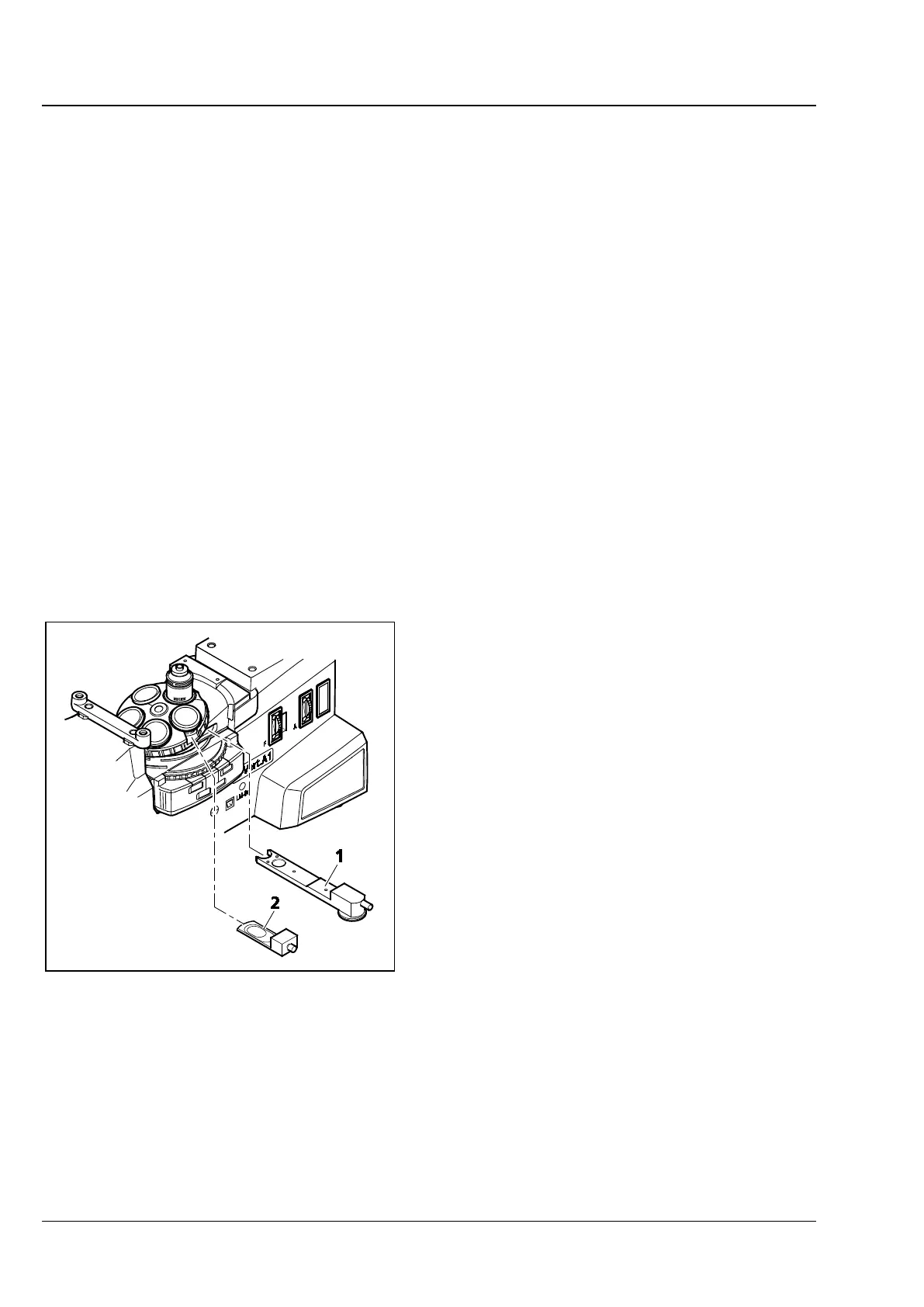
• Put the DIC slider (Fig. 4-15/2) into the slot of
the nosepiece.
• Put on the specimen and focus until the
structure of interest is visible with maximum
contrast.
• You can optimize the contrast with the knurled
thumb screw located on the DIC slider.
Fig. 4-15 Setting DIC/C-DIC









 To Next Page