7 Troubleshooting | 7.2 Column ZEISS
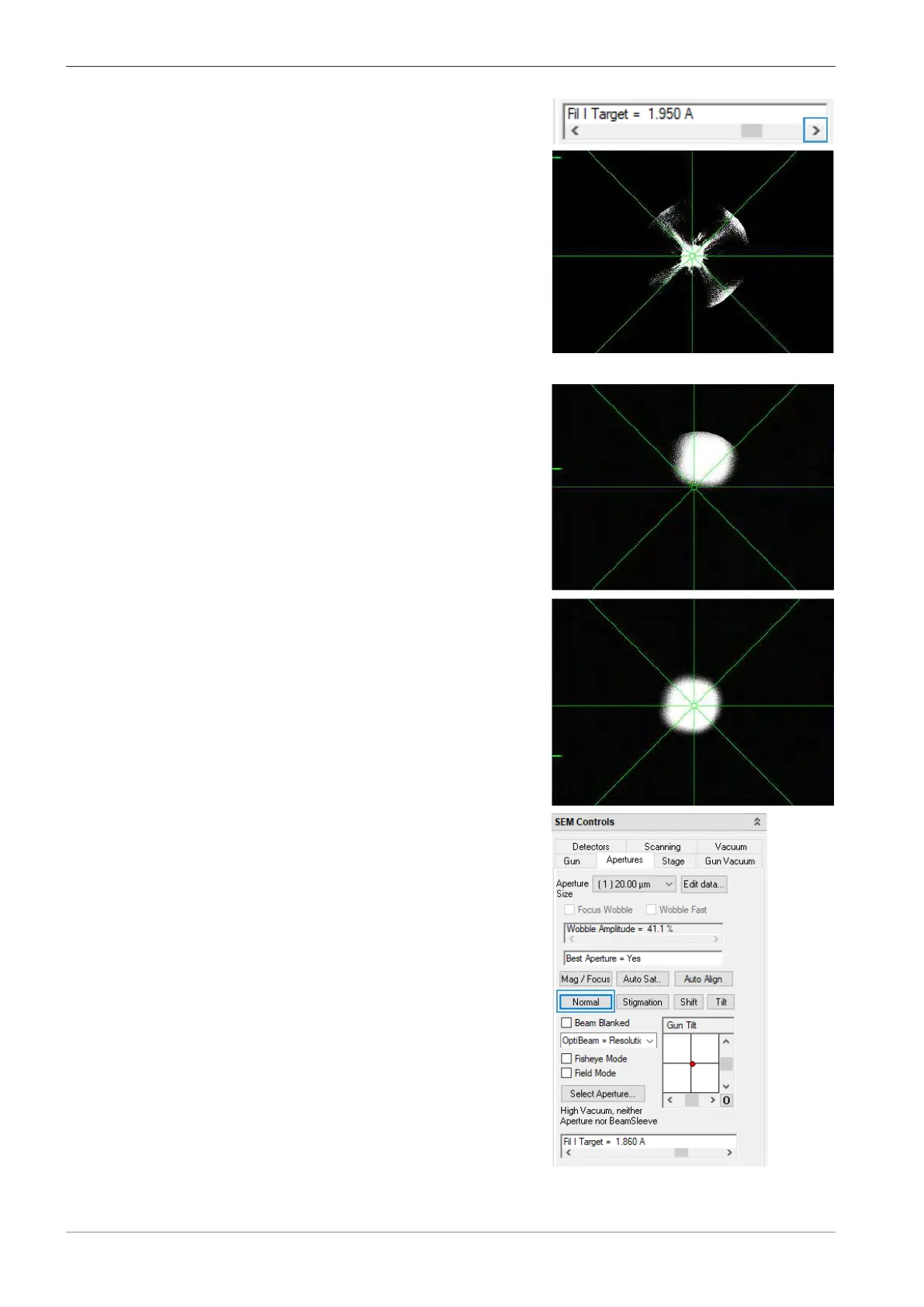
3. Click the arrow of the Fil I Target slider to
slowly increase Fil I Target by increments of
0.01A until the first emission peak becomes
visible.
4. Adjust Brightness and Contrast to optimize the visualization.
5. Slowly increase Fil I Target further until the
second (and final) emission peak becomes visi-
ble.
Adjust Brightness and Contrast to optimize
the visualization.
6. In the Apertures tab of the SEM Controls
panel, use Gun Tilt and Gun Shift to center
the emission image in the image area.
INFO: You can refer to Using the Automatic
Gun Alignment Functions [
}
79] to help you
with these tasks.
7. To enable SEM imaging, click Normal.
9 The microscope is ready for imaging.
146 Instruction Manual ZEISS EVO | en-US | Rev. 10 | 354706-0780-006



 To Next Page