;04,*6+,
Setting the automatic timecode recording delay (Auto Rec Delay)
11 2
Setting the automatic timecode recording delay (Auto Rec Delay)
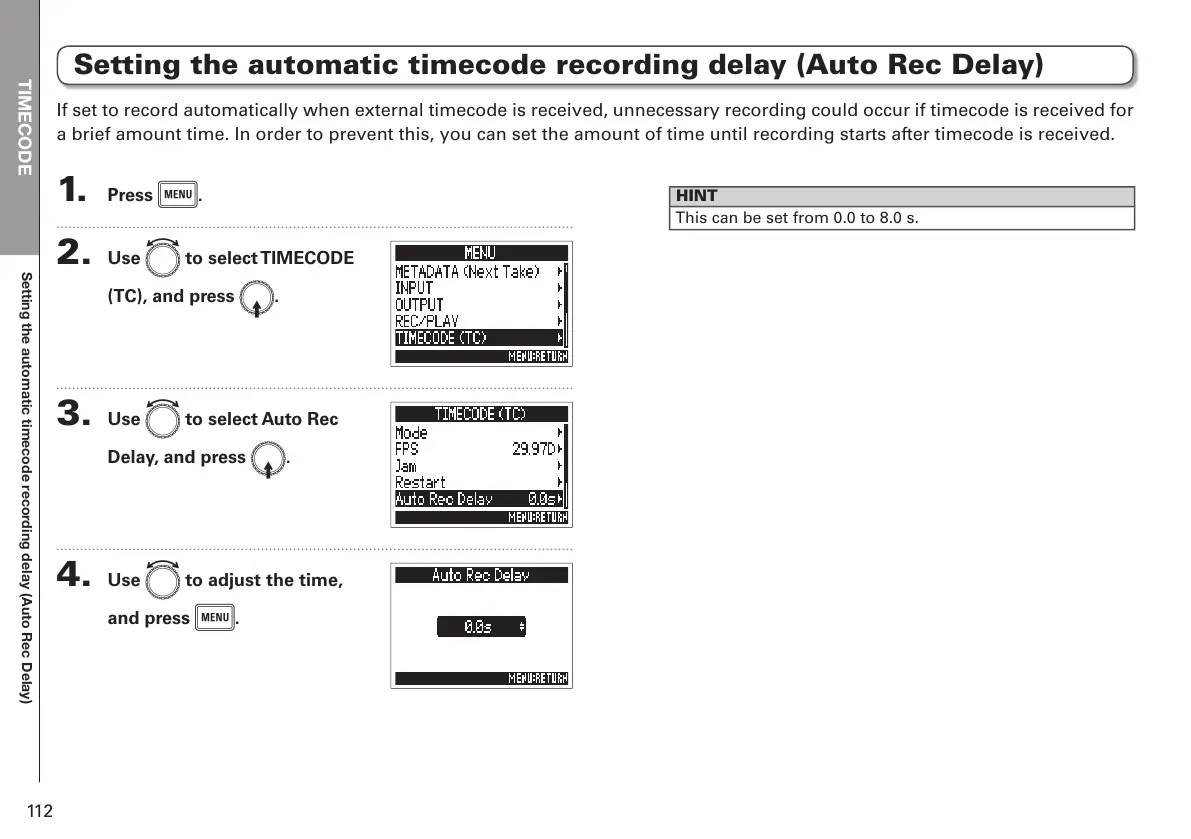
1. Press m.
2. Use e to select TIMECODE
(TC), and press E.
3. Use e to select Auto Rec
Delay, and press E.
4. Use e to adjust the time,
and press m.
HINT
This can be set from 0.0 to 8.0 s.
If set to record automatically when external timecode is received, unnecessary recording could occur if timecode is received for
a brief amount time. In order to prevent this, you can set the amount of time until recording starts after timecode is received.



 To Next Page