Recording
:L[[PUN>(=ÄSLIP[KLW[O>(=)P[+LW[O
F
Multi Track Field Recorder
31
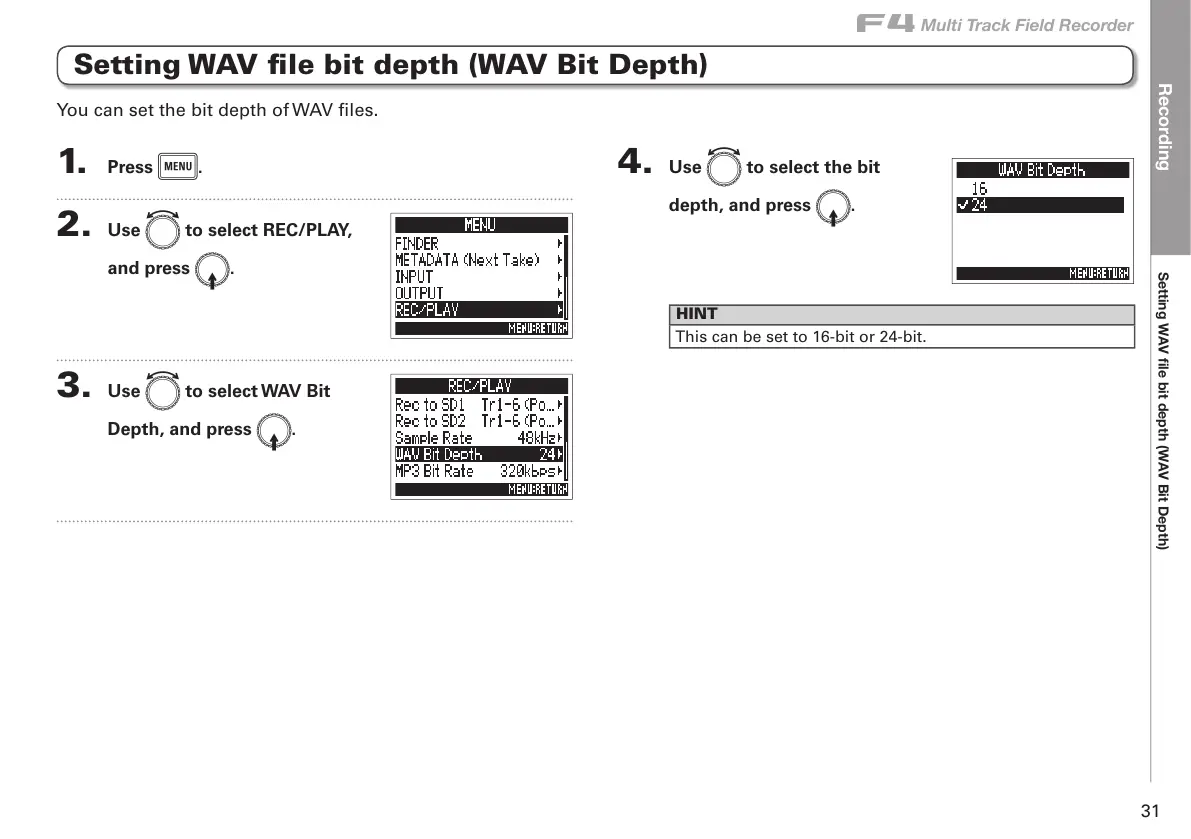
Setting WAV file bit depth (WAV Bit Depth)
1. Press m.
2. Use e to select REC/PLAY,
and press E.
3. Use e to select WAV Bit
Depth, and press E.
4. Use e to select the bit
depth, and press E.
HINT
This can be set to 16-bit or 24-bit.
You can set the bit depth of WAV files.



 To Next Page