Other functions
*OLJRPUN[OLÄYT^HYL]LYZPVU-PYT^HYL=LYZPVU
F
Multi Track Field Recorder
147
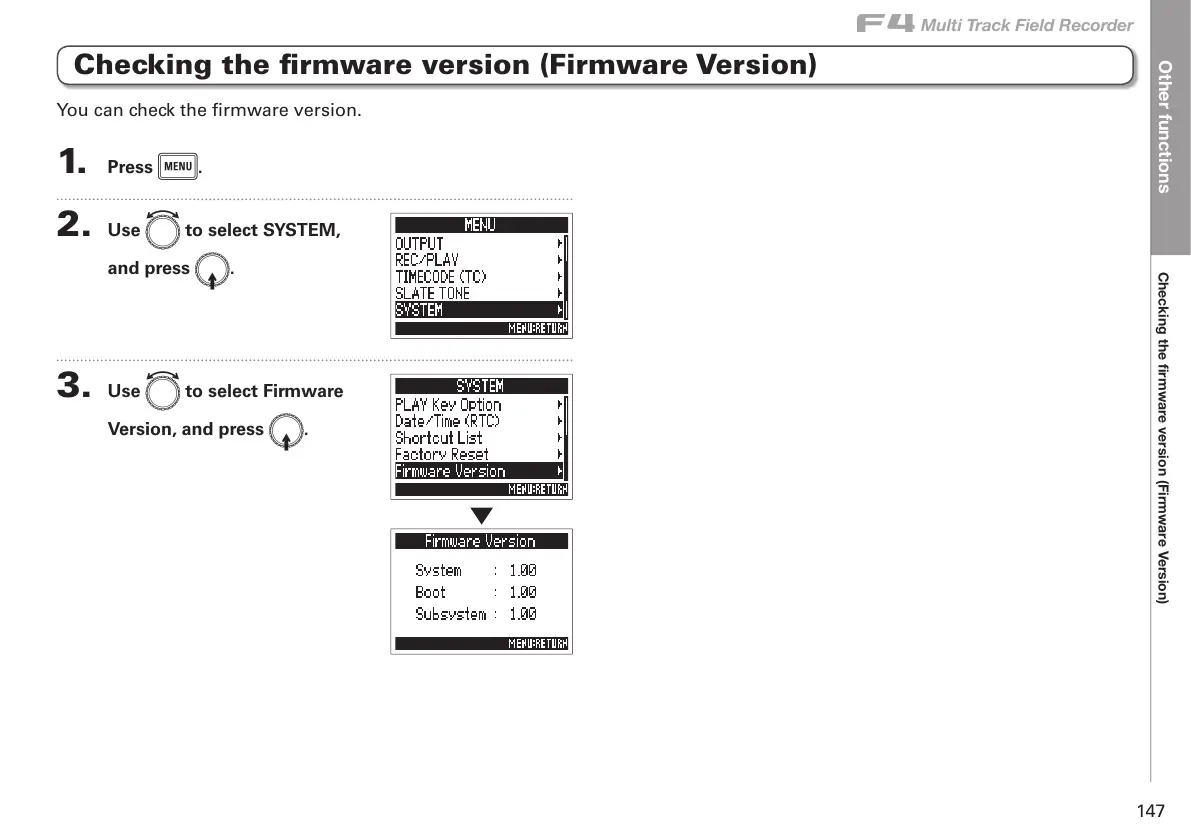
Checking the firmware version (Firmware Version)
1. Press m.
2. Use e to select SYSTEM,
and press E.
3. Use e to select Firmware
Version, and press E.
You can check the firmware version.



 To Next Page