Recording
:L[[PUN47ÄSLIP[KLW[O47)P[9H[L
32
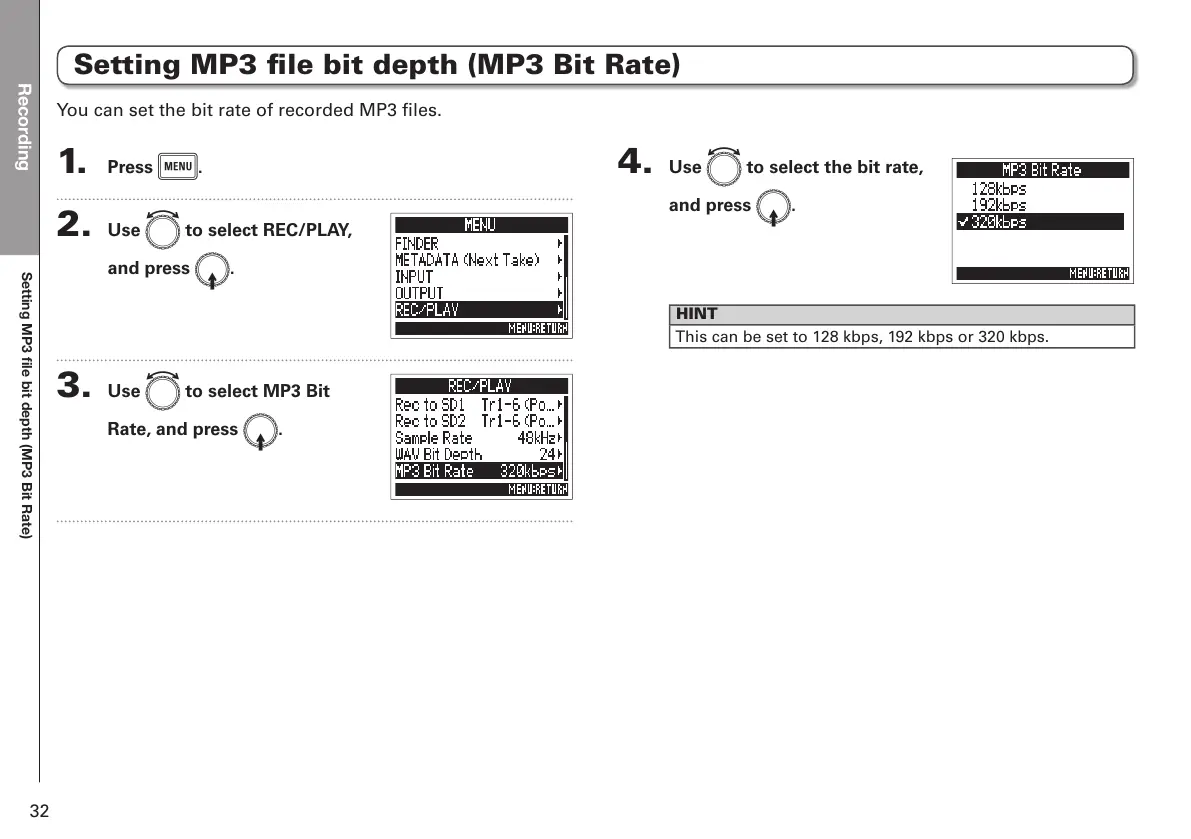
Setting MP3 file bit depth (MP3 Bit Rate)
1. Press m.
2. Use e to select REC/PLAY,
and press E.
3. Use e to select MP3 Bit
Rate, and press E.
4. Use e to select the bit rate,
and press E.
HINT
This can be set to 128 kbps, 192 kbps or 320 kbps.
You can set the bit rate of recorded MP3 files.



 To Next Page