Take and folder operations
;HRLHUKMVSKLYVWLYH[PVUZ-PUKLY
56
Take and folder operations (Finder) (continued)
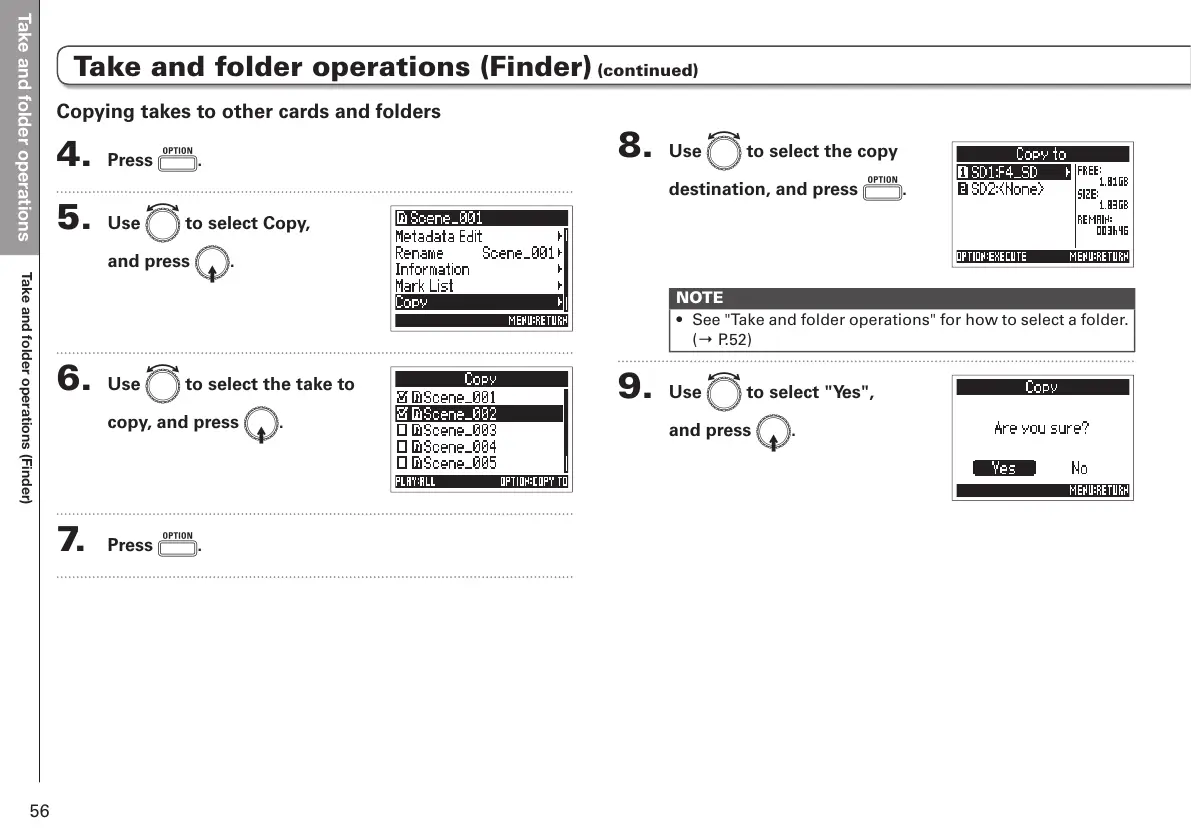
8. Use e to select the copy
destination, and press o.
NOTE
• See "Take and folder operations" for how to select a folder.
(→ P.52)
9. Use e to select "Yes",
and press E.
Copying takes to other cards and folders
4. Press o.
5. Use e to select Copy,
and press E.
6. Use e to select the take to
copy, and press E.
7. Press o.



 To Next Page