Output settings
Setting the standard output level (Output Level)
F
Multi Track Field Recorder
95
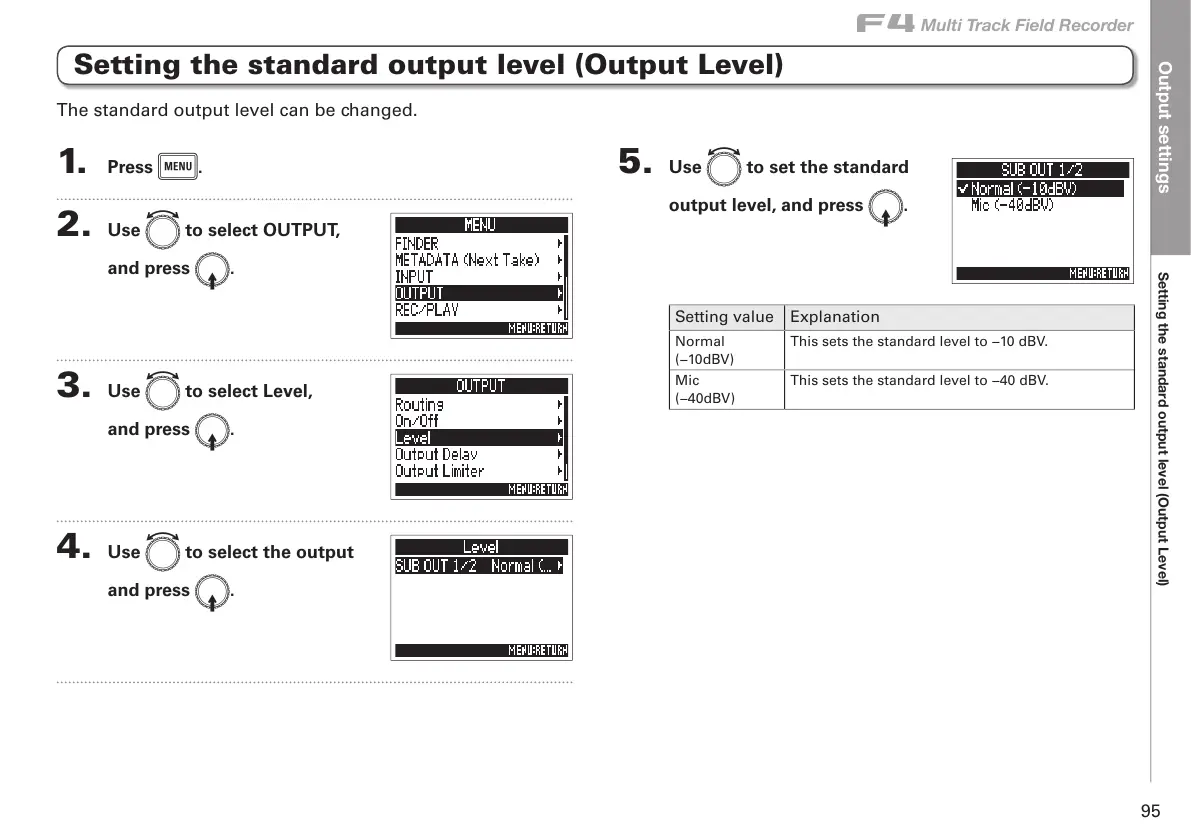
Setting the standard output level (Output Level)
1. Press m.
2. Use e to select OUTPUT,
and press E.
3. Use e to select Level,
and press E.
4. Use e to select the output
and press E.
5. Use e to set the standard
output level, and press E.
Setting value Explanation
Normal
(−10dBV)
This sets the standard level to −10 dBV.
Mic
(−40dBV)
This sets the standard level to −40 dBV.
The standard output level can be changed.



 To Next Page