Take and folder operations
*OLJRPUNHUKLKP[PUN[HRLTL[HKH[H4L[HKH[H,KP[
F
Multi Track Field Recorder
61
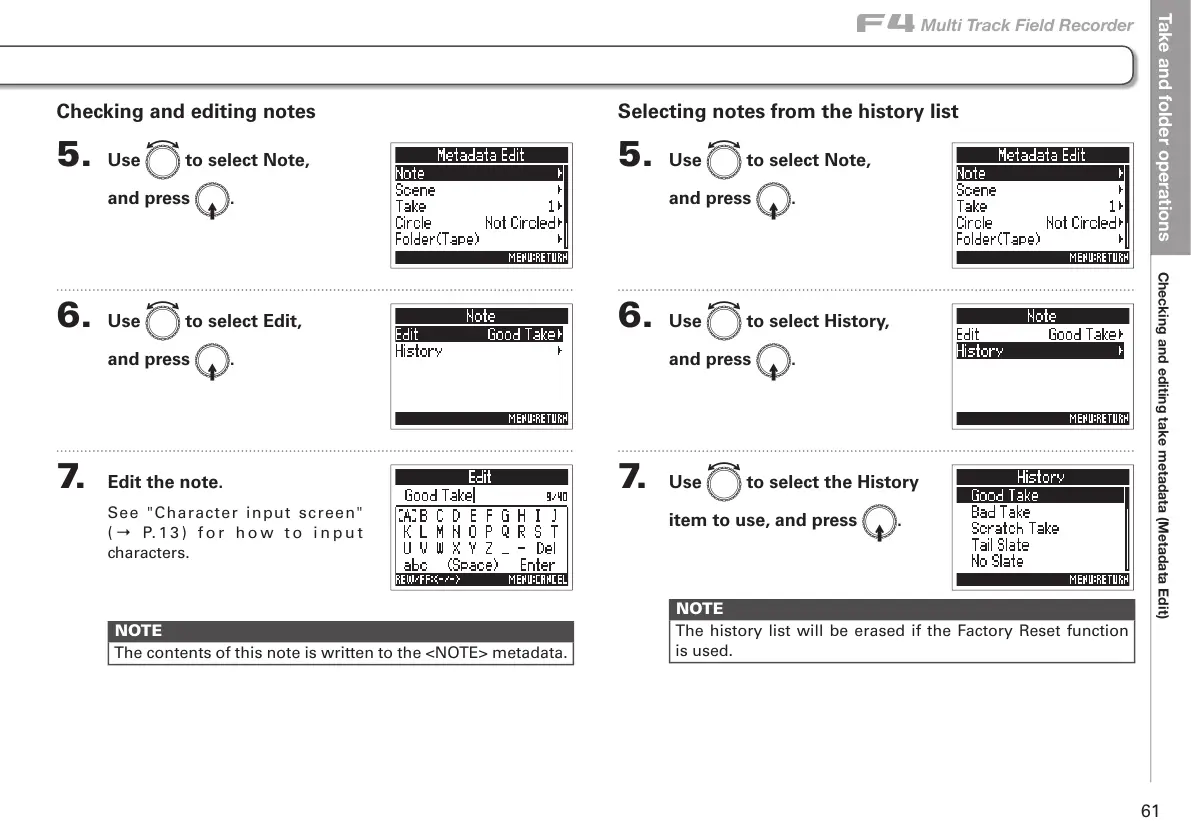
Checking and editing notes
5. Use e to select Note,
and press E.
6. Use e to select Edit,
and press E.
7. Edit the note.
See "Character input screen"
( → P. 1 3 ) f o r h o w t o i n p u t
characters.
NOTE
The contents of this note is written to the <NOTE> metadata.
Selecting notes from the history list
5. Use e to select Note,
and press E.
6. Use e to select History,
and press E.
7. Use e to select the History
item to use, and press E.
NOTE
The history list will be erased if the Factory Reset function
is used.



 To Next Page