Input settings
Using Input 5/6 as a return (RTN) input
88
Using Input 5/6 as a return (RTN) input
Input 5/6 can be used as a return (RTN) input.
By inputting audio output from a camera through the RTN (INPUT 5/6) jack, you can monitor this signal through headphones
without recording it.
1. Press i.
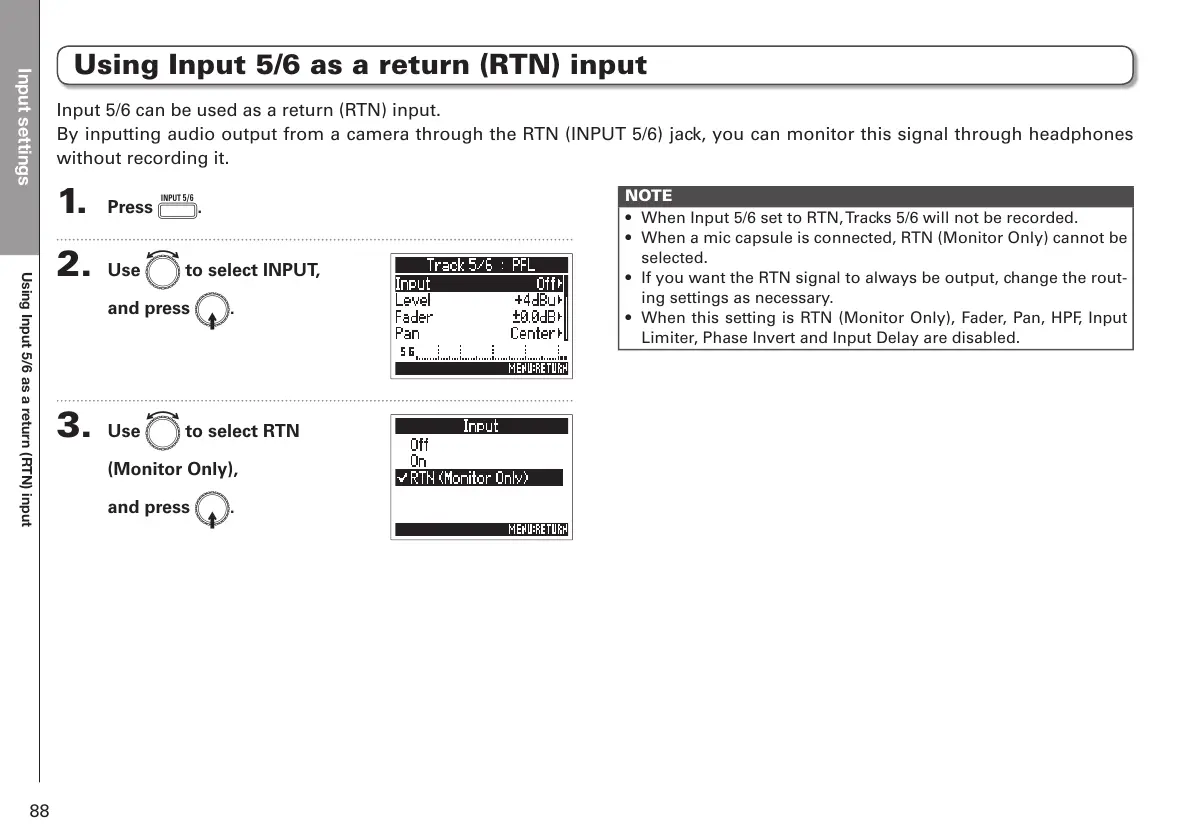
2. Use e to select INPUT,
and press E.
3. Use e to select RTN
(Monitor Only),
and press E.
NOTE
• When Input 5/6 set to RTN, Tracks 5/6 will not be recorded.
• When a mic capsule is connected, RTN (Monitor Only) cannot be
selected.
• If you want the RTN signal to always be output, change the rout-
ing settings as necessary.
• When this setting is RTN (Monitor Only), Fader, Pan, HPF, Input
Limiter, Phase Invert and Input Delay are disabled.



 To Next Page