Various settings
:L[[PUNOV^THYRZHYLHKKLKTHU\HSS`73(@2L`6W[PVU
140
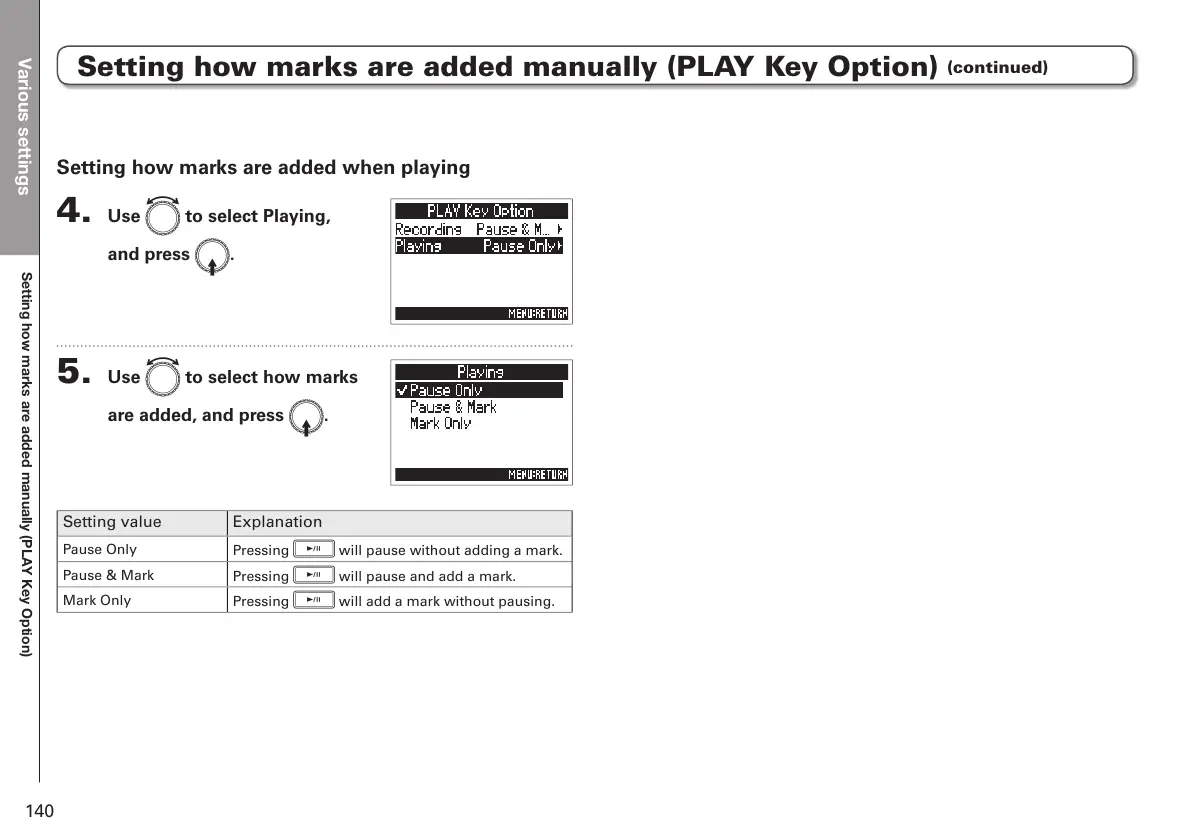
Setting how marks are added when playing
4. Use e to select Playing,
and press E.
5. Use e to select how marks
are added, and press E.
Setting value Explanation
Pause Only
Pressing
p
will pause without adding a mark.
Pause & Mark
Pressing
p
will pause and add a mark.
Mark Only
Pressing
p
will add a mark without pausing.
Setting how marks are added manually (PLAY Key Option)
(continued)



 To Next Page