Recorded take settings
Setting the take reset condition and numbering format (Take)
46
Setting the take reset condition and numbering format (Take) (continued)
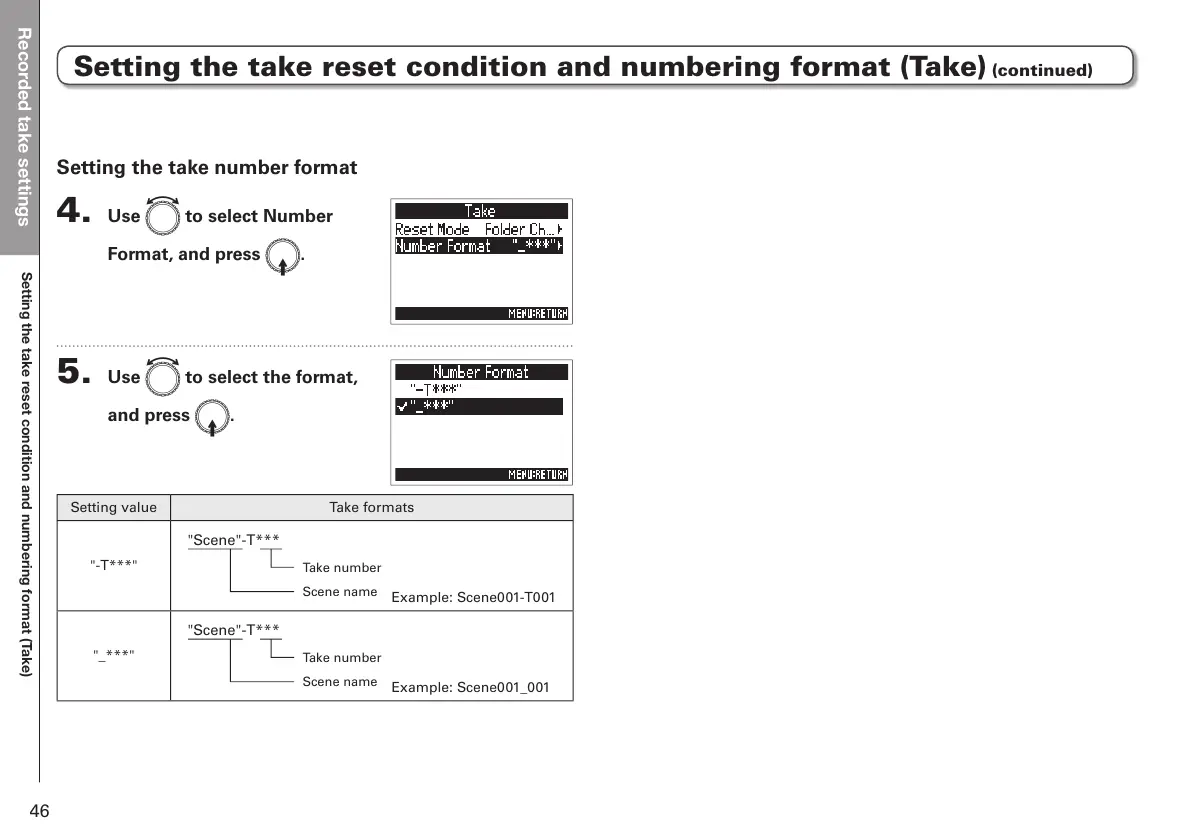
Setting the take number format
4. Use e to select Number
Format, and press E.
5. Use e to select the format,
and press E.
Setting value Take formats
"-T***"
Example: Scene001-T001
"_***"
Example: Scene001_001
"Scene"-T***
Take number
Scene name
"Scene"-T***
Take number
Scene name



 To Next Page