133D Systems, Inc.
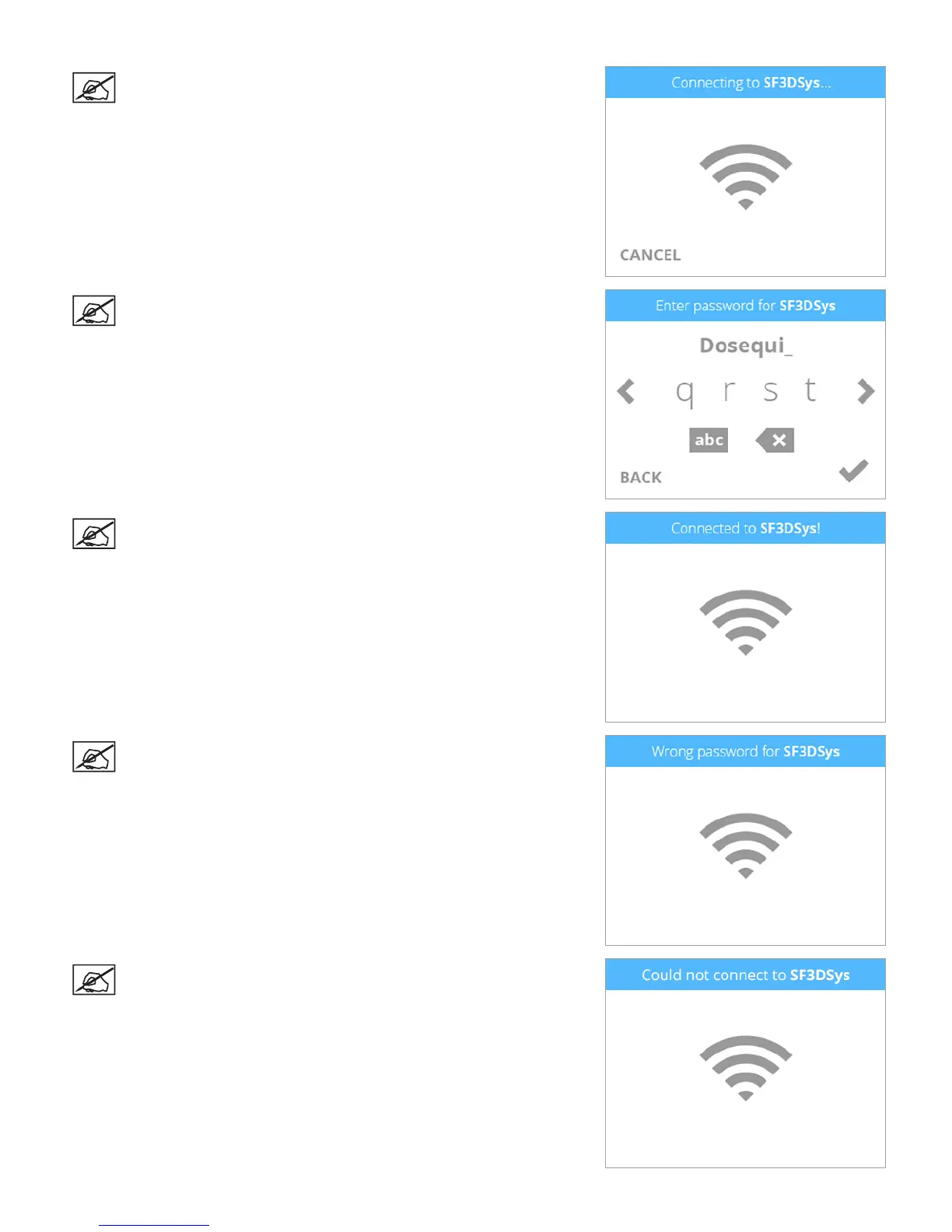
NOTE: The printer will attempt to connect to your network.
NOTE: If the network is password protected, your printer will
rst prompt you to enter the password. Once entered, select the
checkmark to continue.
NOTE: The display will indicate when the network connection has
been made.
NOTE: If the wrong password was entered, you will be asked to
enter the password again after a few seconds.
NOTE: If the printer can not connect to a network, you will be asked
to select another network after a few seconds.











 To Next Page