Configuring the traffic interfaces | 108
QV24 port settings
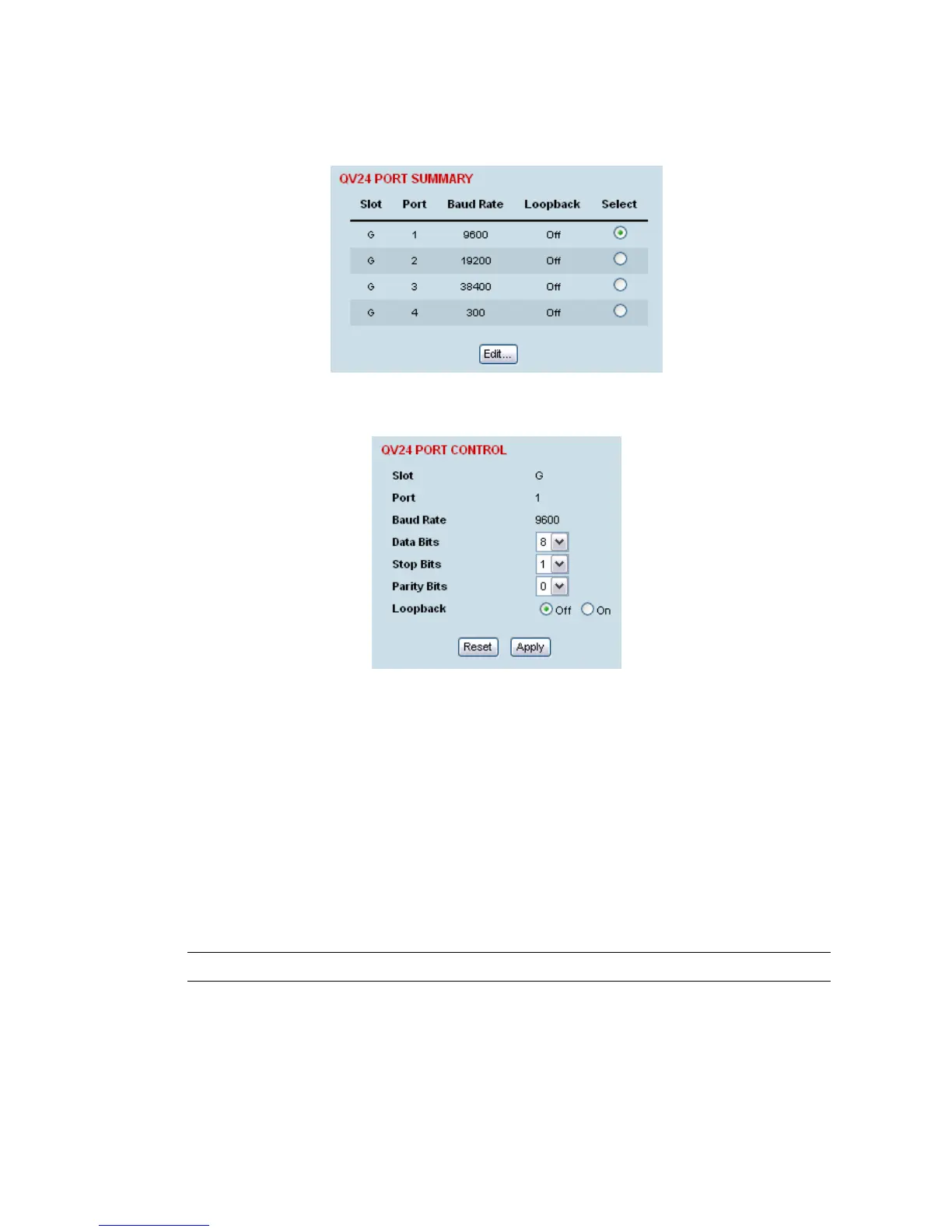
1. Select Link or Local or Remote > Interface > Interface Summary, then select the QV24 interface
and click Configure Interface.
2. Select the QV24 port to configure, and click Edit.
'Slot' shows the slot the QV24 interface card is plugged into in the terminal.
'Port' shows the interface port number (1-4).
‘Baud Rate’ shows the current baud rate assigned to the port by the cross connect.
‘Loopback’ loops back the port data to the customer (default is no loopback).
3. Set the number of Data Bits (default is 8 bits).
4. Set the number of Stop Bits (default is 1 bit).
5. Set the number of Parity Bits (default is 0 bits).
6. Click Apply to apply changes or Reset to restore the previous configuration.
Tip: The Quick Links box provides links to other related pages.



 To Next Page