Troubleshooting | 201
Viewing the alarm history
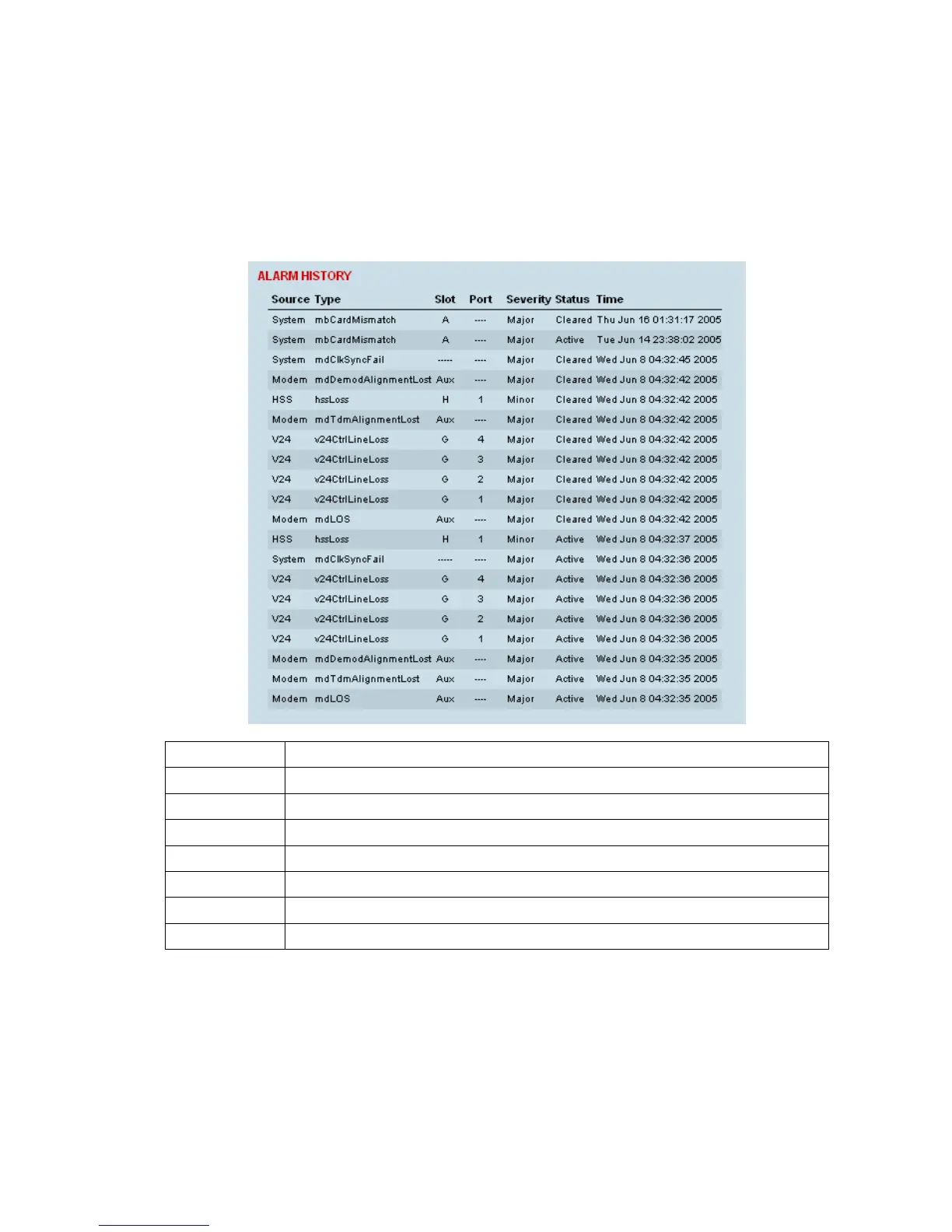
The alarm history page shows the historical alarm activity for up to 50 alarms. This page refreshes
every 30 seconds.
To view the alarm history:
Select Link or Local or Remote > Alarms > Alarm History.
Field Explanation
Source The component within the terminal that generated the alarm
Type The type of alarm (see "Alarm types and sources" on page 229)
Slot The slot where the alarm originated, if applicable
Port The port where the alarm originated, if applicable
Severity Whether the alarm was a major or minor alarm
Status Whether the alarm is active or cleared
Time The date and time when the alarm occurred
To clear the alarm history:
Select Local or Remote > Alarms > Clear History
The alarm history for up to 100 alarms can be seen using SNMP (see “
SNMP (Simple Network
Management Protocol)” on page
67).



 To Next Page