Troubleshooting | 209
Setting up for remote logging
Note: When setting up to save the system log to a specific computer, be aware that the file is
constantly updated and may get quite large quite quickly.
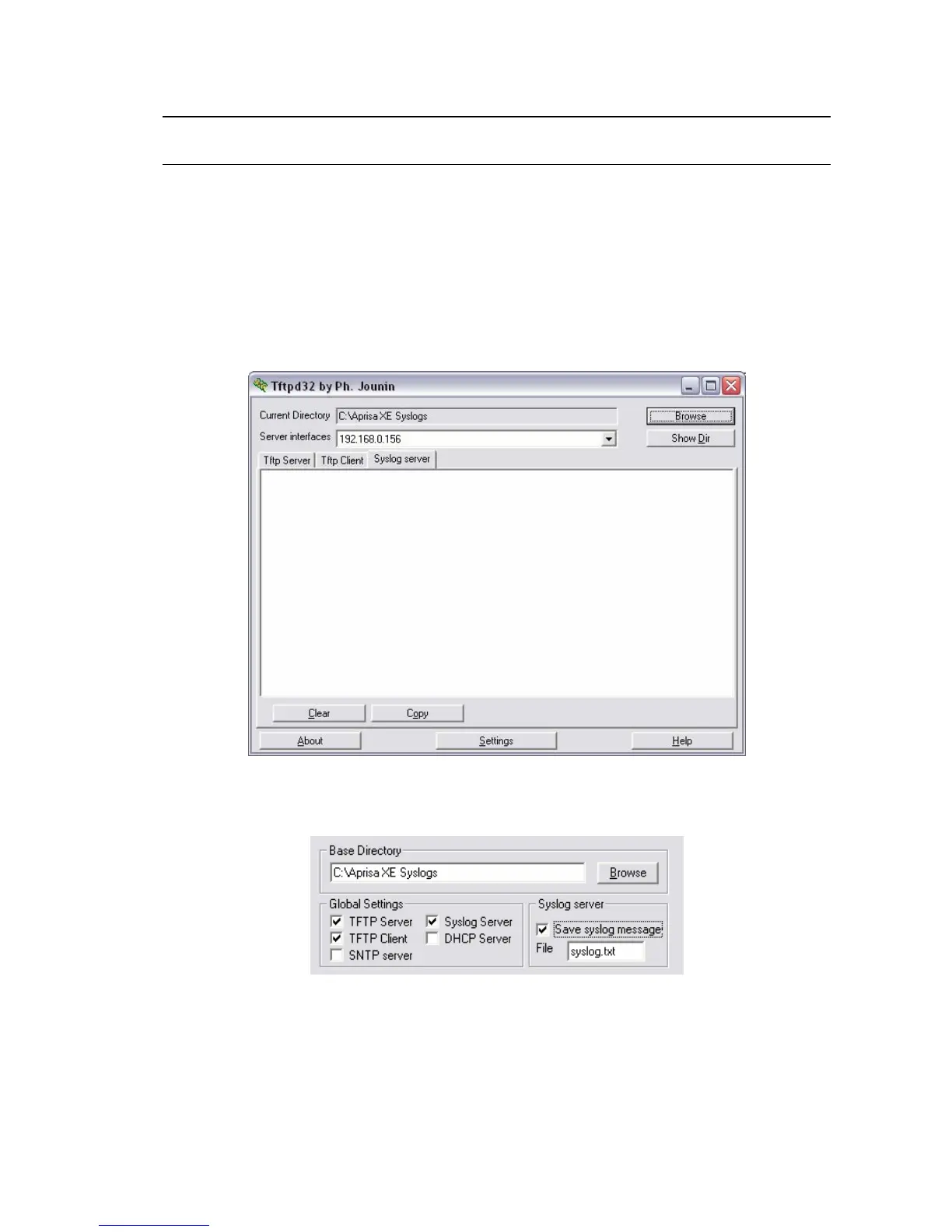
To set up a terminal for remote logging:
1. Copy the TFTP server application (tftpd32.exe, which is located in the TFTPD directory) from the
terminal product CD into a suitable directory on the PC (for example, C:\Program Files\TFTP
Server).
2. Create another directory where you want the system logs to be saved for example;
C:\Aprisa XE Syslog
3. Double-click tftpd32.exe.
4. Click Settings and make sure that both ‘Syslog Server’ and ‘Save syslog message’ boxes are
ticked.
5. Click Browse and select a directory where you want the Syslog file to be saved (created in step 2).
6. Click OK to close the Settings dialog box.



 To Next Page