Connecting to the terminal | 44
PC settings for SuperVisor
To change the PC IP address:
If your PC has previously been used for other applications, you may need to change the IP address
and the subnet mask settings. You will require Administrator rights on your PC to change these.
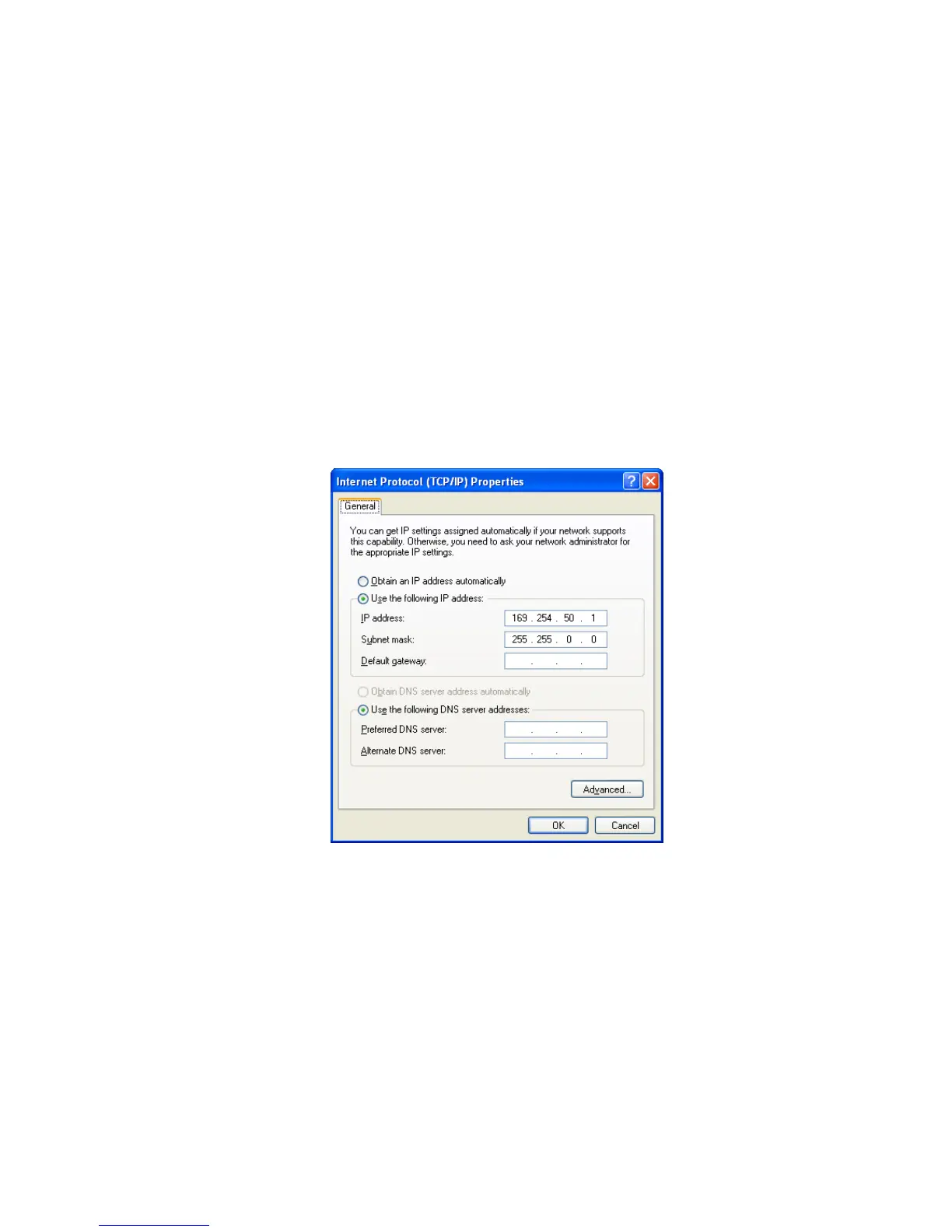
Windows XP example: Configure IP settings
1. Open the 'Control Panel'.
2. Open 'Network Connections' and right click on the 'Local Area Connection' and select 'Properties'.
3. Click on the 'General' tab.
4. Click on 'Internet Protocol (TCP/IP)' and click on properties.
5. Enter the IP address and the subnet mask (example as shown).
6. Click 'OK' then close the Control Panel.
If the terminal is on a different subnet from the network the PC is on, set the PC default gateway
address to the network gateway address which is the address of the router used to connect the
subnets (for details, consult your network administrator).



 To Next Page