Connecting to the terminal | 42
Connecting to the terminal's ethernet interface
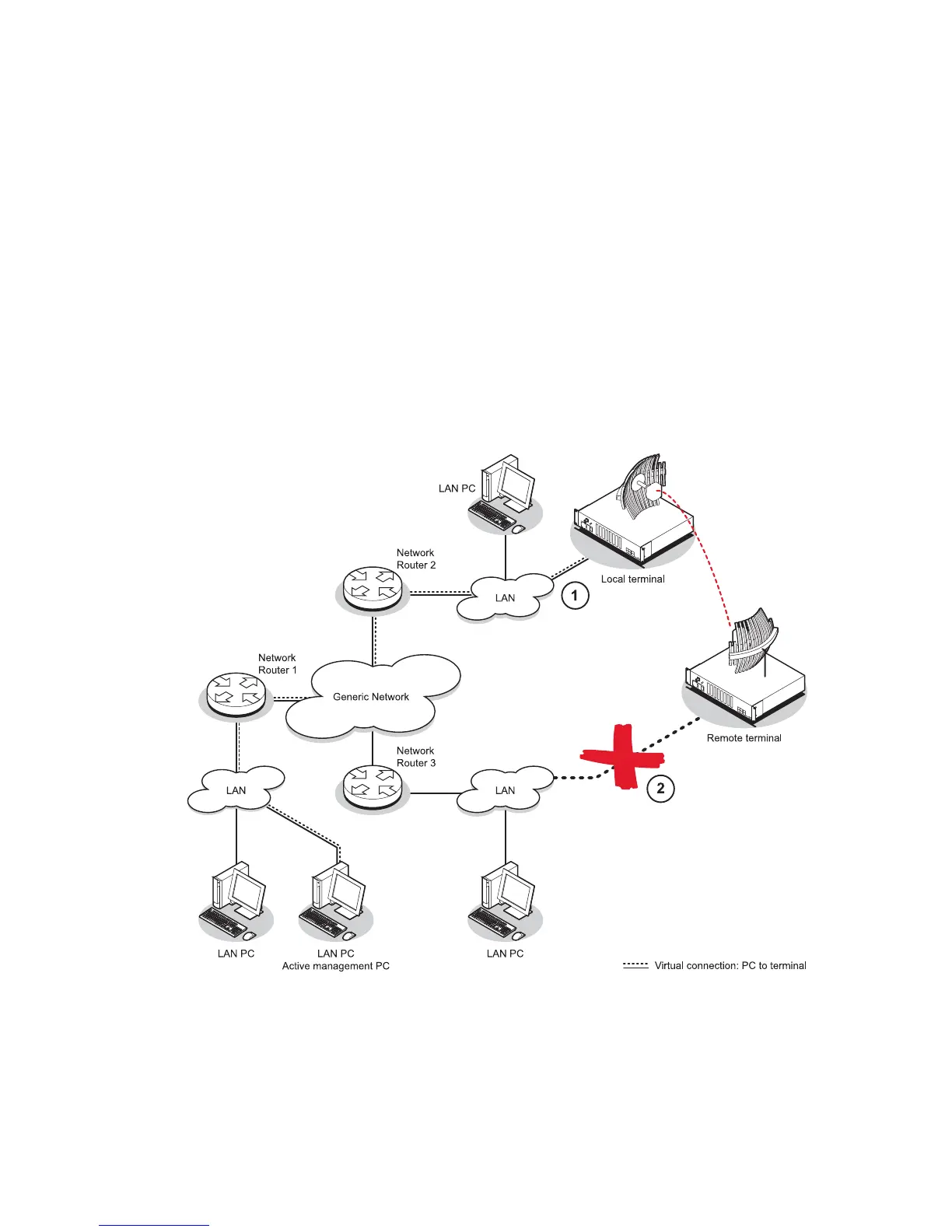
The main access to a terminal for management is with the ethernet interface using standard IP
networking. There should be only one ethernet connection from the terminal to the management
network.
The terminals are pre-configured to use IP addressing in one of the common 'non-routable' IP address
ranges. This means the terminals are usually recognized by your operating system without any
reconfiguration.
However, you should change these default addresses (see “
Changing the terminal’s IP address” on
page
56) to comply with your IP addressing scheme.
In the example below, the active management PC must only have one connection to the link as shown
by path c. There should not be any alternate path that the active management PC can use via an
alternate router or alternate LAN that would allow the management traffic to be looped as shown by
path d.



 To Next Page