Connecting to the terminal | 41
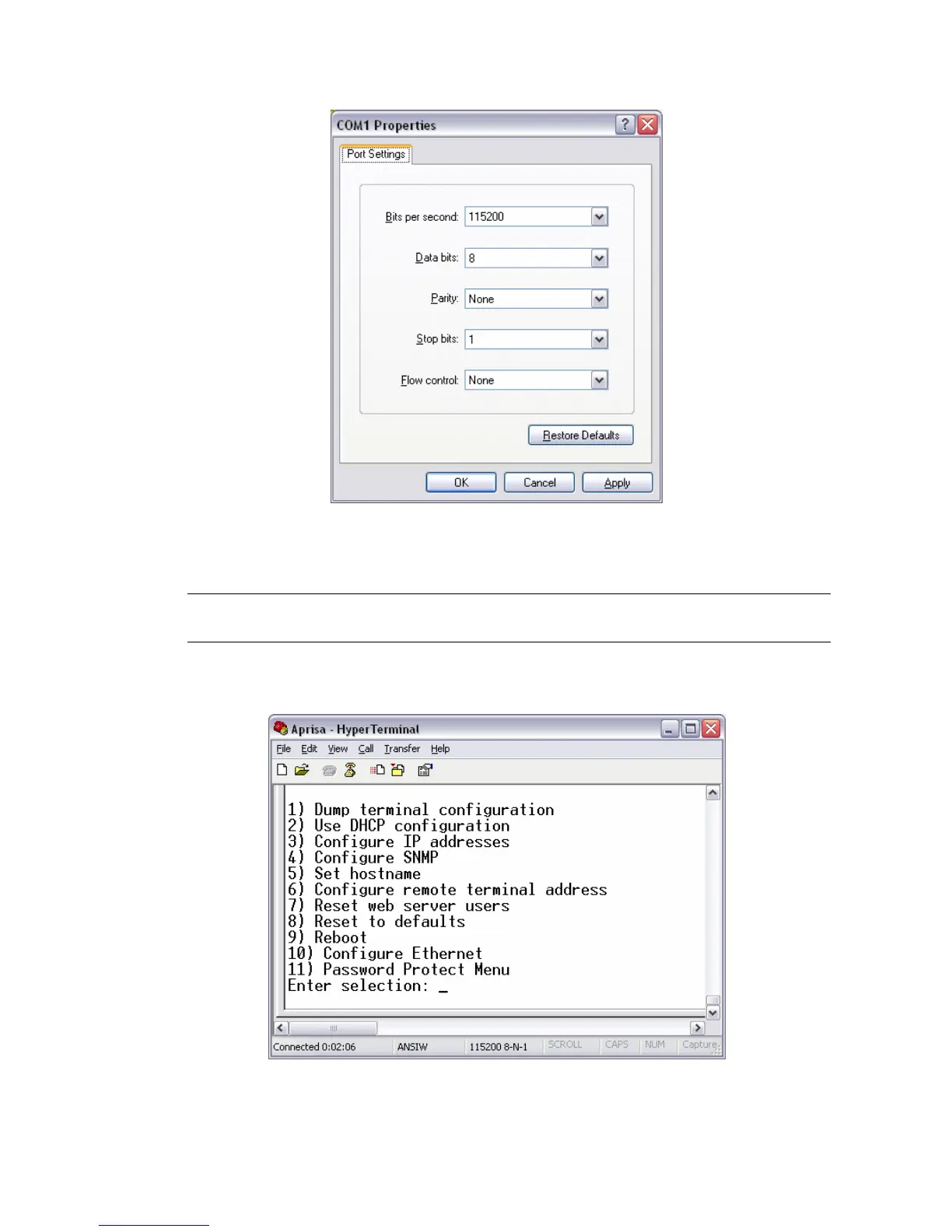
4. Set the COM Port settings as follows:
5. When you have completed the settings, click OK, which will open the HyperTerminal window.
6. Apply power to the terminal.
Note: If power was applied to the terminal before launching HyperTerminal, hit the Enter key to
initiate the link.
When the terminal has completed startup, you will be presented with the Setup menu:



 To Next Page