Troubleshooting | 197
14. Troubleshooting
Loopbacks
Loopbacks are used as a tool for testing or as part of the commissioning process and will affect
customer traffic across the link.
The terminal supports three types of loopbacks:
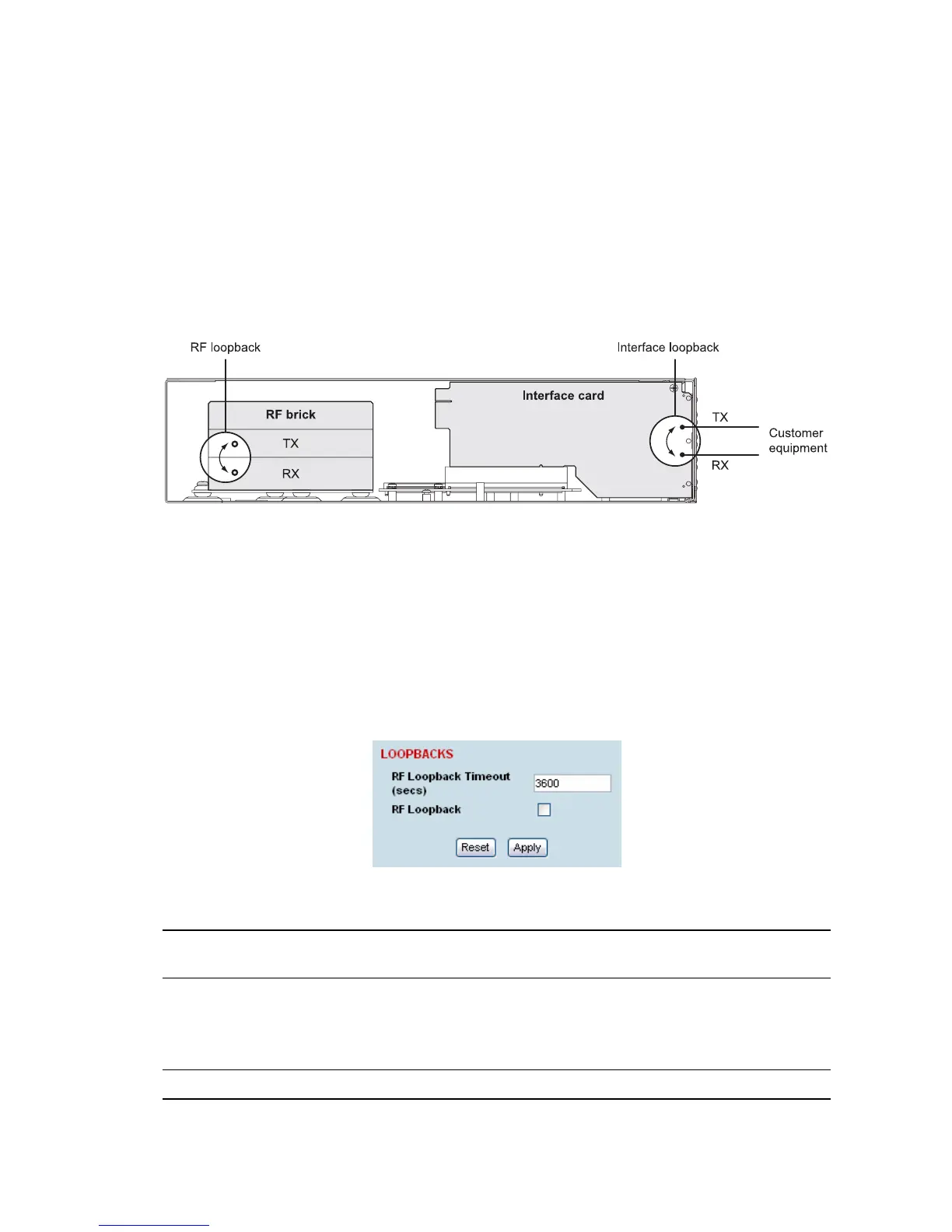
RF radio loopback
Interface loopbacks, set at the interface ports
Timeslot loopbacks
RF radio loopback
The RF radio loopback provides a loopback connection between the radio Tx and radio Rx. Each
terminal is looped back independently.
All traffic entering the transmit stage of the local terminal is turned around and delivered to the receiver
section. This loopback will affect all traffic through the terminal.
To enable or disable the RF loopback:
Select Link or Local or Remote > Maintenance > Loopbacks.
To enable the RF loopback, click the RF Loopback checkbox (tick the box).
Note: An RF loopback will automatically disable after the period set (in seconds) in the Loopback
Timeout field. The default entry is 3600 seconds (60 minutes).
To disable the RF loopback, click the RF Loopback checkbox (untick the box).
Click Apply to apply changes or Reset to restore the previous configuration.
Note: When the RF loopback is selected, both the RX and TX LEDs will flash.



 To Next Page