Configuring the traffic interfaces | 87
QJET port settings
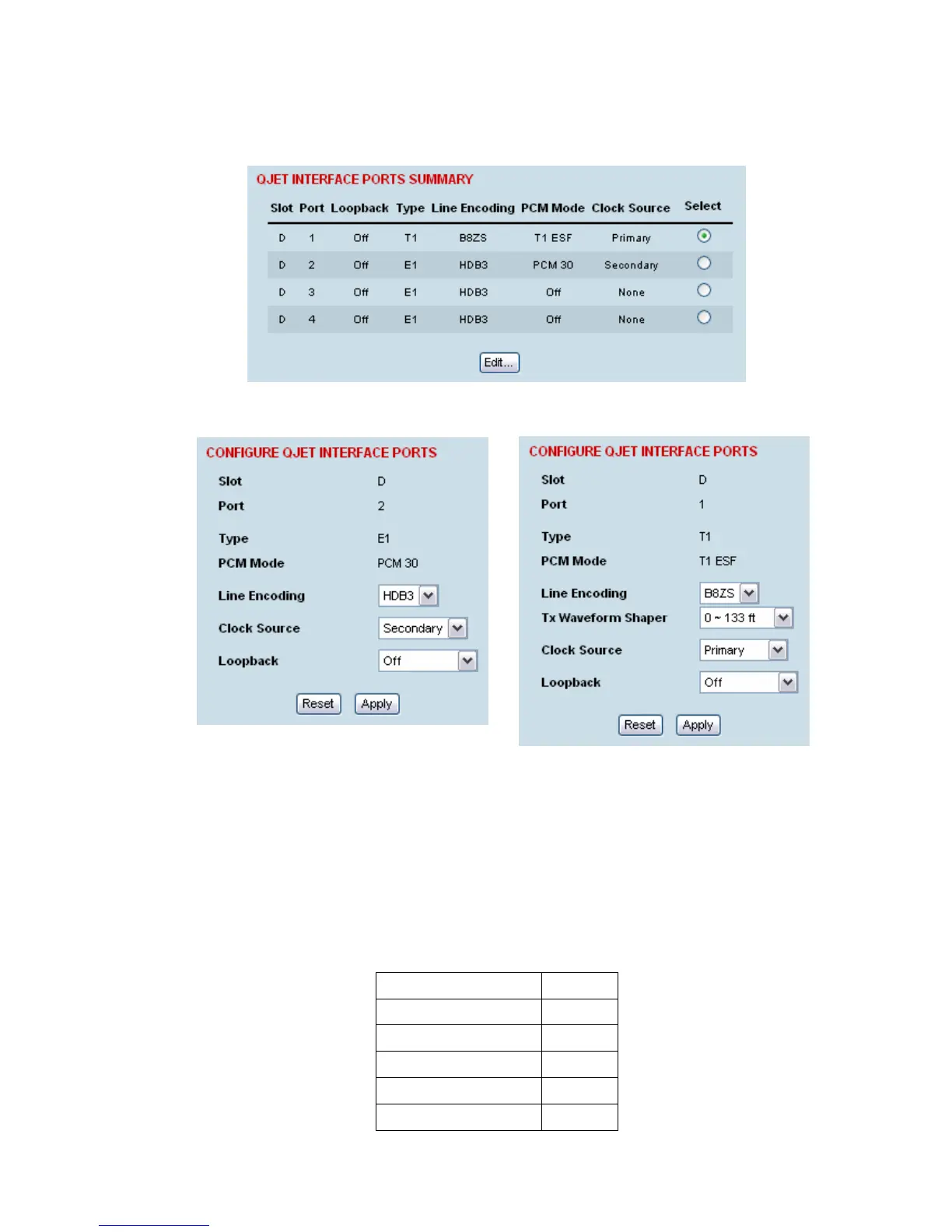
1. Select Link or Local or Remote > Interface > Interface Summary, then select the QJET interface
and click Configure Interface.
2. Select the QJET port to be configured and click Edit.
3. Set the QJET Line Encoding:
For an E1 port, set the E1 Line Encoding as required to either HDB3 or AMI. The default is HDB3.
For a T1 port, set the T1 Line Encoding as required to either B8ZS or AMI. The default is B8ZS.
4. Set the QJET T1 Tx Waveform Shaper (T1 only).
The Tx Waveform Shaper applies 1/f pre-emphasis to the transmit waveform to ensure the
waveform meets the G.703 pulse mask at the interconnect point. Waveform shaping assumes the
use of 22 gauge (0.32 mm
2
) twisted-pair cable. The default is 0 ~ 133 ft.
Cable Length Range
0 ~ 133 ft Default
133 ~ 266 ft
266 ~ 399 ft
399 ~ 533 ft
533 ~ 655 ft



 To Next Page