Configuring the terminal | 76
Configuring the external alarm outputs
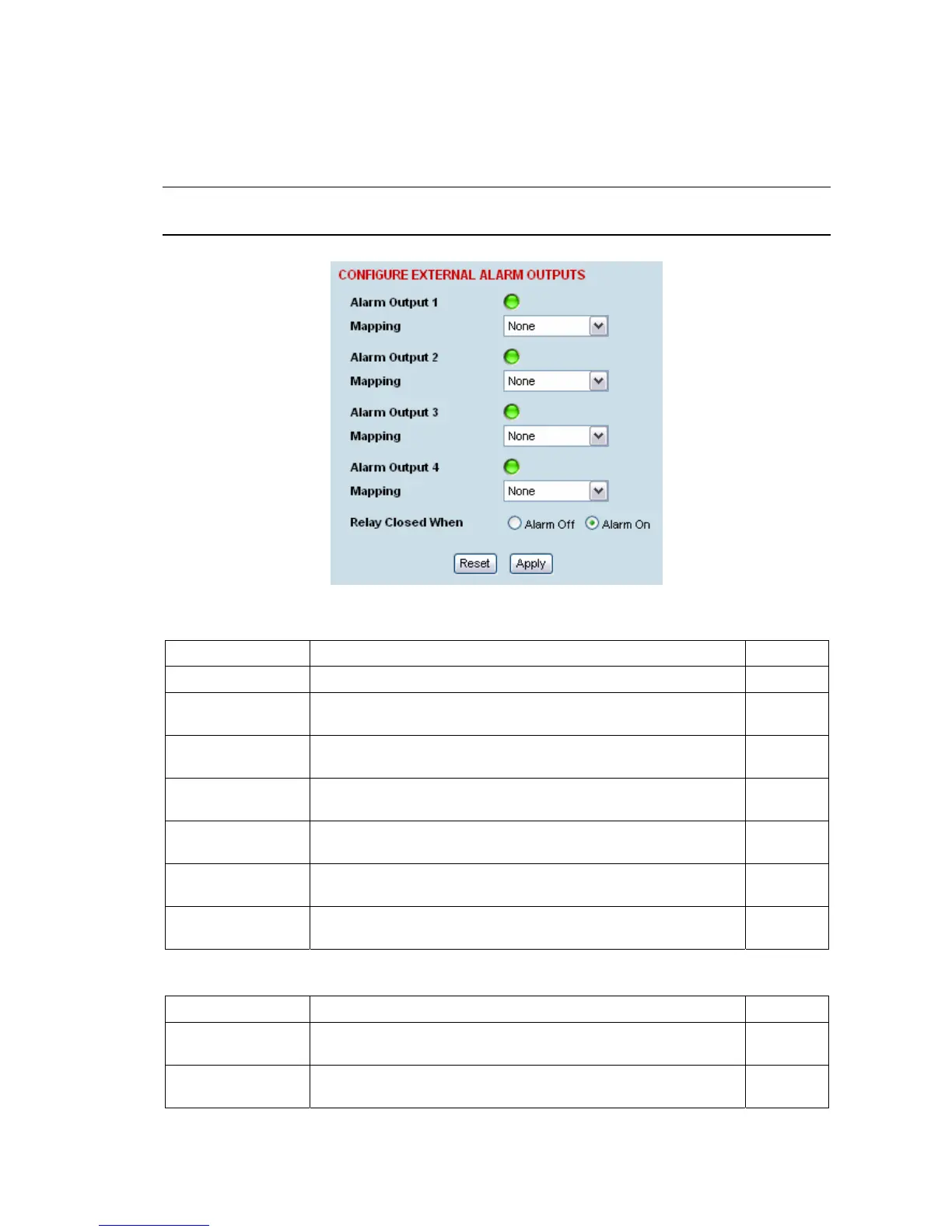
To configure the External Alarm Outputs:
Select Link or Local or Remote > Alarms > Ext Alarm Outputs
Note: When the terminal MHSB mode is enabled, the external alarm output 4 is used by the protection
switch system so is not available for user alarms.
1. Select the Mapping required for each alarm output.
Mapping External Alarm Output Function
None No external alarm output. Default
Local Major The external alarm is present when the local terminal has a major
alarm.
Local Minor The external alarm is present when the local terminal has a minor
alarm.
Remote Major The external alarm is present when the remote terminal has a
major alarm.
Remote Minor The external alarm is present when the remote terminal has a
minor alarm.
Remote Input 1 The external alarm is present when the remote terminal external
alarm input 1 is present.
Remote Input 2 The external alarm is present when the remote terminal external
alarm input 2 is present.
2. Select the Relay closed when setting for the four alarm outputs.
Relay closed when External Alarm Output State
Alarm on When the external alarm output relay contact is closed, the alarm
is on (alarm active).
Default
Alarm off When the external alarm output relay contact is closed, the alarm
is off (alarm inactive).
3. When you have made your changes, click Apply to apply changes or Reset to restore the previous
configuration.



 To Next Page