Configuring the traffic interfaces | 101
DFXO port settings
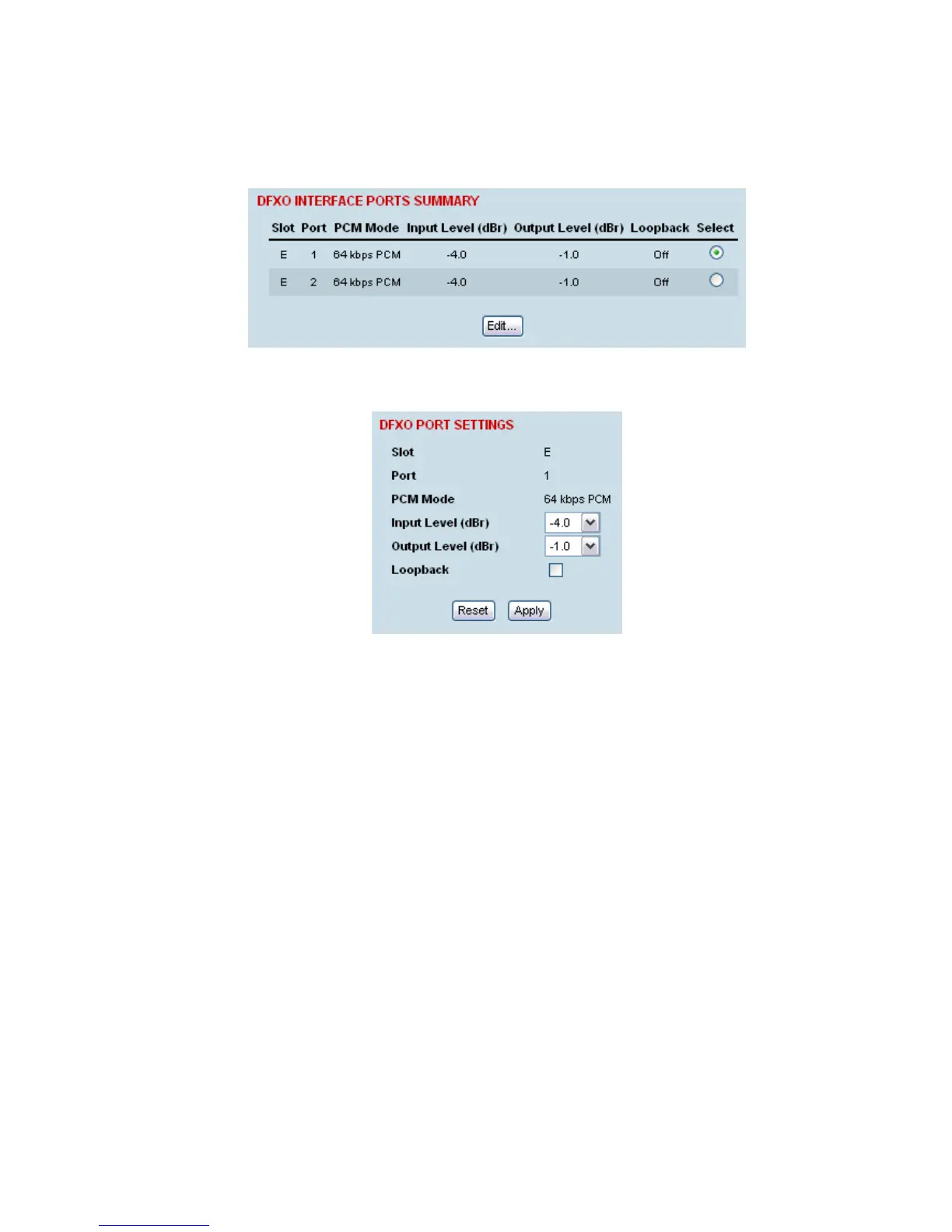
1. Select Link or Local or Remote > Interface > Interface Summary, then select the DFXO interface
and click Configure Interface.
2. Select the DFXO port to configure, and click Edit.
'Slot' shows the slot the DFXO interface card is plugged into in the terminal (A – H).
'Port' shows the interface port number (1-2).
‘PCM Mode’ shows the current mode assigned to the port by the cross connect.
‘Loopback’ loops back the port digital paths to return the port analogue signal back to the
customer.



 To Next Page