Maintenance | 194
Installing an interface card
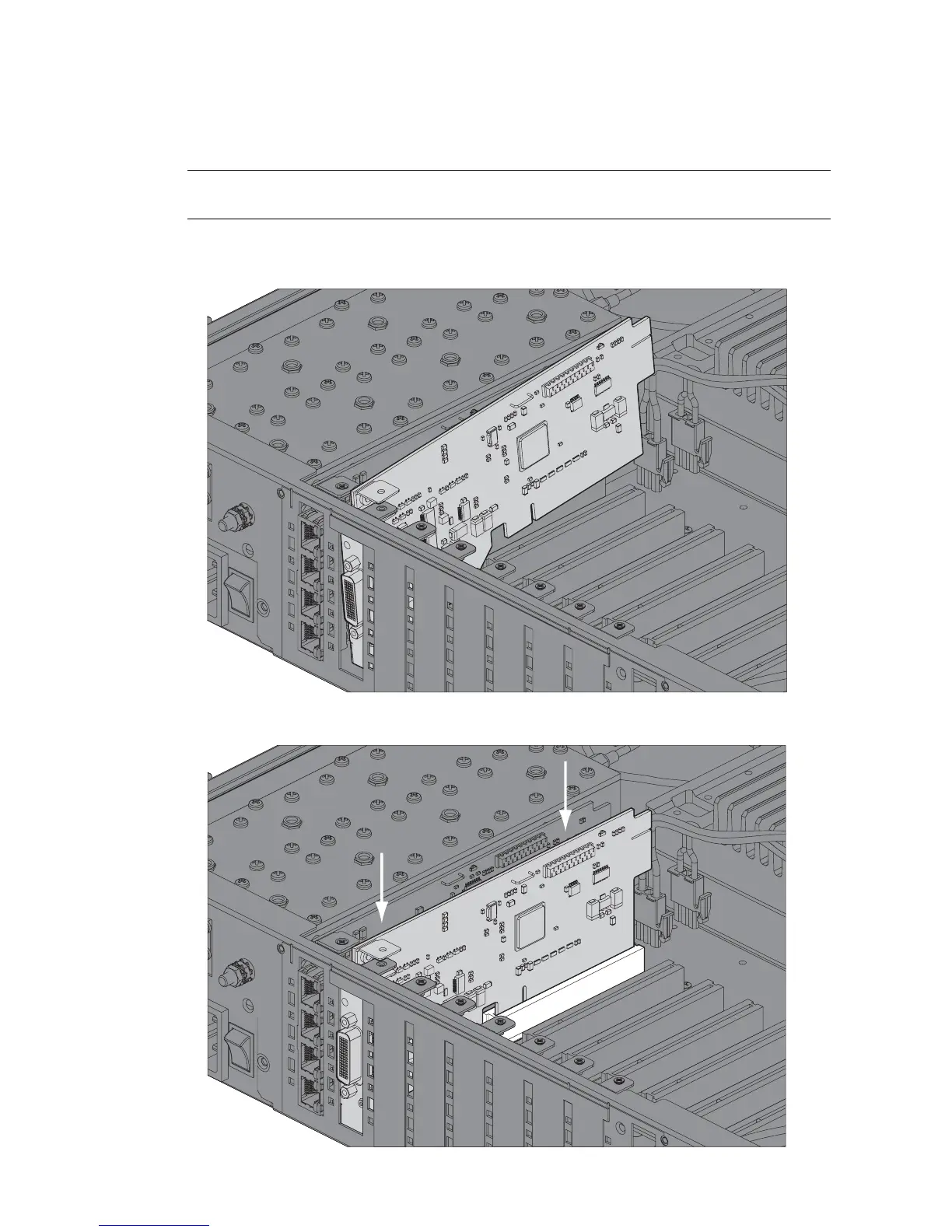
To install an interface card:
1. Remove the interface card from its packaging and static-safe bag.
Caution: To avoid static damage to the terminal or the interface card being installed, use a static
discharge wristband or similar antistatic device.
2. Offer the interface card into the chassis at an angle until the front panel of the card engages in the
chassis.
3. Rotate the card in the chassis until it is level, and both parts of the card interface bus connector
engage with the socket. Push down evenly on the interface card to seat it into the socket.



 To Next Page