Configuring the terminal | 72
To select the terminal clock source:
The Clock Source selected for the terminal will be used to clock all interface ports requiring clocking
and send a clocking signal over the RF link.
Select Link or Local or Remote > Terminal > Clocking > Clock Source and select one of the following:
Clock Source Terminal Clocking
Network The terminal is clocked from the nominated interface port.
Internal The terminal is clocked from the terminal's internal clock.
Link The terminal is clocked from the RF link.
If the terminal Clock Source is set to Network, the terminal will automatically clock from the nominated
primary clock source if that clock source is available.
If the nominated primary clock source is not available, the terminal will clock from the nominated
secondary clock source if that clock source is available.
If the nominated secondary clock source is not available, the terminal will clock from the internal clock
source.
When a nominated clock source becomes available (primary or secondary), the terminal will then
clock from that clock source.
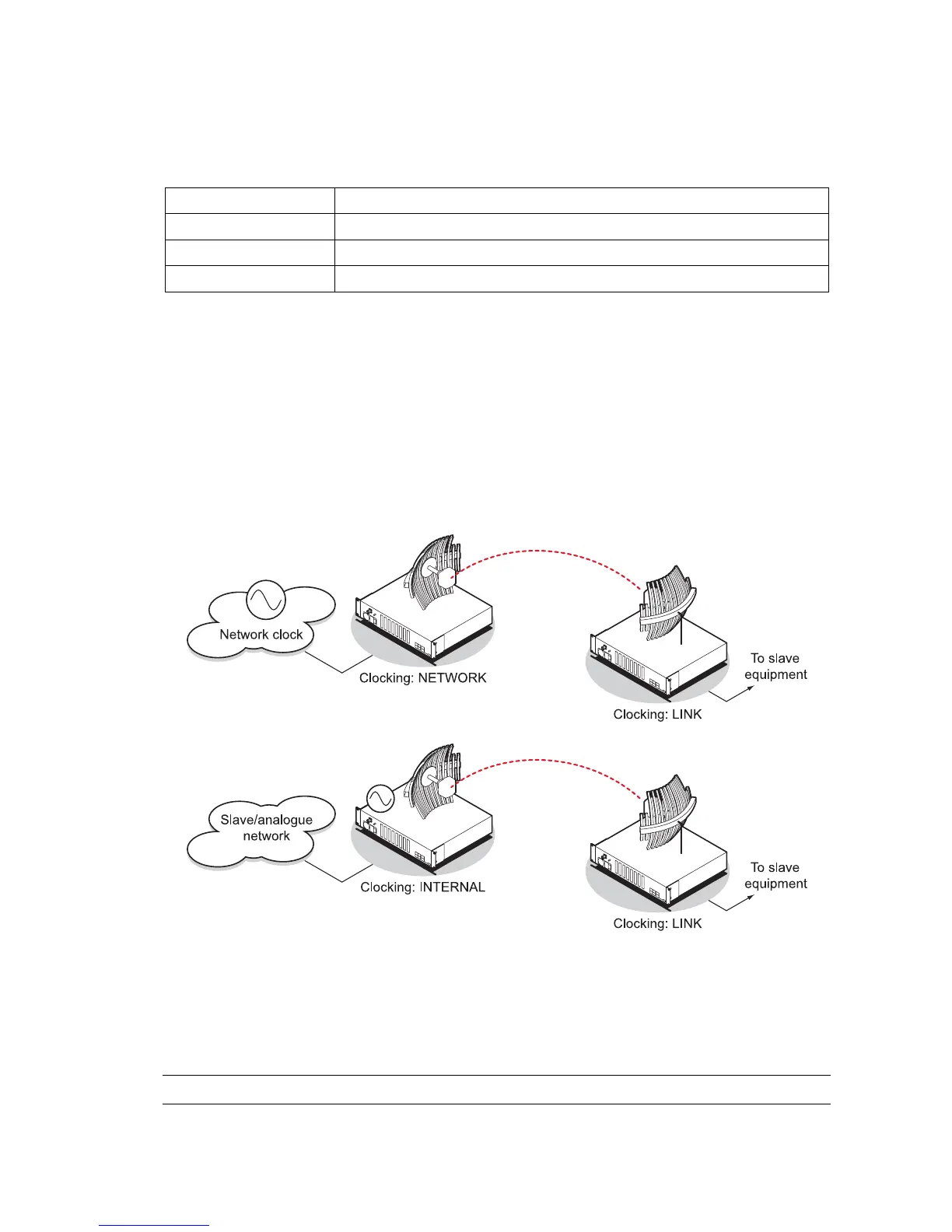
The terminal at one end of the link must have its clock source set to Internal or Network and the
terminal at the other end of the link must have its clock source set to Link.
QJET or HSS
To manually force the terminal to change its clock source:
Select either Primary Active or Secondary Active from the Network Clock Command drop-down list,
and click Apply.
Note: The Network Clock Command option is only available if the clock source is set to Network



 To Next Page