30
The Oscillators Section
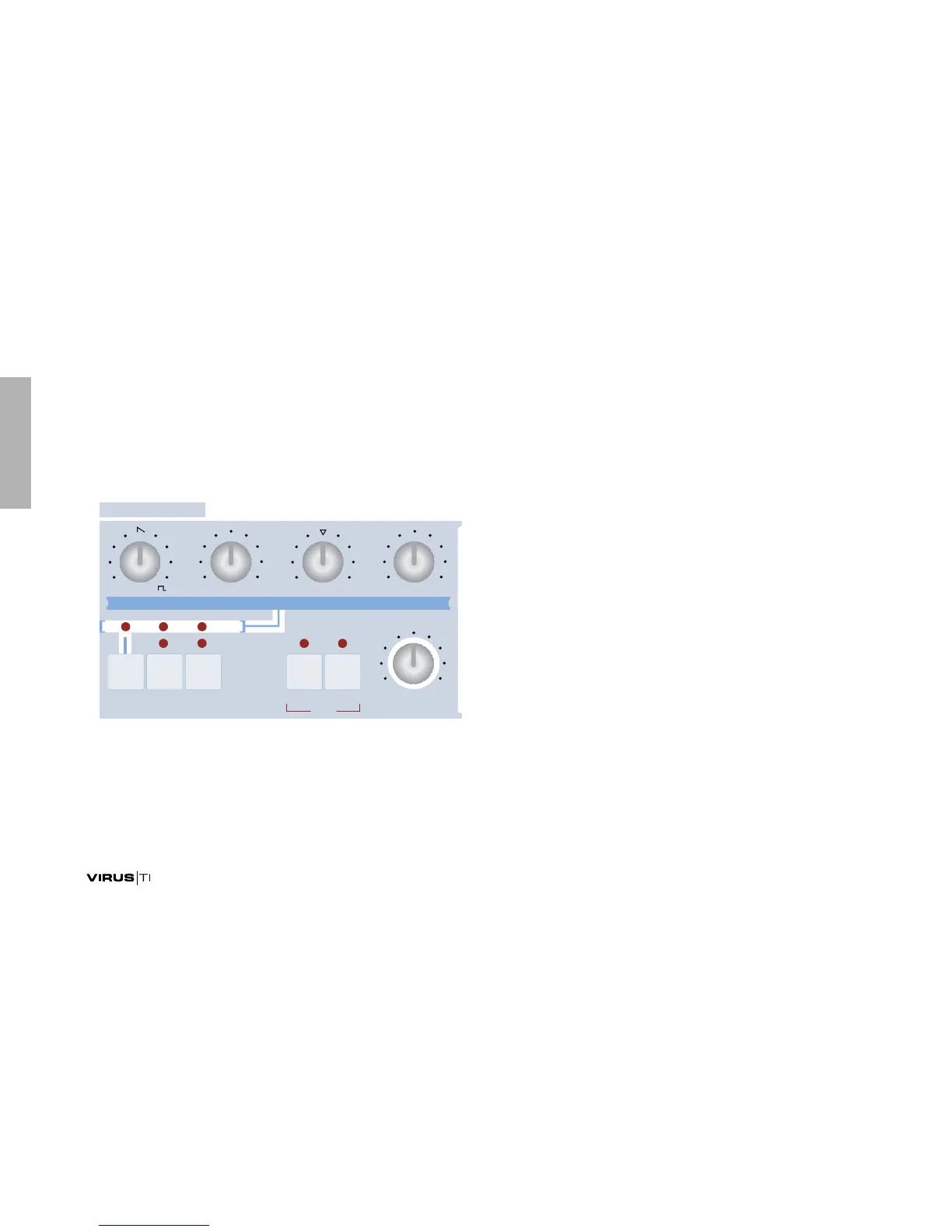
This is where the raw sound is generated. There are three main
oscillators but only one set of knobs in the top row, so we'll
start with a very important button – the one that selects which
particular oscillator you want those knobs to control...
SELECT
Restore ROM-A127 and take a look at the row of LEDs above
the SELECT button. OSC1 is currently active, so whatever you
do with the top row of knobs will only affect oscillator 1. There
is actually an exception to this rule (DETUNE 2/3), but we'll get
to that in due course.
SHAPE
In your experiments so far you have only used one type of
wave – a Sawtooth. Now it’s time to try out some of the other
waveforms:
Restore ROM-A127 and play your keyboard while turning the
SHAPE knob. At minimum you will hear a pure Sine wave, in
the centre a pure Sawtooth, and at maximum a pure Pulse.
Listen to those extremes for a while, then try out different mix-
tures using the SHAPE knob. You will see the percentage mix-
ture of waveforms being updated whenever you turn the knob.
Again, the Virus TI has much more under the hood than is
immediately apparant: As well as the “Classic” oscillators we
have been using so far, the TI offers two other highly interest-
ing types called “HyperSaw” and “WaveTable”. Please be
patient – you will be trying these out soon enough!
&--/$%
5.)3/.$%45.%0/24!-%.4/
0!.)#
-/$%
/3#),,!4/23
$%45.%
3(!0%
7!6%3%,%#407 3%-)4/.%
&-!-/5.4%$)4 39.#3%,%#4 /3#/. -/./
/3# /3# /3#
7!6%



 To Next Page