37 FIRST STEPS
The Modulators Section
LFOs (Low Frequency
Oscillators) are often
used to add some
cyclic movement to
otherwise static
sounds. There are
three LFOs in your
Virus, and each one
has a different assort-
ment of preset desti-
nations it can
modulate directly.
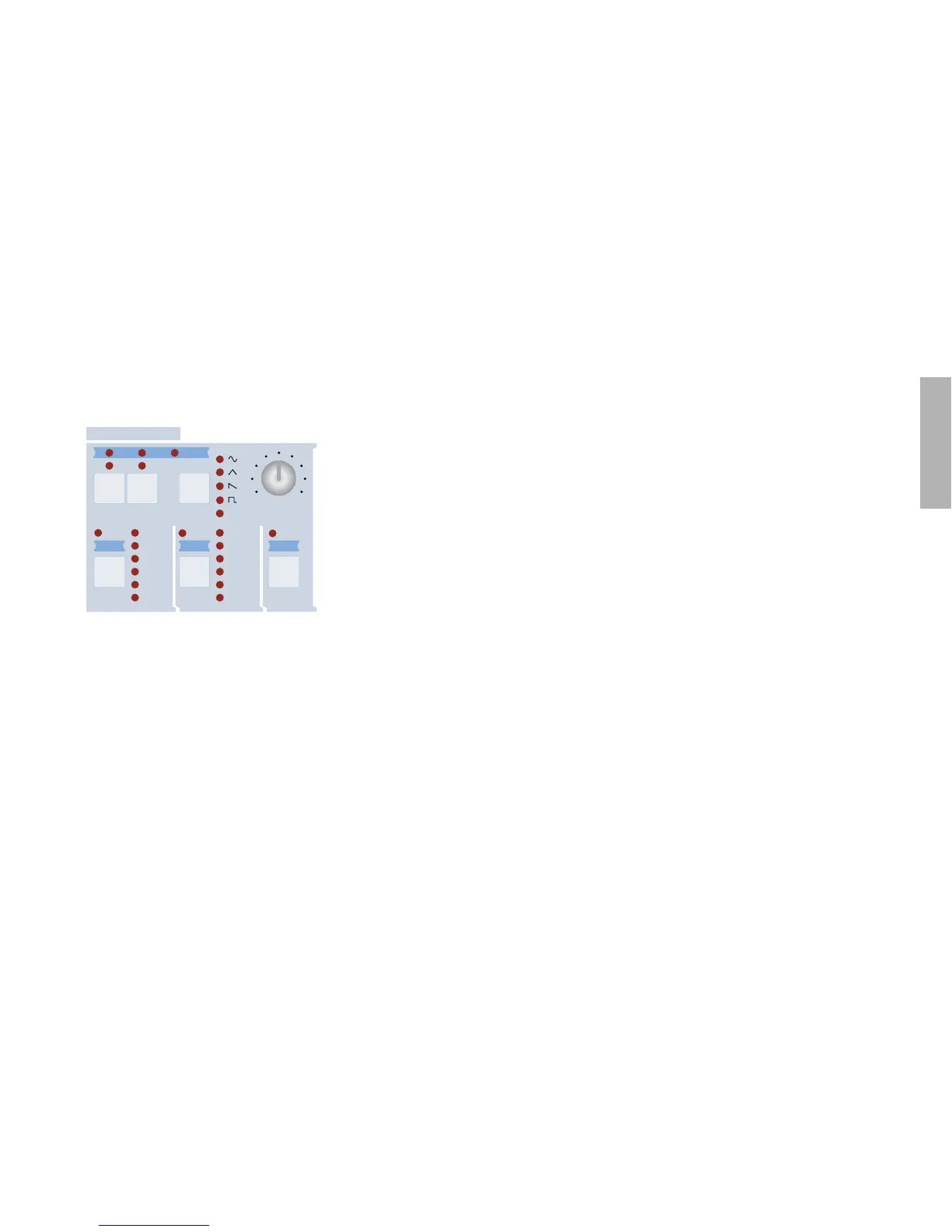
The three SELECT buttons are used to switch between LFOs –
the upper row of buttons and the RATE knob will only apply to
the LFO you select here. Try pressing the LFO2 SELECT button,
turn the RATE knob and see which (white) LED changes speed.
Here’s another experiment...
Restore ROM-A126. The row of LEDs to the right of the LFO1
and LFO2 SELECT buttons indicate which parameters you can
modulate directly. For LFO1 these are Oscillator 1 pitch (OSC1),
Oscillator 2 pitch (OSC2/3), Pulse Width (PW), Resonance
(RESO), Filter Gain (FILT GAIN) and another destination called
ASSIGN. None of the LEDs are lit up at the moment because
you haven’t specified any modulation yet:
Although it is already active, try pressing LFO1’s SELECT but-
ton again – this opens the LFO1 Destinations menu. Repeatedly
press LFO 1 SELECT to switch between the 3 available pages
(of course you can use the PARAMETERS buttons instead),
then stop at the page containing the Osc1+2 Pitch parameter.
Play a note on your keyboard while turning Osc1+2 Pitch (via
the VALUE 2 knob) all the way up.
Press the SHAPE button once to select a falling Sawtooth
instead of Triangle. While playing a note on your keyboard, turn
RATE up to 90, then use the VALUE 2 knob to take Osc1+2
Pitch slowly down to minimum. The modulation becomes
inverted because this parameter is bipolar (meaning it can have
positive or negative values). Now turn Osc2 Pitch (the VALUE 3
knob) up to maximum. The oscillator pitches are now moving in
opposite directions.
Hold down SHIFT and press the SHAPE button once to return
to the Triangle wave. Take Osc1+2 Pitch to +10 (which brutally
overrides the other values in this page). You should hear a mild
vibrato effect. Try turning CUTOFF down and ENV AMOUNT up
– it doesn’t matter that you haven’t closed the LFO Destinations
menu yet.
Turn the SHAPE knob in the OSCILLATORS section up to maxi-
mum. Oscillator 1 is now a Pulse wave. Press the LFO 1
SELECT button once again to open the next page. Take Pulse
Width (the VALUE 1 knob) up to maximum and play your key-
board. This is deep cyclic “pulse width modulation” (PWM). The
,&/#/.4/52
-/$5,!4/23
,&/
,&/
,&/
,&/ ,&/ ,&/
%$)4 %.6-/$% 3(!0%
3%,%#4 3%,%#4 3%,%#4
#54/&&
0!.
!33)'.
3(!0%
&-!-4
#54/&&
/3#
/3#
07
2%3/
&),4'!).
!33)'.
7!6% 2!4%



 To Next Page