63 VIRUSCONTROL
OSC Page
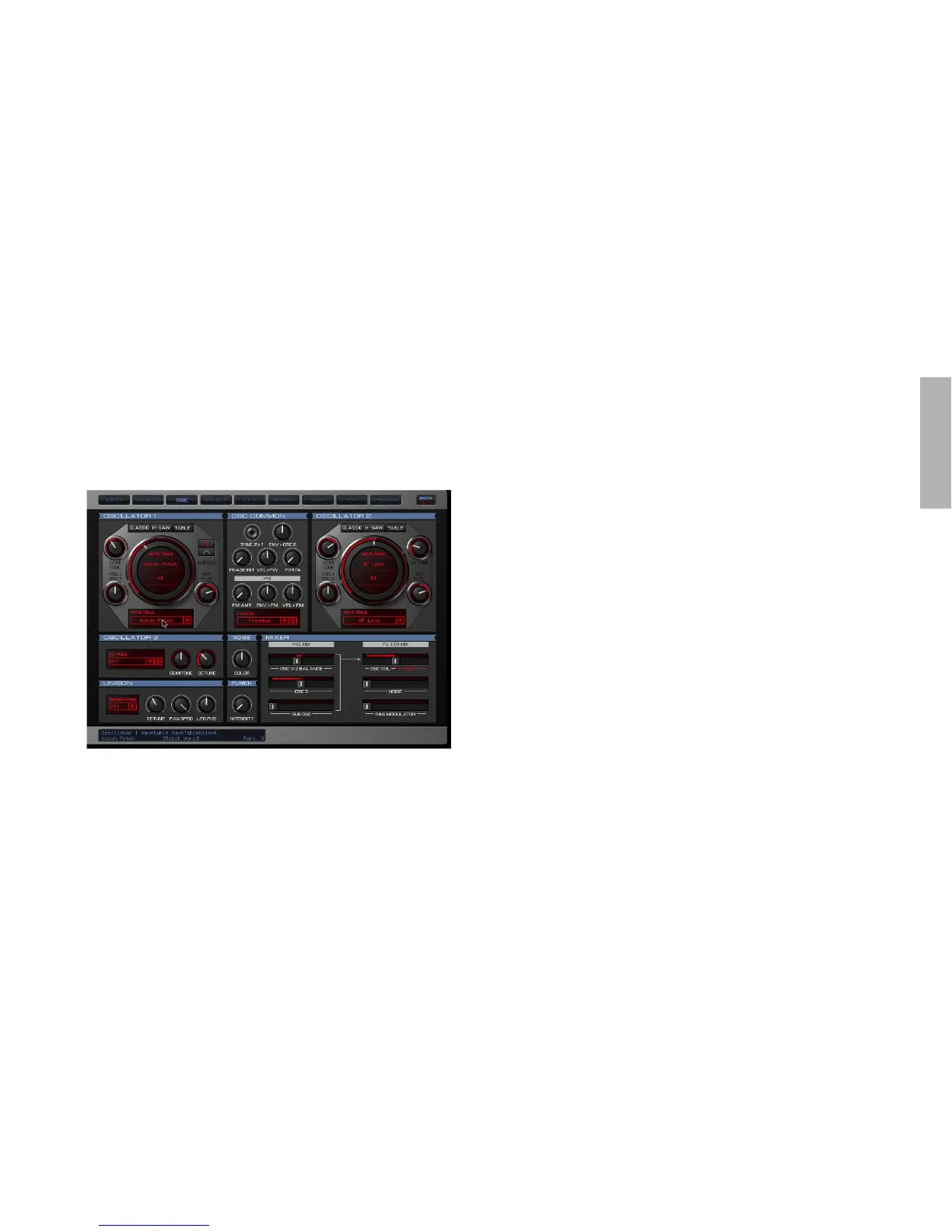
Here you will find all the parameters relevant to the oscillators
as well as the mixer section of the Virus TI.
The two big dials represent Oscillators 1 and 2. The graphic in
the centre of each represents the current waveform – grab it
with the mouse and move it around to ‘morph’ between
sine<>saw<>pulse. Notice how horizontal movements affect
the width of the pulse wave – Click+Drag the little square in the
Pulse Width display beneath the dial to adjust.
When the Shape dial is turned to the left of centre, the graphic
underneath will display the currently selected ‘spectral’ wave.
By dragging the wave vertically you can scroll quickly through
all of the available waves – alternatively you can click on the lit-
tle arrow beneath ‘Wave xx’ to open a list of all the waves.
When you switch the oscillator to HyperSaw mode, you will see
some red vertical lines instead of the waveform. These repre-
sent the individual sawtooth waves within the HyperSaw oscilla-
tor – as you increase Density the number of lines increases
toward the maximum of 9, and as you increase Detune Spread
the lines move further apart. Try grabbing this graphic with the
mouse and dragging it around – vertical movements affect Den-
sity, whilst horizontal movements affect Detune Spread. Try
diagonal movements to adjust both at the same time!
In Wavetable mode, the graphic displays the name of the
wavetable above the current Index position. Click+drag the
wavetable name to scroll quickly through the tables, or click on
the wavetable name beneath the dial to open a list of all availa-
ble tables.
The abbreviation ‘Vel’, i.e. ‘Vel>Osc1’ is short for ‘Velocity’.



 To Next Page