90
Delay
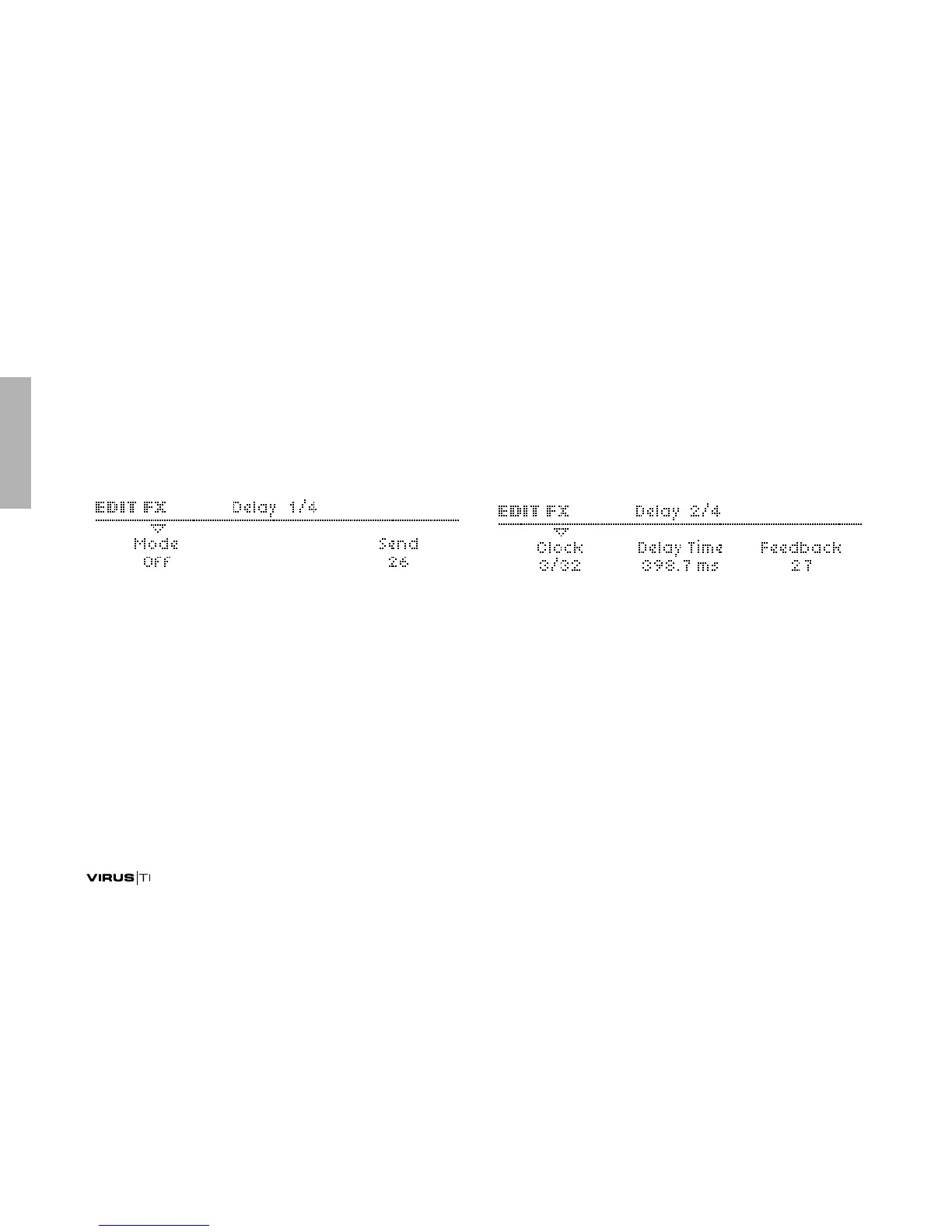
Mode
>Off: No Delay effect.
> Simple Delay: Standard delay effect, the left and right chan-
nels have the same nominal delay times.
> Ping Pong 2:1 ... Ping Pong 8:7: The left and right channels
have different delay times, indicated by the ratio.
> Pattern 1+1 ... Pattern 5+5: The left and right channels can
have different delay times. Pattern modes are always syn-
chronized to the Clock. The TIME / COLOR knob controls
the Coloration parameter (see “Coloration” on page 91).
Send
Accessible from the panel via the SEND knob.
> Dry, 1 to 126, Wet: Effect send – actually a crossfade i.e. the
overall level remains fairly constant (the dry signal is faded
out at higher values). Modulation destination “Delay Send“.
Clock
> Off, 1/64 ... 3/4: Synchronized delay rate expressed as a 4/4
bar division. Although not labelled as such, this parameter
(or Delay Time – see below) is available from the panel via
the TIME / COLOR knob.
Delay Time
> 0.0 ms to 693.6 ms: Non-synchronized delay expressed in
milliseconds. This values is used if Clock (see above) is set
to Off. Available from the panel via the TIME / COLOR knob.
Modulation destination “Delay Time”.
>EDIT MENUS



 To Next Page