114
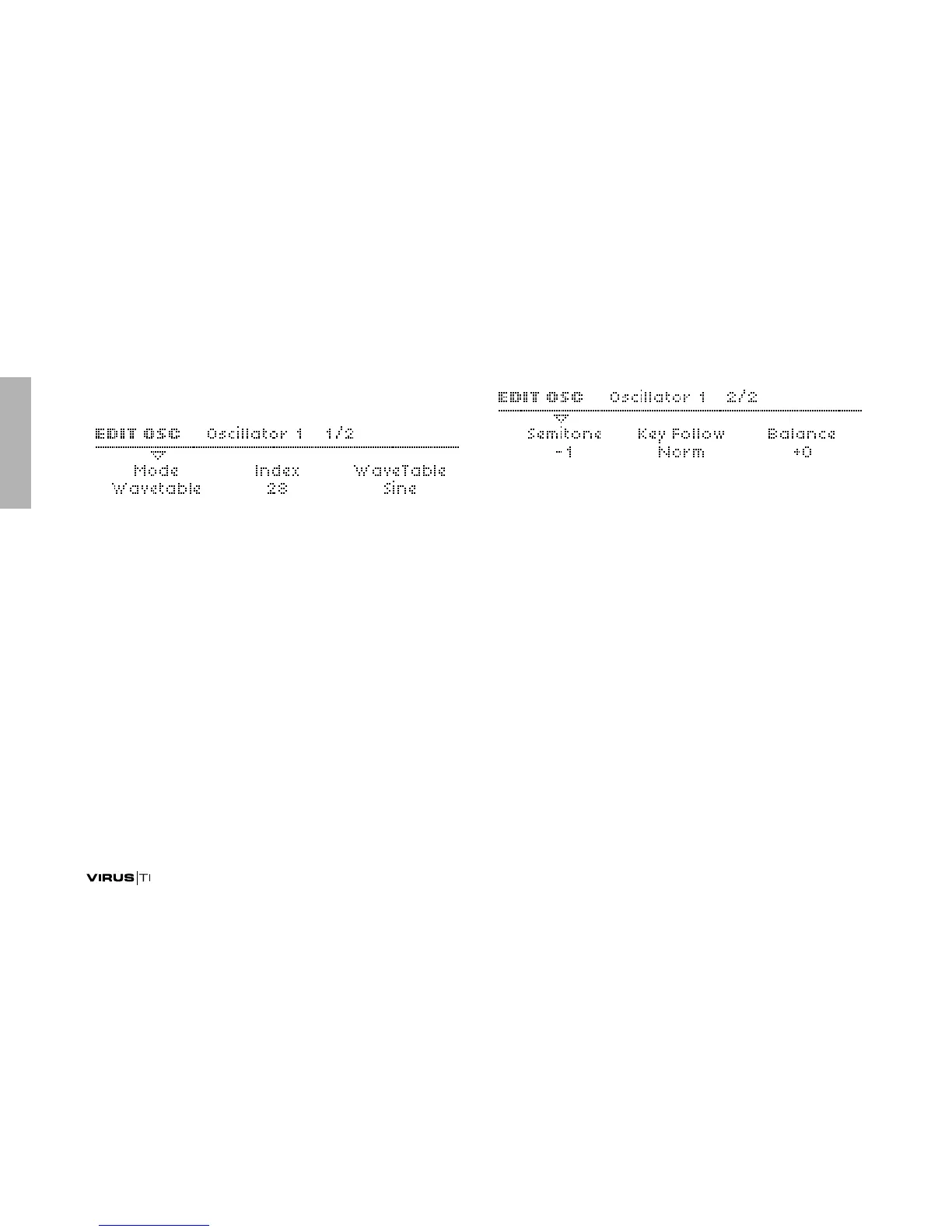
Oscillator 1 – WaveTable
Mode
Accessible from the panel via SHIFT + oscillator SHAPE knob.
> Classic, HyperSaw, WaveTable: Selects the basic type of
oscillator.
Index
Accessible from the panel via the SHAPE knob.
> 0 to 127: Selects the nominal position within the WaveTable.
Modulation destination “Wavetable 1 Index“ or
“Osc1 Shape” (these are equivalent).
Table
> Sine ... Violator: Selects one of many wavetables.
Semitone
Accessible from the panel via the SEMITONE knob.
> -48 to +48 semitones: The nominal pitch of oscillator 1.
Modulation destination “Osc1 Pitch“.
Key Follow
> -64 to +31, Norm, +33 to +63: How much the pitch of oscil-
lator 1 follows the keyboard (i.e. MIDI note number). Press
both VALUE buttons at the same time for normal tuning
(Norm).
Balance
Accessible from the panel via the OSC BALANCE knob in the
MIX section.



 To Next Page